
Cycle: Deep Drill & Clevis
Definition
This help page explains the behaviour of the clevis mode.
|
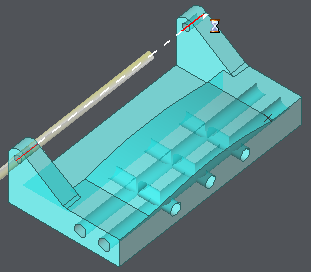
The purpose of the machining is to accelerate the motions between 2 or more coaxial holes.
In Clevis mode, most of the parameters are not accessible. The only important parameter to define is the value of the feedrate between the machined holes. This parameter is located in the Technology page. |
|
To use the clevis mode, the holes machined must be unified in one and only hole entity.
There are 2 ways of working:
-
if you do not have HMF extra module, use the standard holes function.
-
if you have HMF, recover the shapes and unify holes together.
|
1. You can use the following process either on 2D geometry or solid also.
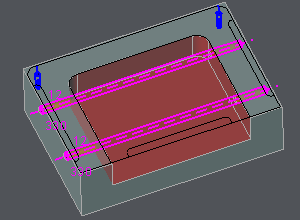
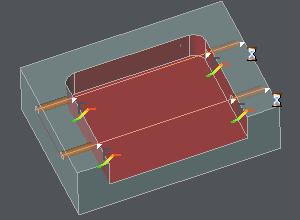
What you have to do is create a unique hole with the total length of the several holes to be machined. For the example on the right, there are 2 times 2 coaxial holes, each hole is 50 mm long but the total length is 330 mm. In this case, create one hole with 330 mm long. Thanks to the stock management, if you machine the pocket before the holes, then the clevis mode is applied. The feedrate is higher inside the pocket. |
|
|
2. In case you have the Holes Machining Features (HMF) module, you can use the Holes Recognition Function 
This command can be found in Design / Solid / Operations on Solid and in the Interfaces, in Solid / Geometrical Calculation.
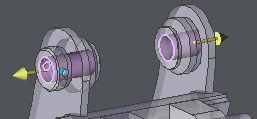
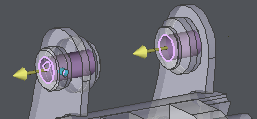
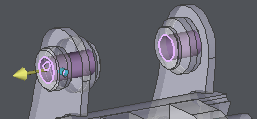
Before unifying the holes, check that the direction of Z are the same. If not, select the hole to invert, and click Invert command on the bottom of dialog.
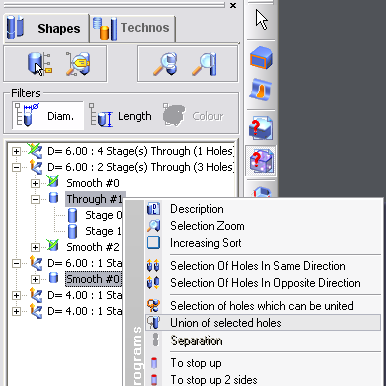
After this, select the holes to unify in the tree with Ctrl key for multiple selection. Then do a right-click, choose Union of selected holes. |
|