
Cycle: Knurling
Knurling Toolpath
|
The tool can be piloted by 3 points: |
Left: 
|
Middle: 
|
Right: 
|
Knurling by straight or pecking motion
Then you choose the type of toolpath that you wish, it can be:
|
Straight : the tool plunges and machines along the whole profile. Usually used when the profile is longer than the tool width. Here, we have chosen to pilot the middle of the tool.
|
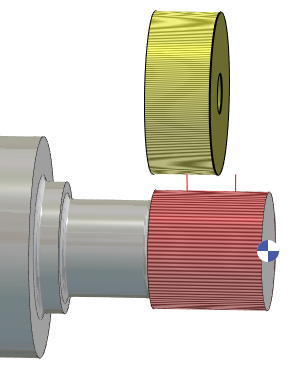
|
|
|
Pecking : the tool plunges only once and retracts. The pecking is calculated according to the end of the profile element. Consequently, if the width of tool is smaller than the selected profile, we machine only a part of the profile, from the end point! Usually the tool is larger than the profile, as shown in the last example on the right. |
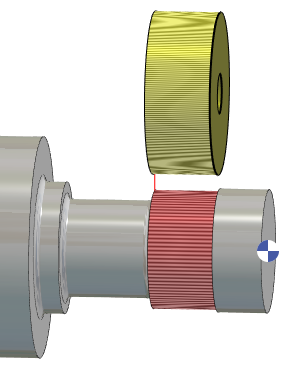
Left pilot point |
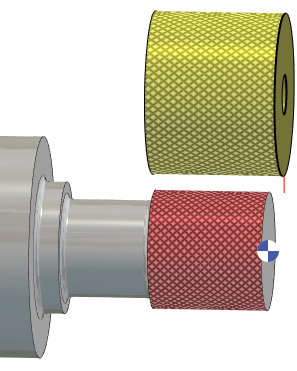
Right pilot point |