
Cycle: Chamfering
Definition
The chamfering can be programmed whatever is the geometry of the part: you can select the edges or profiles of the chamfer or program a chamfer on a sharp angle.
Profile / Chamfer is the selection of the correct profile.
Width define the material to machine according to the profile defined.
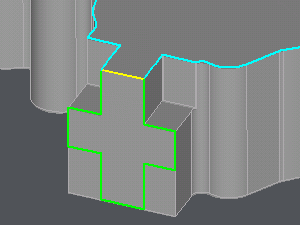
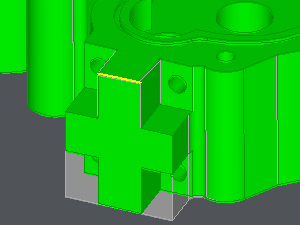
In all the following examples, the profile to select is the yellow segment.
If the chamfer is not designed
Set Profile / Chamfer to Without choice.
Width corresponds to the real chamfer width. This value is necessary for GO2cam to ensure a right calculation of the toolpath.
|
|
|
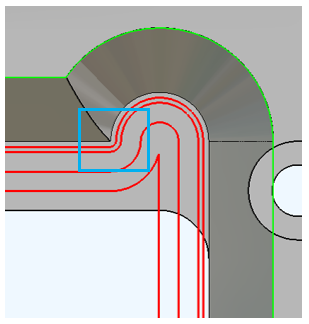
Also in this mode, you have a calculation directly based on the bottom profile, this generates better toolpath in corners, with less risks of collision. |
|
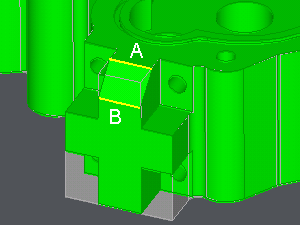
If the chamfer is designed
Set Profile / Chamfer to With choice.
Width determines the material to machine and the number of passes in the XY plane (with the XY increment). If width=0, there is only one pass in XY.
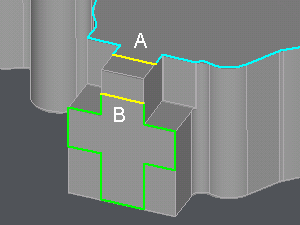
Choose A as the profile to select, it corresponds to the chamfer design.
B corresponds to the previous case.
|
|