
Cycles: millyuGO pocket, Facing Pocket, Pocket, Pocket+Contour, Pocket rework, millyuGO, PAM, Roughing/Reworking, Facing Roughing, Pocket (Shape), Flat Face Finish, Finish Contour (Shape)
Plunge
Definition
Safety and efficiency are ensured by the automatic plunge motions.
If your choice is not possible (not enough room to plunge in helix for example), GO2cam applies automatically the following option (Ramping) etc.
Several options are possible:

|
Helix |

|
Ramping Inverted |

|
Vertical |

|
Zig Zag |
|
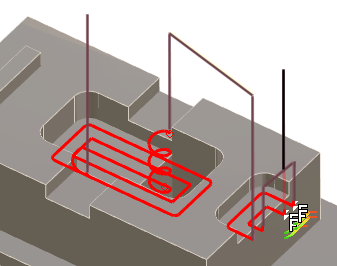
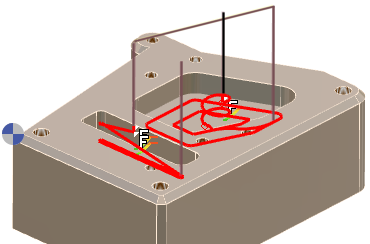
For open pockets, the first plunge (in black) is always outside of material. Then the second pocket is done with an helix plunge. |
In the same cycle, GO2cam applies the 1st choice (helix) during first plunge in black, then it changes to 2nd choice (ramping) if there is not room enough for an helix. |
|
|
Mini Helix Radius
Definition
Definition of a minimal helix radius for the plunge.
This value cannot be > to the tool radius value.
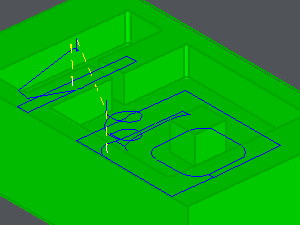
The tool plunges with an helix where it is possible to, according to the radius defined and to the area to machine. If it is not possible, like shown in the example, the tool does a ramping plunge.
Mini ramping radius
Minium radius for a rampling plunge (Maxi = Tool radius).
Mini rad mach area
Radius of the minimum machinable area (useless if inferior to tool radius).
Plunge angle
Angle equal to 0.0 => plunge angle of tool, or enter a value defining the plunge.