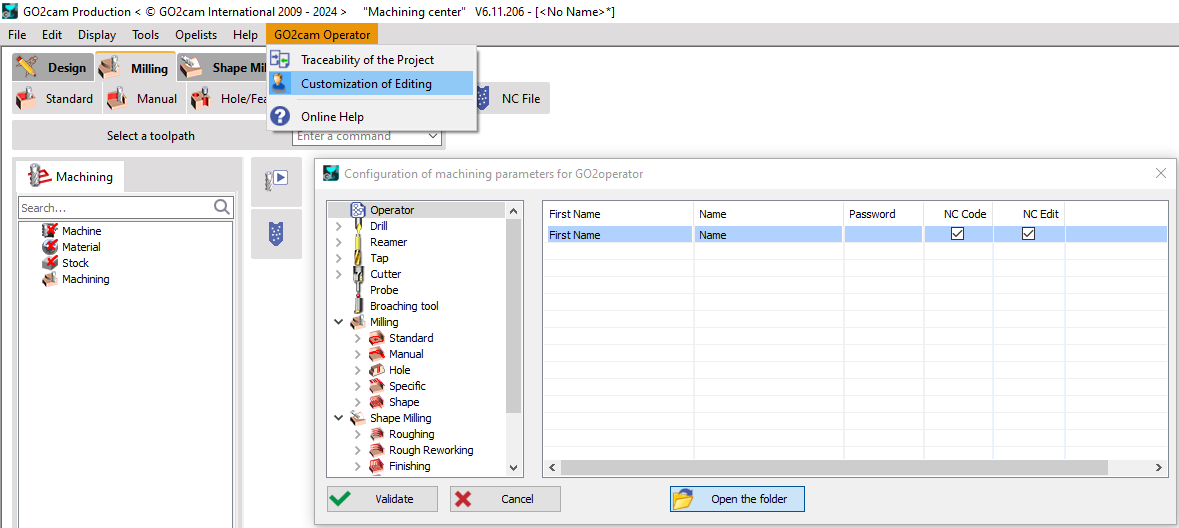
FAQ - GO2cam Operator Question How to create and configure a user profile for GO2cam operator? Solution Open Go2cam and navigate to GO2cam operator in the ribbon, then select "Customization of editing". In the user management section, right-click and choose "Add " to create new user. Provide details like the operator's name and password. Define the user's access rights within GO2cam operator. This includes editing tool permissions, NC file operations. Once you've entered everything, finalize the process by Validating the new operator profile.