
|
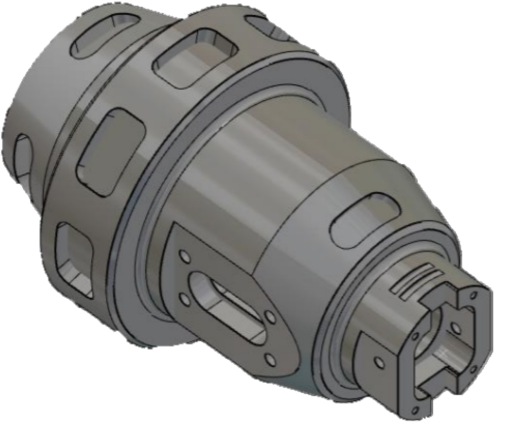
From V6.11, GO2cam can detect features on solids for mill-turn parts. The detection works for the production environment of:
|
|
Prerequisite
Some conditions need to be respected for the recognition and application of millturn features:
|
1. The detection works only if there is a revolution plane.
|
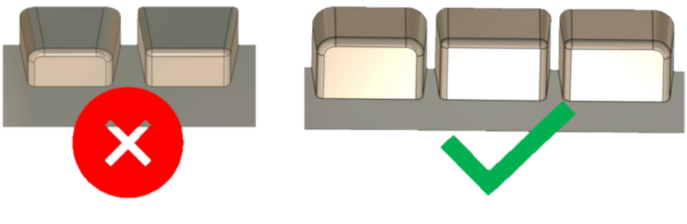
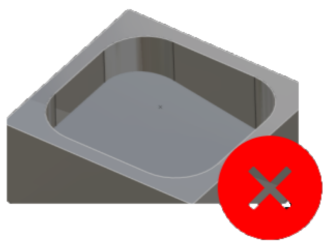
2. For pockets/islands to be recognized, they must have conical radius. |
|
|
|
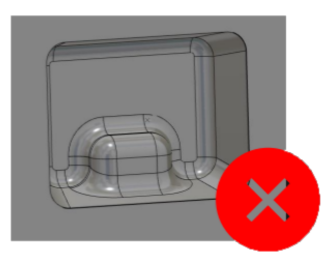
3. Complex 3D shapes will not be recognized. |
|
4. Only shapes with constant taper angle are considered. |
|
|
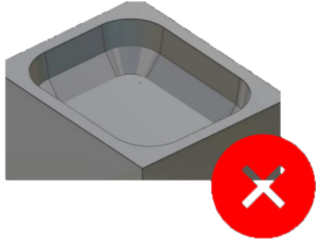
5. No inclined bottom face is considered. |
|
|
|
Recognized Typology
|
The typology of the detected features are: pockets, open pockets and slots. The features detected for each are as below: |
|
|
Pocket features: 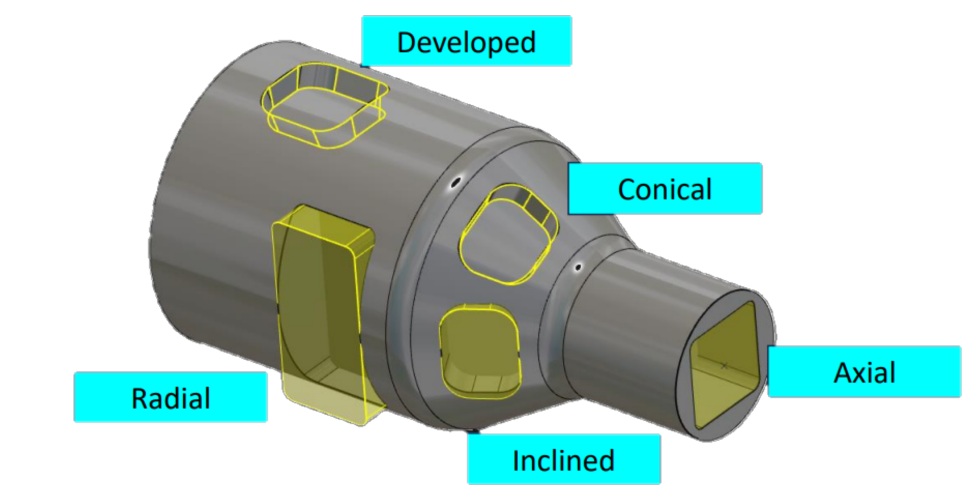
|
Slots features: 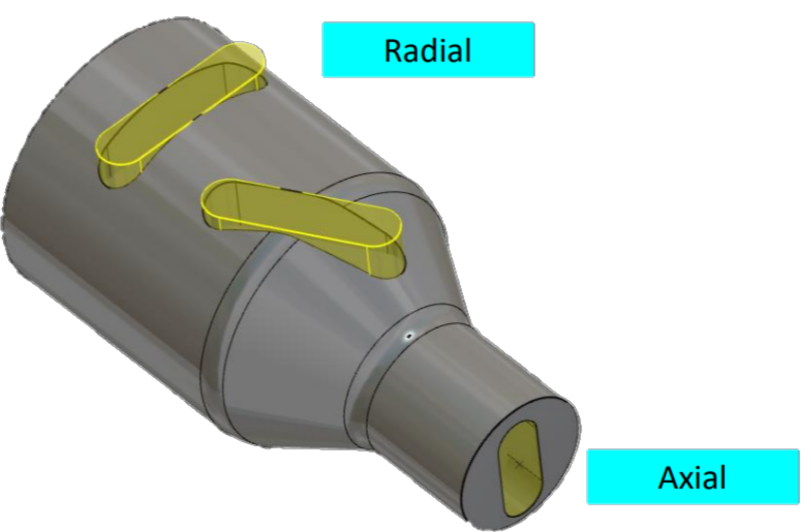
|
|
Open Pocket features: 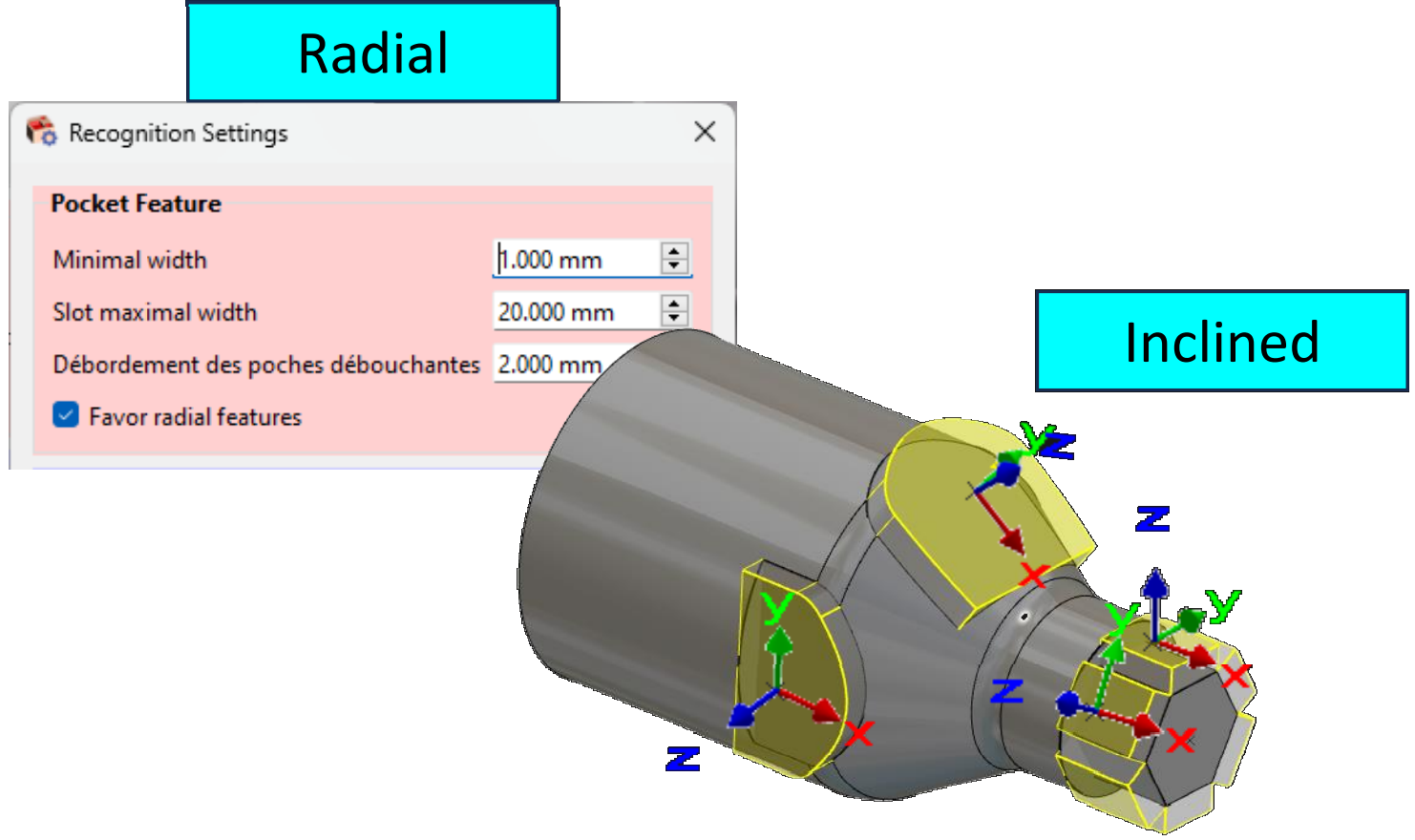
In the Recognition settings, you can choose to Favor radial features or not |
Open Pocket features: 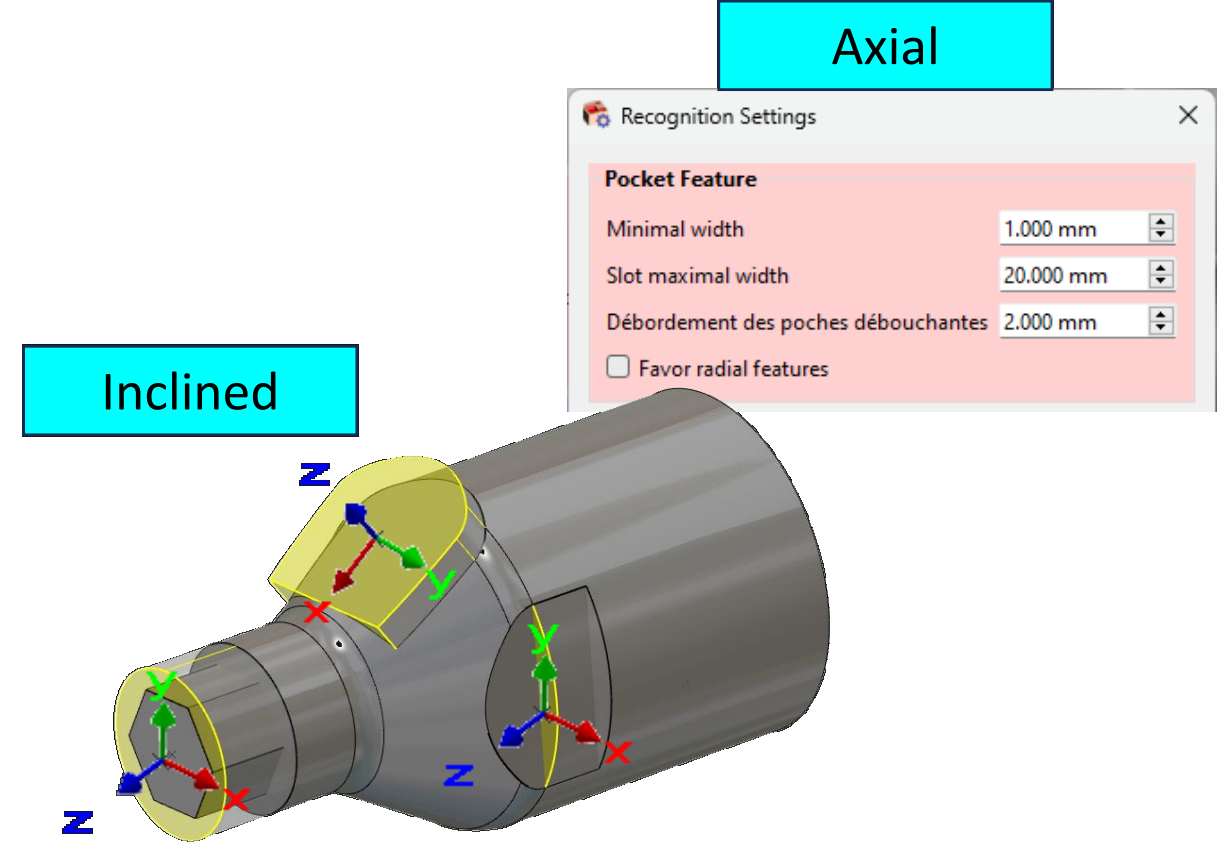
|
|
New Possibility to Close (Locally or Totally) an Open Pocket Feature The "open area on profile" function, is now also taken into account for features. This can help mitigate risks of tool collision. To close an element of the feature, simply click on the corresponding face of the feature. Similar to profiles, you can change the state of an entire area instead of clicking element by element:
Note: There is a restriction compared to profiles—only elements that were initially open in the feature can be closed (and reopened if needed). If a face cannot be modified, it will appear in red when hovered over. |

|
Process for Automation
|
The process to apply the automatic feature in MillTurn is similar to that of milling:
|
||
|
Recognition Settings Window: This Recognition Settings window has been added as from V6.11. It allows to set some preliminary parameter values for the recognition of Pocket features and Holes. One more interesting aspect is that we can now define an overflow for through pockets, ensuring the pocket depth is fully machined. For milling, a minimal length can be set onto which deburring will be applied. |
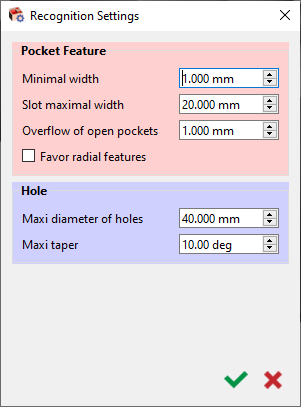
|
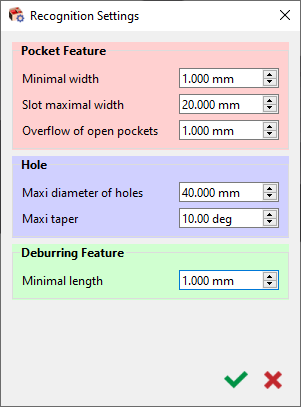
|
|
All automatic programming functions have been merged into a single window. Turning: application of an automatic turning opelist for turning operations based on recognized parameters, adapting to main or secondary spindle as per plane selection (revolution or rework/return plane). It is mandatory to have a predefined typology during the creation process of the automatic opelist for it to be able to be applied on features. The choice by default is done on the first compatible opelist found in the folder! Grayed out if cycle exists in machining tree. The list of opelists/ automatic opelists accessible via folder icon are based on the correct typology defined. Pocket Feature: application of milling cycles based on the preselected opelist (orange bubble on folder icon) or manually selected opelist (green bubble on folder icon). Hole: possibility to choose a library of hole models (standard or user). Recognition will then assign the first compatible model found in the selected library to the recognized holes. Only if HMF package is present! You can also now save the selected configuration settings and load them back for application on another part. Contour mode for Profile Selected has been added in Slotting strategy to allow the machining of slots in a single pass at the centre with a tool diameter similar to the slot diameter. |
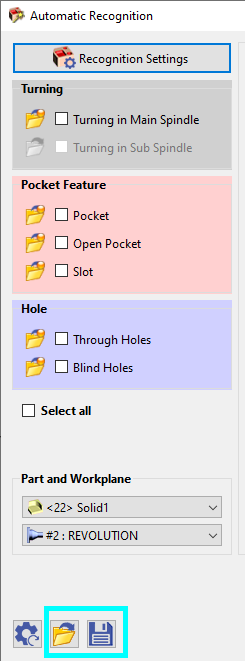
|
|
|
Other enhancements have also been added from V6.11:
|
The video below shows the enhancements brought to machining features in V6.11.

|
|
|
▶️ Watch a video below showing the prerequisites and demonstrating the various features recognition for the typologies.

|
▶️ Watch a video below showing an example of the automatic machining of a Millturn part.

|