

|
This command allows to define a starting point for a cycle (especially pocket cycles) by selecting a pre-defined hole. |
|
Pocket cycles use complex algorithms to manage various entities in a selection (stock, pockets, islands, and their parameters). The software determines the cycle's starting point, which may not suit the user. To set the starting point, use the Prepierced Hole command. First, define a hole and complete its drilling before applying this command. |
||
|
For example, a flat-end mill cuts on its side, but when defining a pocket, the tool may start vertically, causing its bottom to contact the stock and stress the tool. Starting at the drilled hole lets the tool contact the stock on its cutting side. |
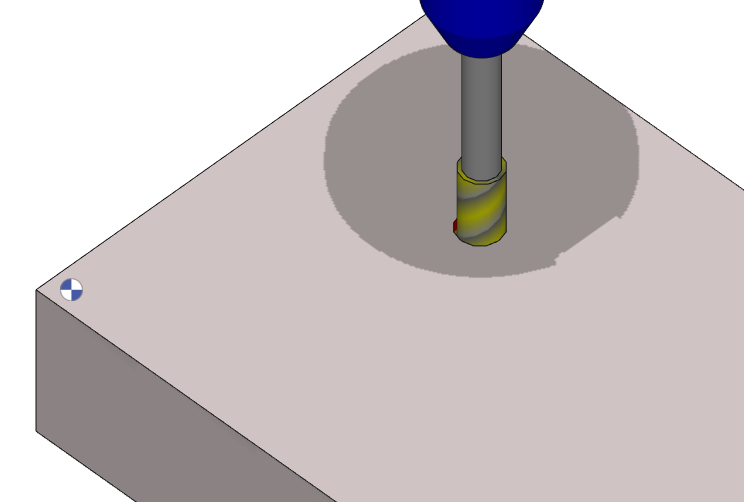
Bottom of tool in contact with stock |
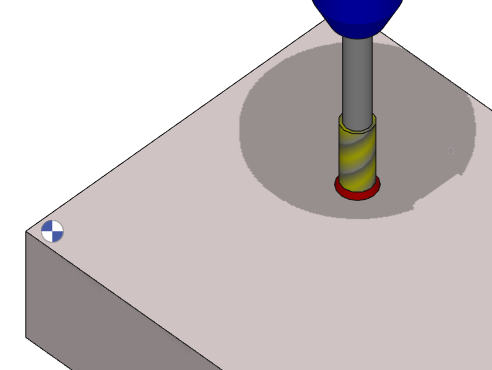
Bottom of tool not in contact with stock |
|
There are two ways to define a prepierced hole; one being manually and other applying an opelist automatically. For more details on how to define and apply the prepierced hole, click here. |
||

|
You can now select solid edges directly when using the pocket function with prepierced holes This update enhances the pocket function by allowing direct selection of solid edges when working with prepierced holes. As a result, boundary definition becomes more precise and efficient, improving overall workflow accuracy and usability. Watch a video on prepierced hole on solid. |

|