
Definition
This page presents the addressing of files and shows only the addressing that the user can modify.
|
It offers 4 main categories:
|
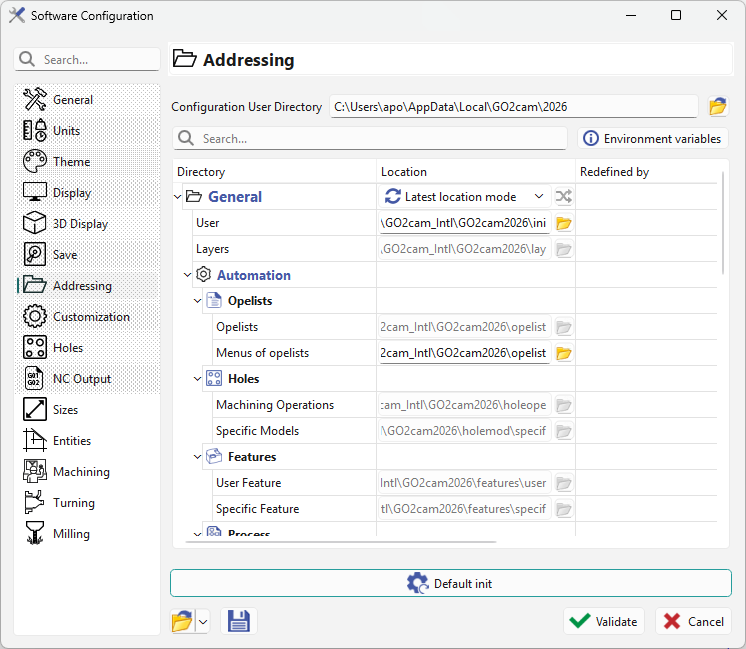
|
|
You have two methods to select:
|
▶️ You can watch a video on using the two different mode: 
|
In forced mode, opening any file (sym, mac, tec, etc.) from a folder other than the one set in Options saves it in the forced folder, duplicating the file. This is expected behavior. We recommend copying files to their forced directory initially.
Exception for PCE files: if opened from another directory than the forced one, we save them in their original directory to avoid duplication.
Specific Addressing
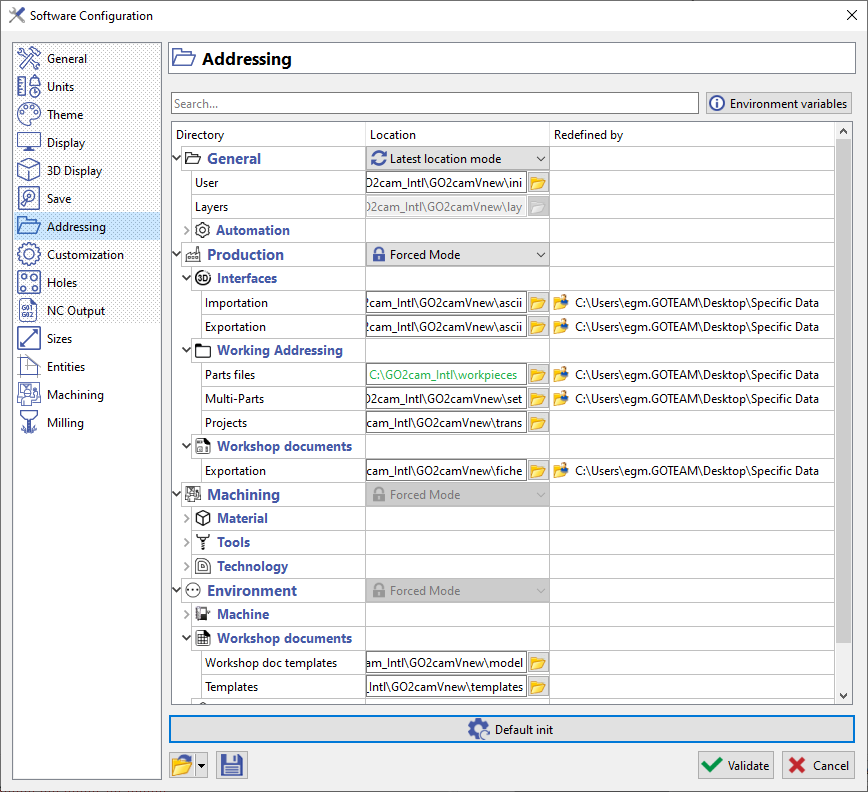
The specific addressing deals with Project Files (GMZ, GPZ), Machine Files (MCF, MCT, MCE) and Working Directory.
|
In these three cases, the addressing is temporary and noted in the third column of the table, labeled 'Redefined by'. To remove temporary addressing: Project files: select File > Project > Reset Working directory: select File > New |
|
|
▶️ You can watch a video about specific addressing: 
|
|
CFX File
|
The *.CFX files are managed. If they include DIRECTORY keys, such as <DIRECTORY key="ZZTOOL" name="v:\new\bin\tool"/> the location is set to green. |
▶️ You can watch a video on CFX File:

|