
Definition
|
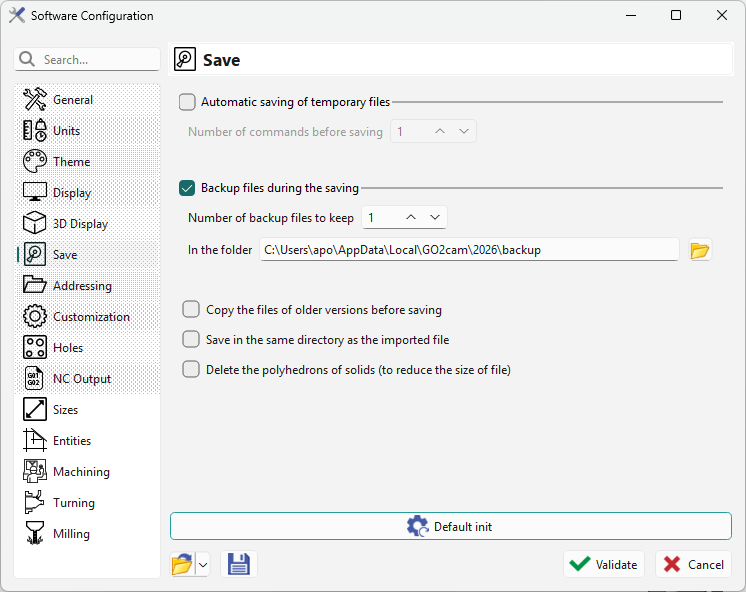
On this page, you can configure your automatic save and backup file preferences.
For more information, click Save and Backup Files |
|
Other options
Three options:
-
Copy the files of older versions before saving: this option archives a PCE file of the older version. When you save a .PCE file created in an older version with the new version, the file duplicates as name(Vxxx).PCE. For users keeping several GO2cam versions, this option prevents overwriting old files.
-
Save in the same directory as the imported file: this option saves the *.PCE file automatically in the same directory as the imported CAD file. It helps manage production by keeping CAD and CAM files together.
-
Delete the polyhedrons of solids (to reduce the size of file): this option reduces file size. Note that loading the file takes longer because the polyhedron rebuilds on load.
Saving and opening PCE files on a network or in the cloud
Network drives and cloud storage services, such as Google Drive, can be used to store backup copies of PCE files. However, saving or opening a PCE file directly from these locations is not recommended. Saving involves several steps; even a brief connection interruption during one of these steps can corrupt the file. Opening files remotely can also take longer.
Save your part to a local folder on your PC, outside any cloud-synchronized folder. Once saving is complete, copy the file to the network or cloud archive. Keep the local original until the copy or upload has completed successfully and has been checked.
Before opening an archived part, copy or download it to a local folder, then open and work on the local copy in GO2cam. Save locally again before copying the updated file back to the archive.