
We can create a multi layer blank by following steps
|
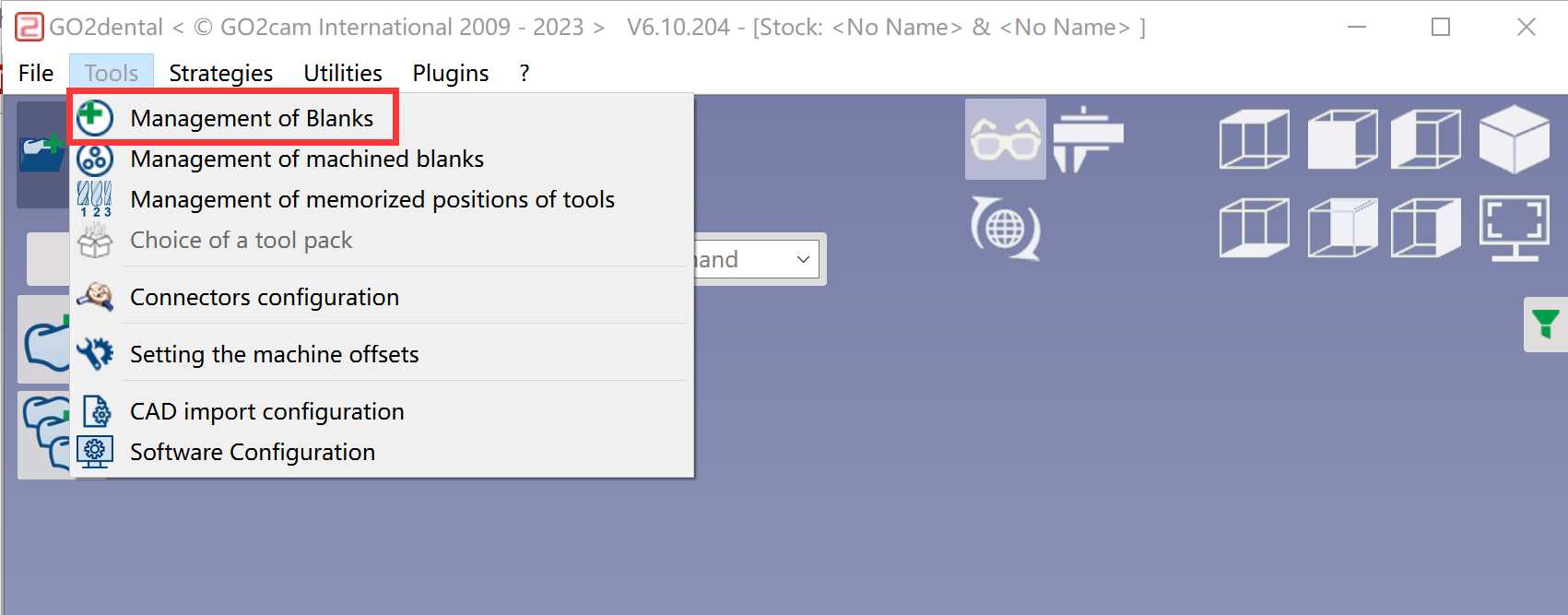
Go to Tools Management of Blanks 
|
|
|
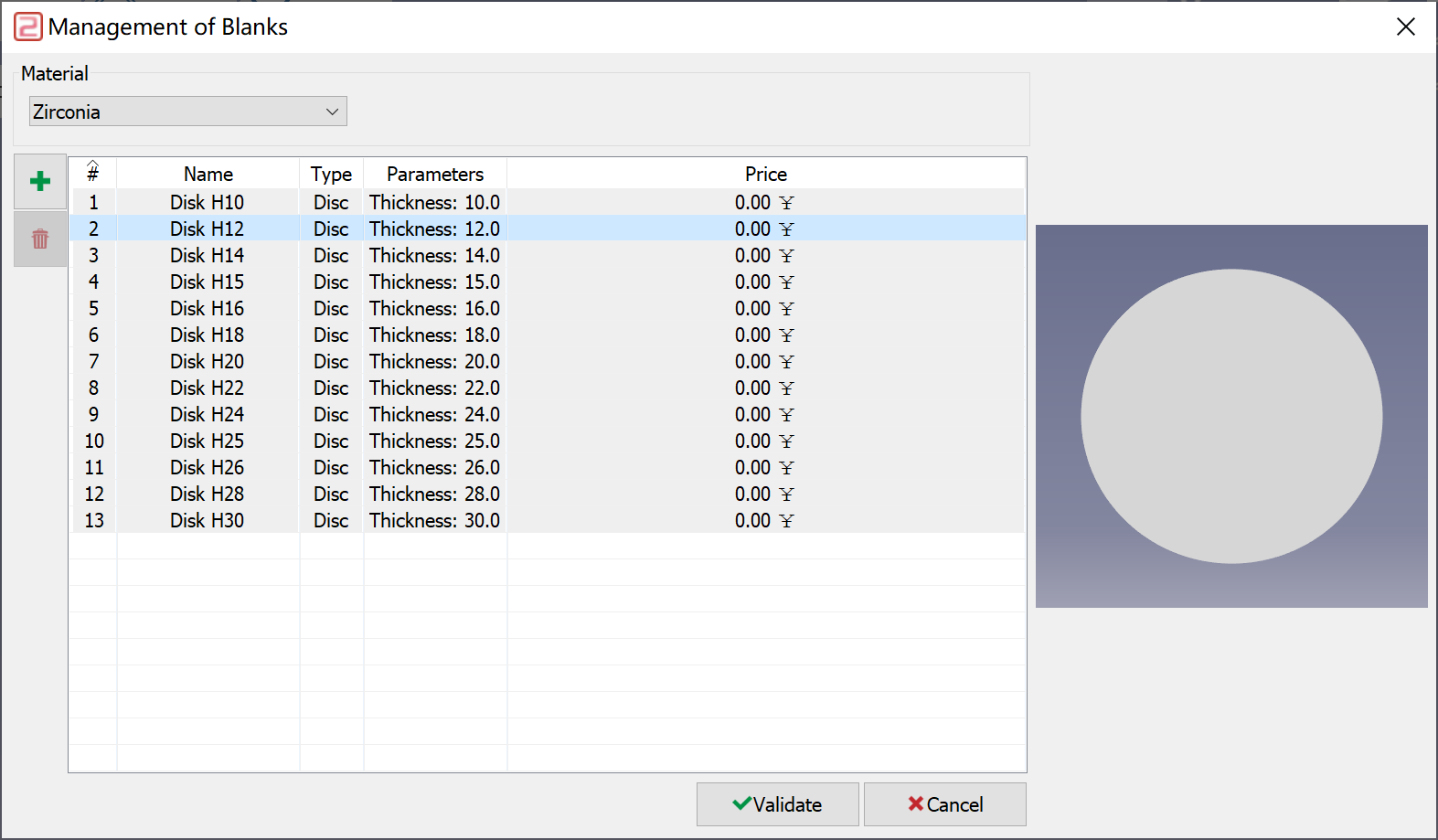
Choose the subtype of material which the new blank belongs to and then click 
|
|
|
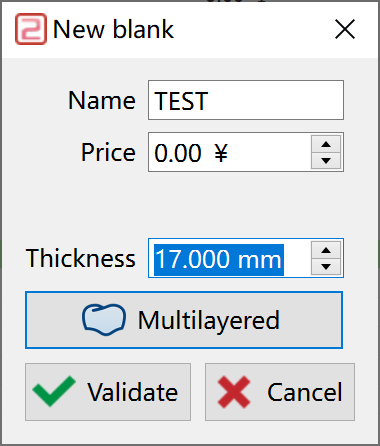
In the pop-up windows, give the Names and values of Thickness. Click at 'Multilayered' to define the multi layer. |
|
|
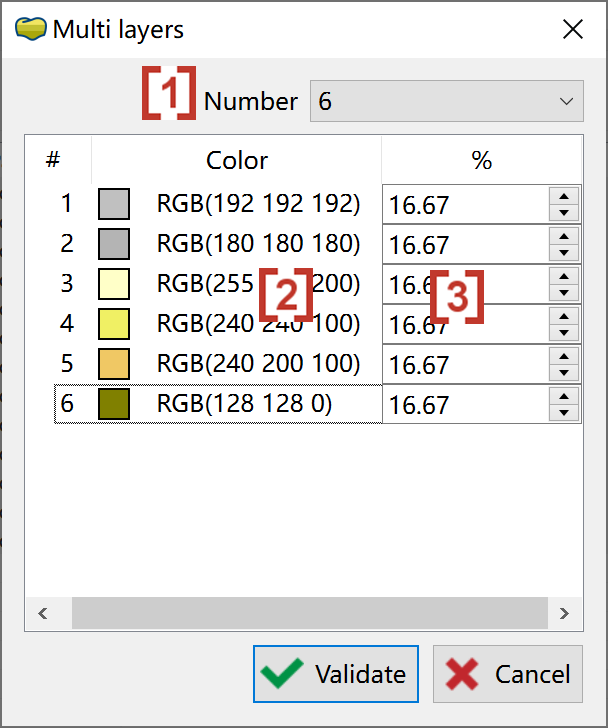
Now you can define the number of layers [1], color of each layer [2] and percentage of each layer [3]. |
|