|
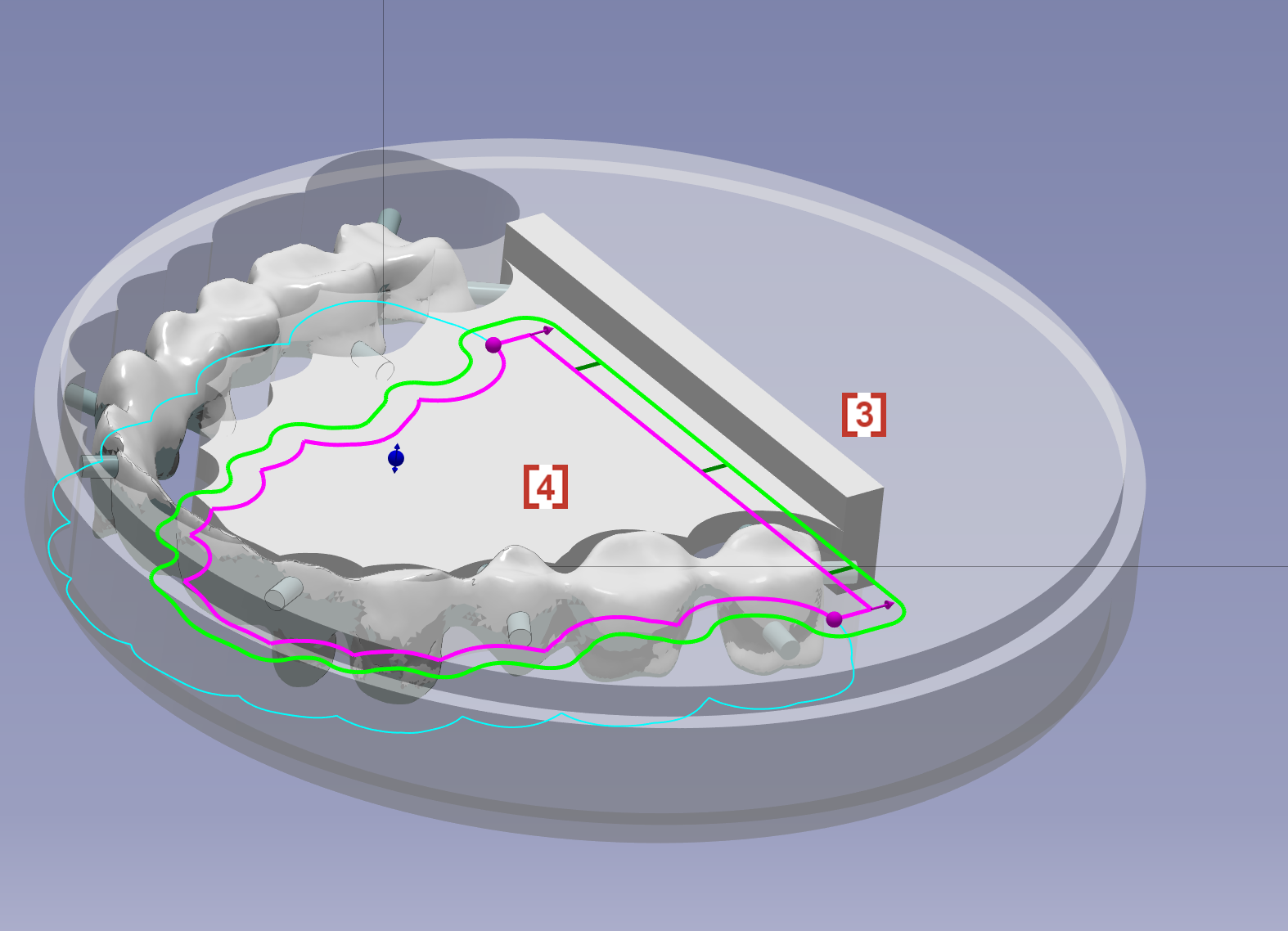
Click at the icon to create sintering support for long bridge. This function is only used in Zirconia material.
|
|
|
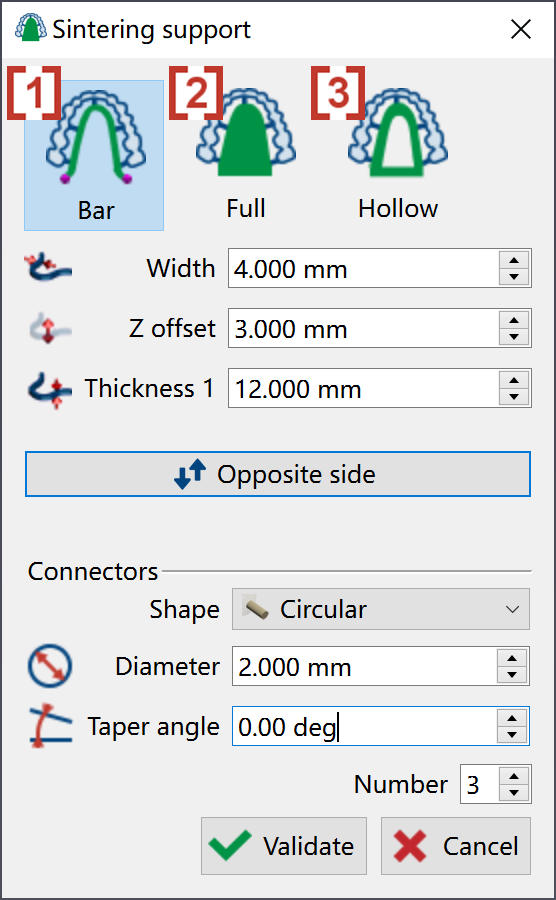
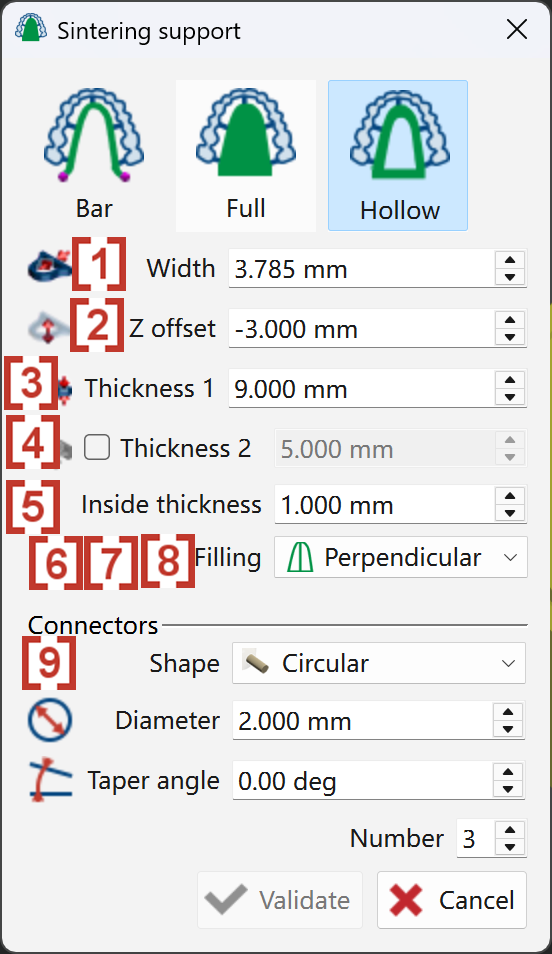
In the pop up window, we can choose the type of sintering support from Bar [1], Full [2] and Hollow [3].
|
|
|
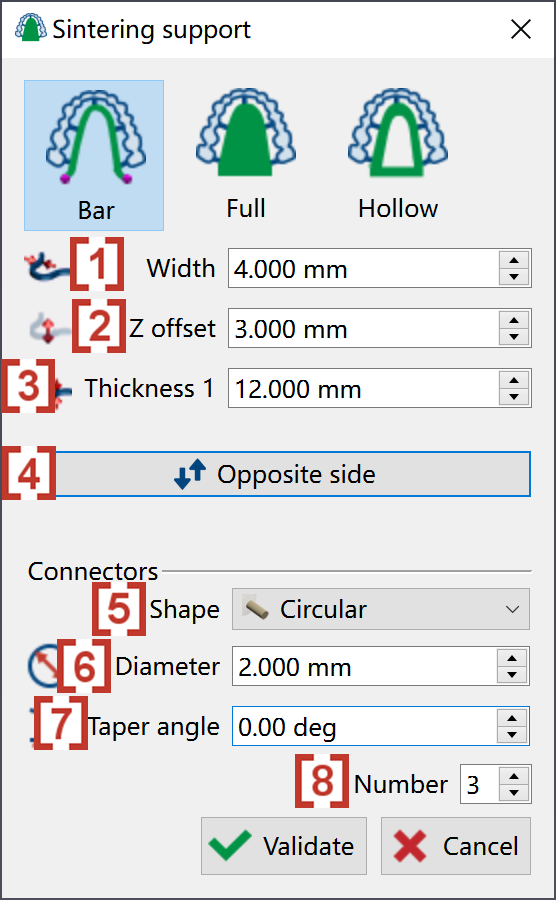
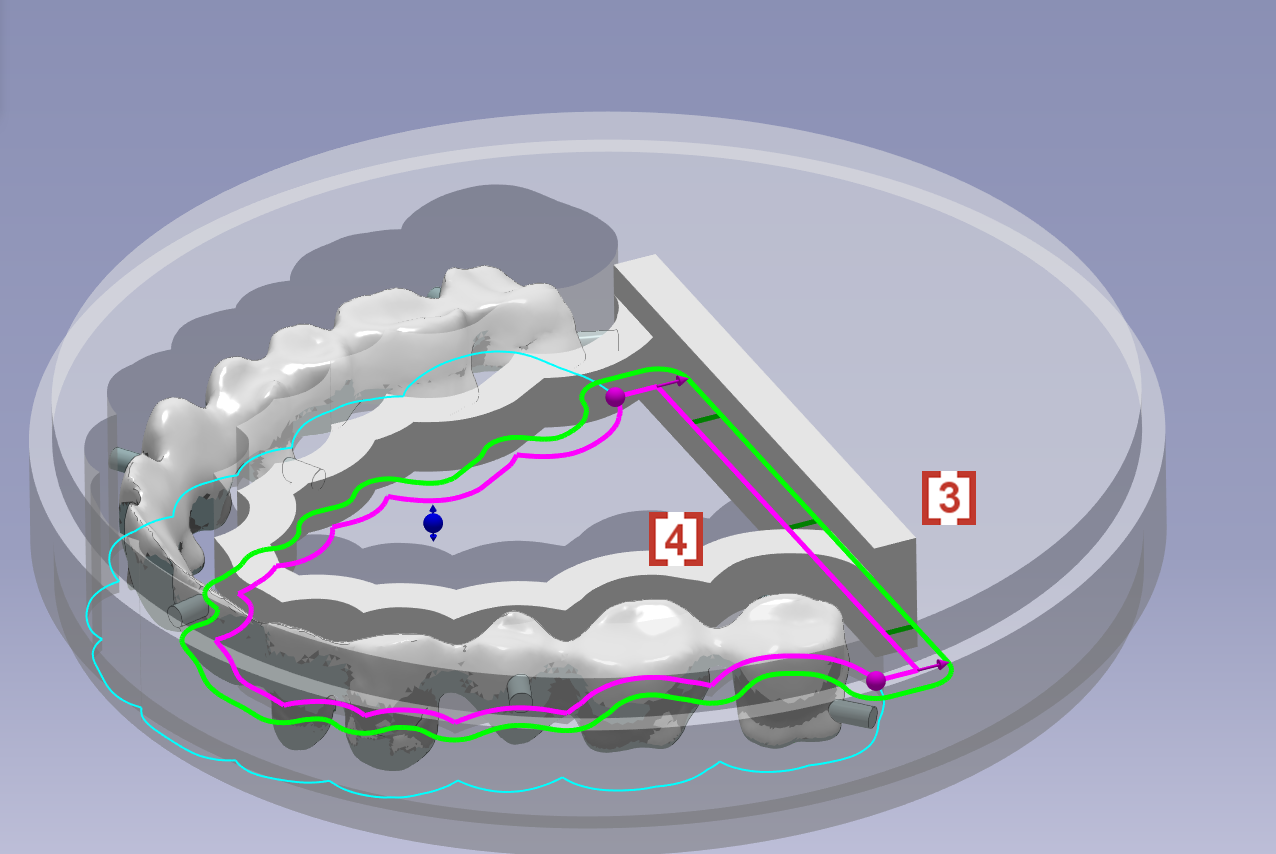
We can define a Bar sintering support by giving values to below parameters:
-
The width on XY plane [1]
-
Move the sintering support along Z axis [2]
-
The height of sintering support along Z axis [3]
-
Change the sintering support from lingual side to opposite side [4]
-
Shape of connectors around sintering support [5]
-
Diameter of connectors [6]
-
Taper angle of connectors [7]
-
Number of connectors to be created around sintering support [8]
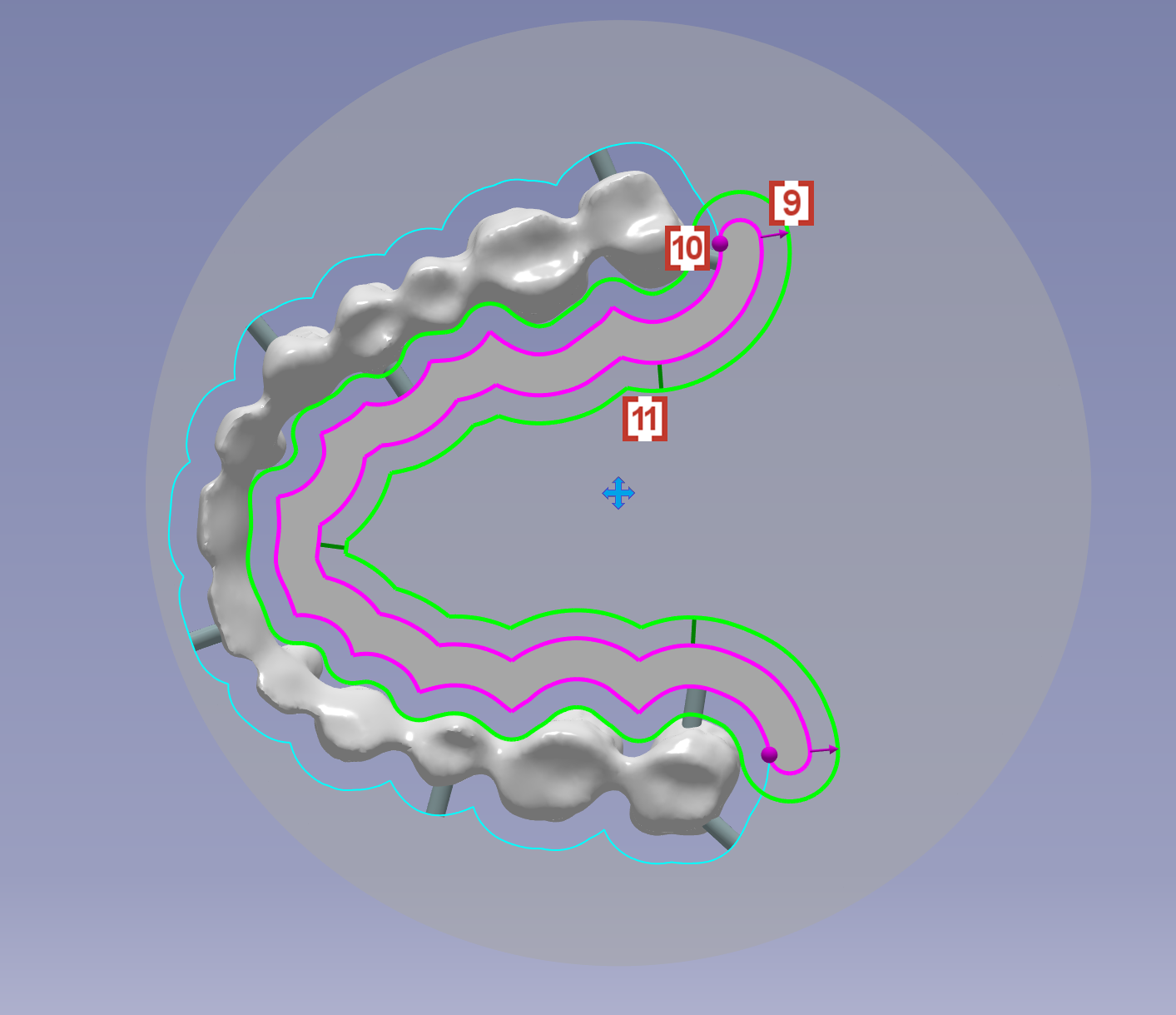
We can also adjust the bar sintering support by using mouse:
-
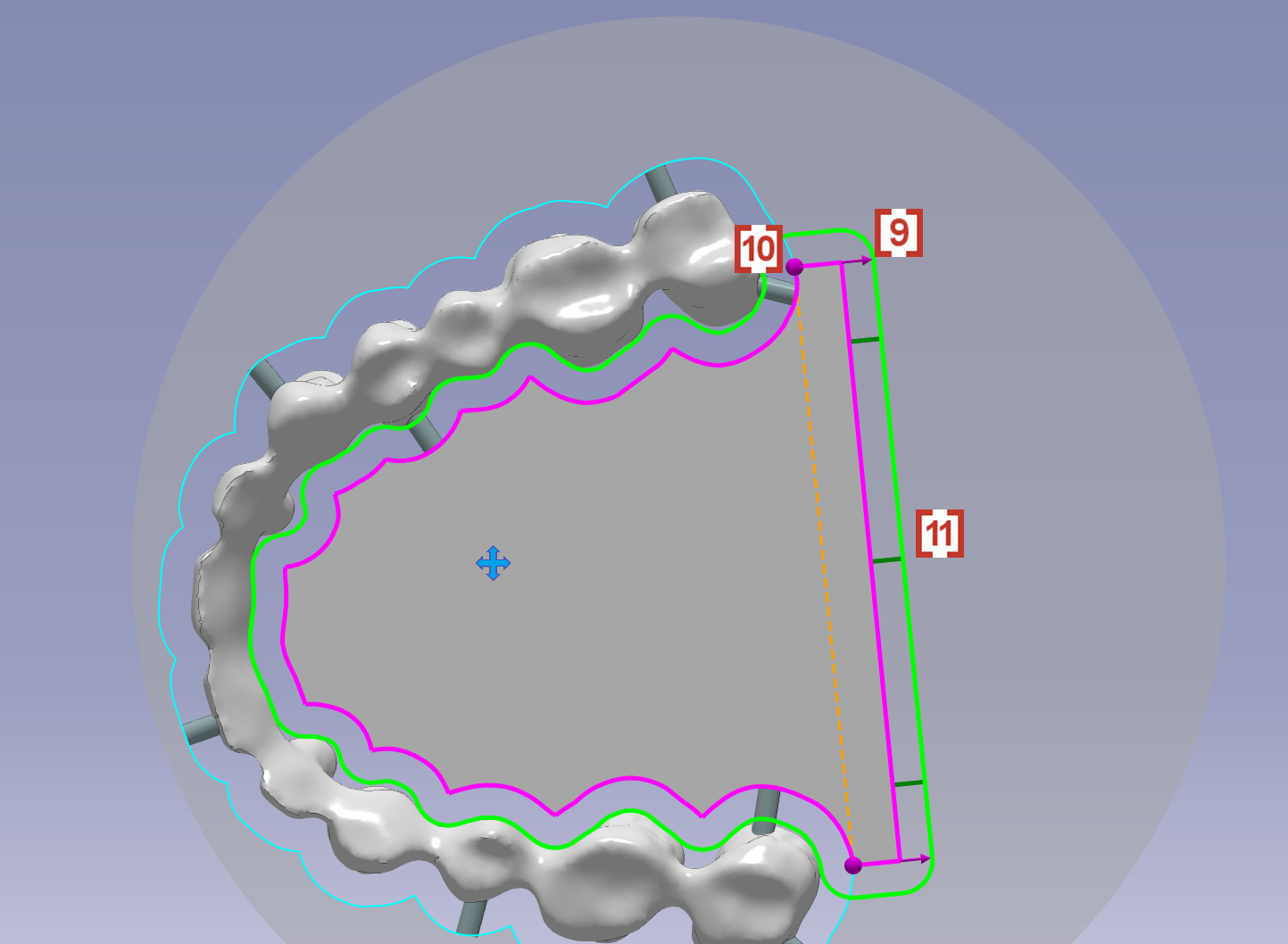
to drag the pink arrow to adjust the width [9]
-
to drag the pink ball to adjust the end of the sintering support [10]
-
to drag the green line to adjust the location of created connectors [11]
|
|
|
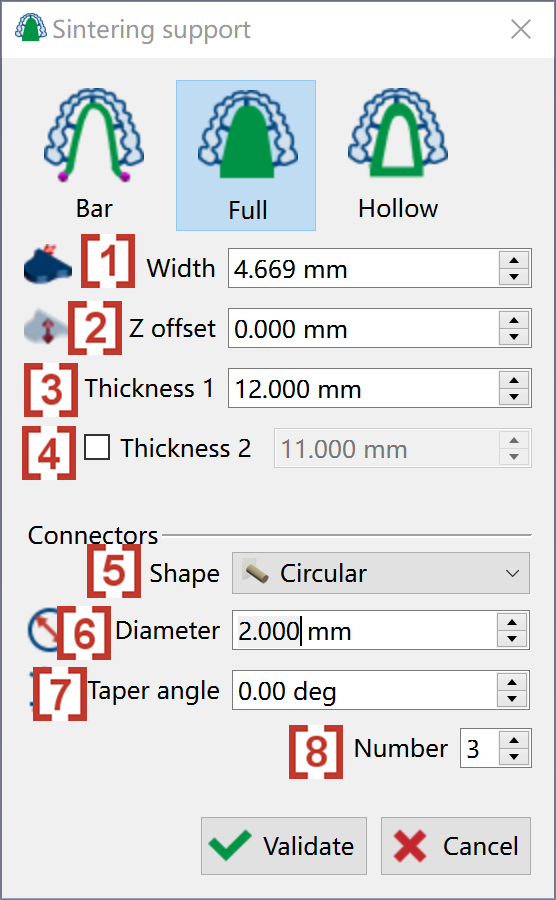
We can define a Full sintering support by giving values to below parameters:
-
The extended width on XY plane [1]
-
Move the sintering support along Z axis [2]
-
The height of sintering support in the external side [3]
-
The height of sintering support in the internal side close to bridge [4]. It’s the same value as the external side by default. We can click to activate to change this value.
-
Shape of connectors around sintering support [5]
-
Diameter of connectors [6]
-
Taper angle of connectors [7]
-
Number of connectors to be created around sintering support [8]
We can also adjust the bar sintering support by using mouse:
-
to drag the pink arrow to adjust the extended width [9]
-
to drag the pink ball to adjust the end of the sintering support [10]
-
to drag the green line to adjust the location of created connectors [11]
|
|
|
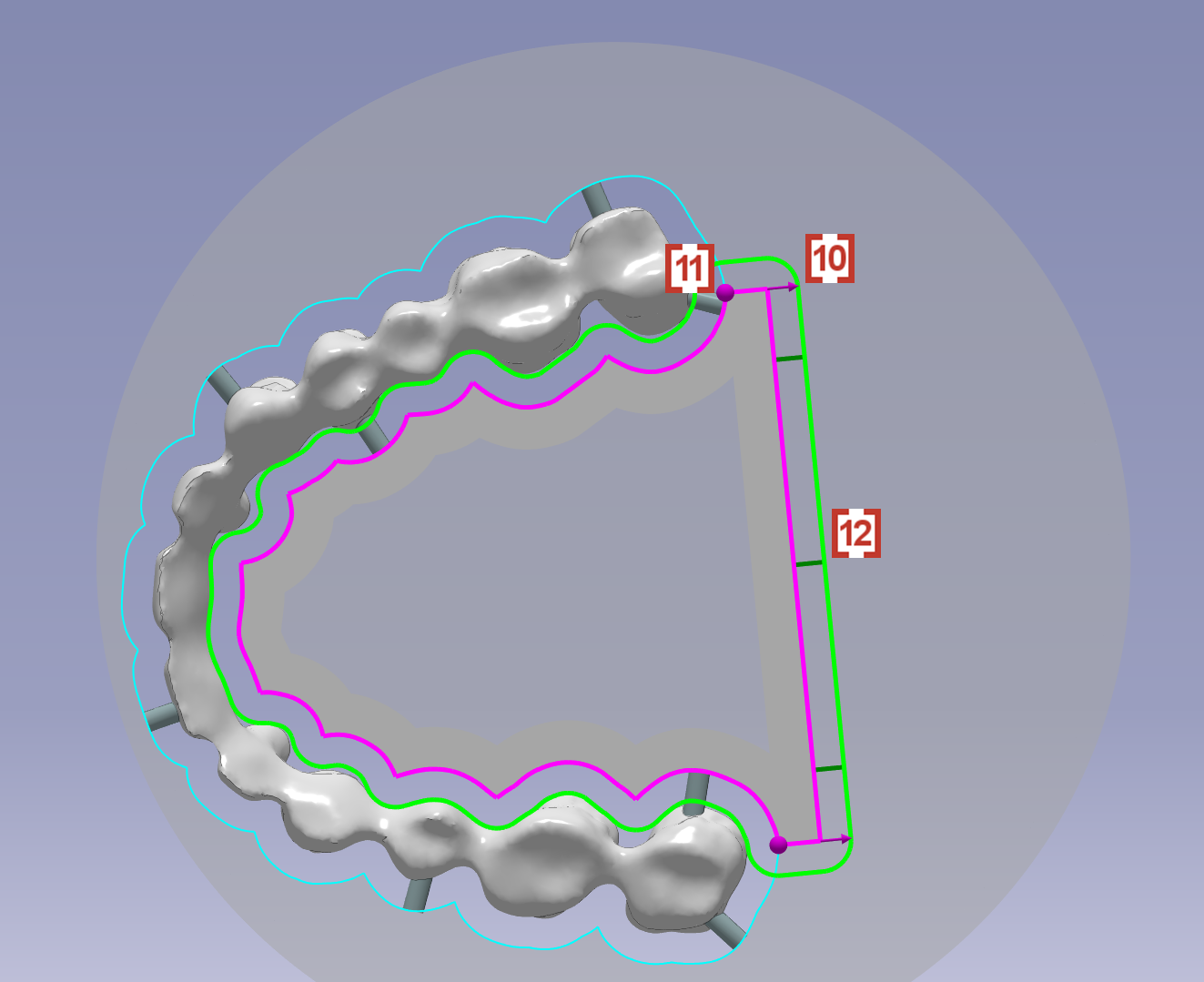
We can define a Hollow sintering support by giving values to below parameters:
-
The width on XY plane [1]
-
Move the sintering support along Z axis [2]
-
The height of sintering support in the external side [3]
-
The height of sintering support in the internal side close to bridge [4]. It’s the same value as the external side by default. We can click to activate to change this value.
-
The height of material to be created in the hollow area [5]. In the case the sintering support will not be hollow anymore.
-
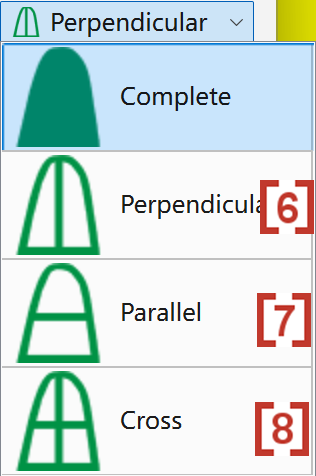
User can have 3 new sub-types[6][7][8] of U shape connector
In the Connectors[9], user can define:
-
Shape of connectors around sintering support
-
Diameter of connectors
-
Taper angle of connectors
-
Number of connectors to be created around sintering support
We can also adjust the bar sintering support by using mouse:
-
to drag the pink arrow to adjust the width [10]
-
to drag the pink ball to adjust the end of the sintering support [11]
-
to drag the green line to adjust the location of created connectors [12]
|
|