
For each type of CAD file, we can customize the type names to be matched with the output files from CAD.
|
Click at the icon to set the configuration of connectors. |

|
|
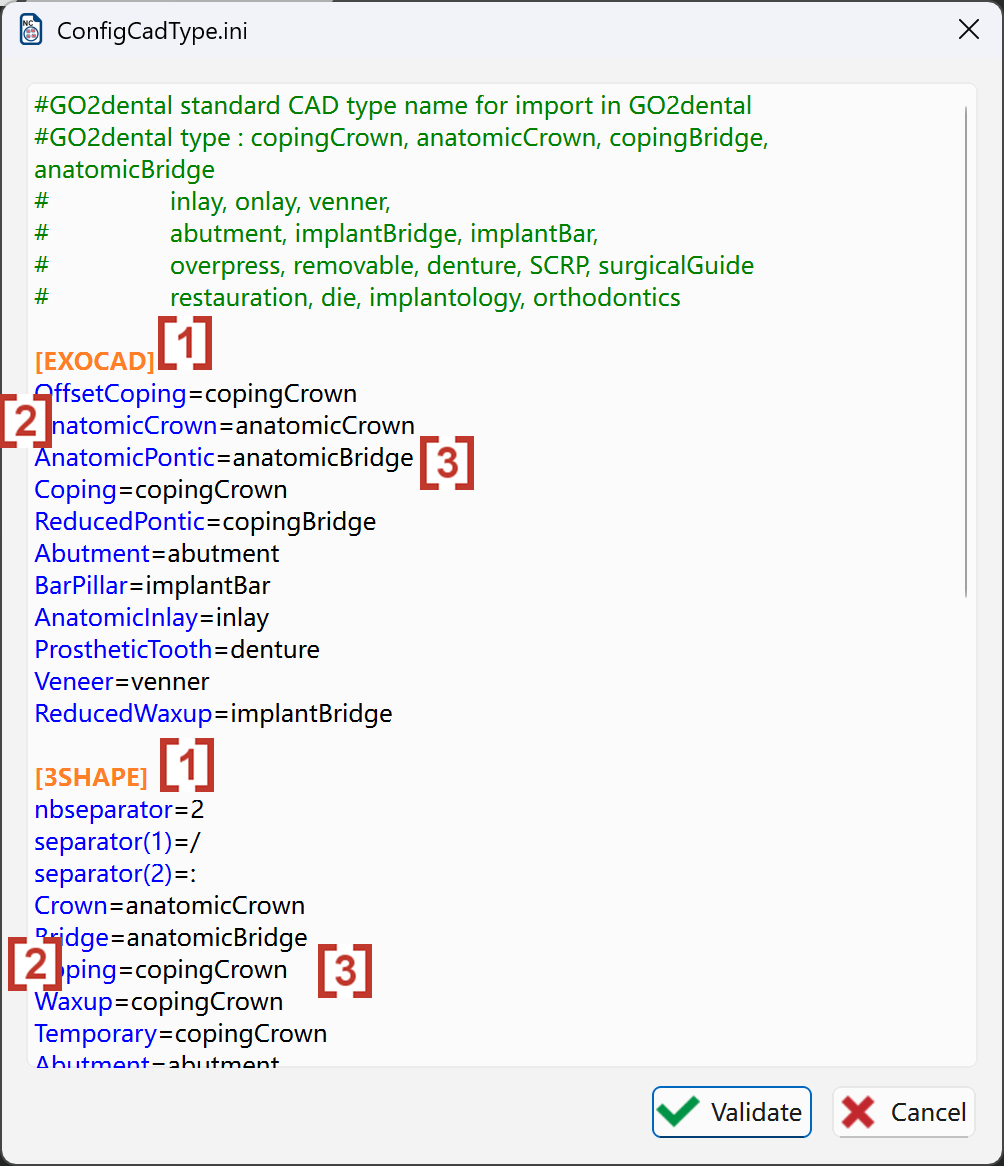
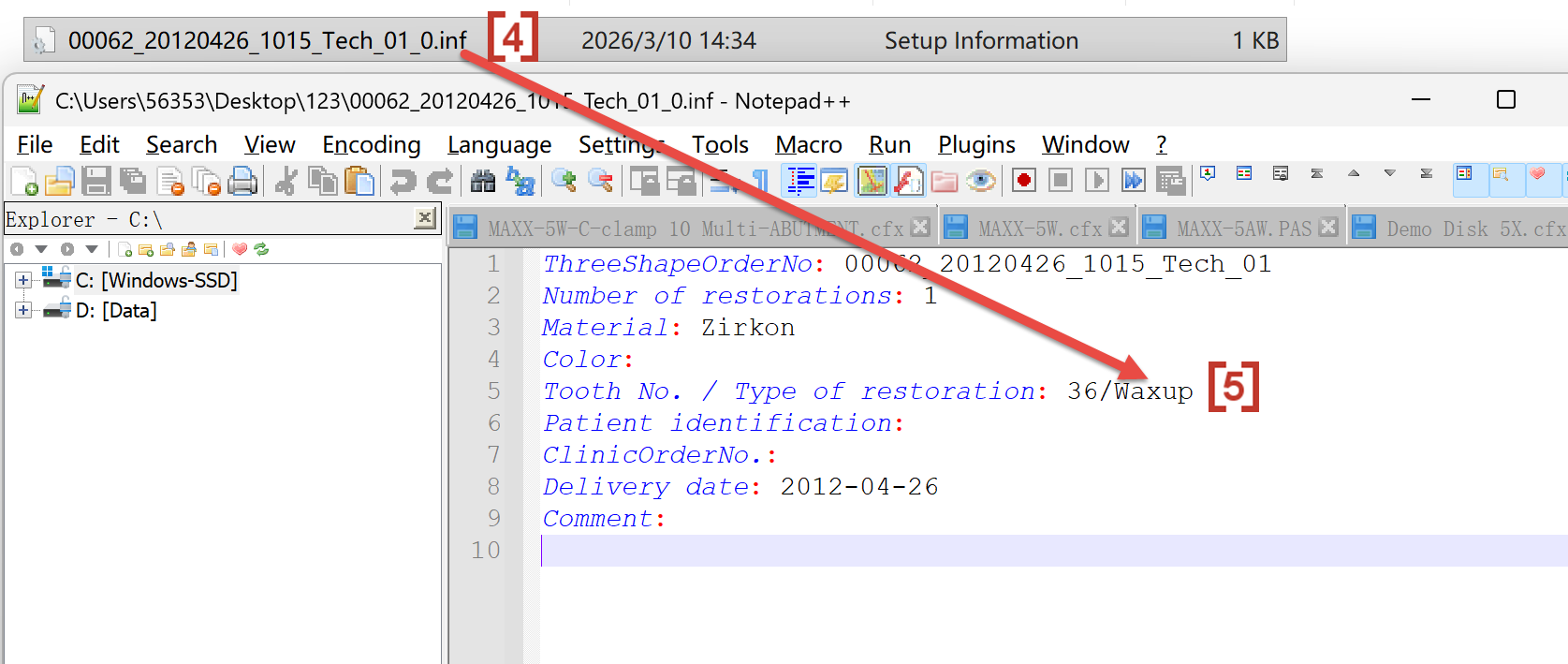
In the pop up window, the orange text is the CAD software brand[1]. Under each CAD brand, there are all types name output from CAD which are in blue color[2]. Those types name will be read by go2dental and then imported as the matched CAD types in go2dental[3]. In you want any type to be disactivated, you can put a symbol '#' in front of the blue names, so that go2dental will not automatically import this CAD type as correct type in go2dental - you will need to manually give the CAD type to this type of stl. Sometimes the CAD type output from CAD software such as .inf file[4] is wrong, you can edit the .inf file and change the CAD type name[5].
|
|