
This function will manage those blanks already used by deleting and turning back to previous shape.
|
Click at the icon to manage the machined blanks. |

|
|
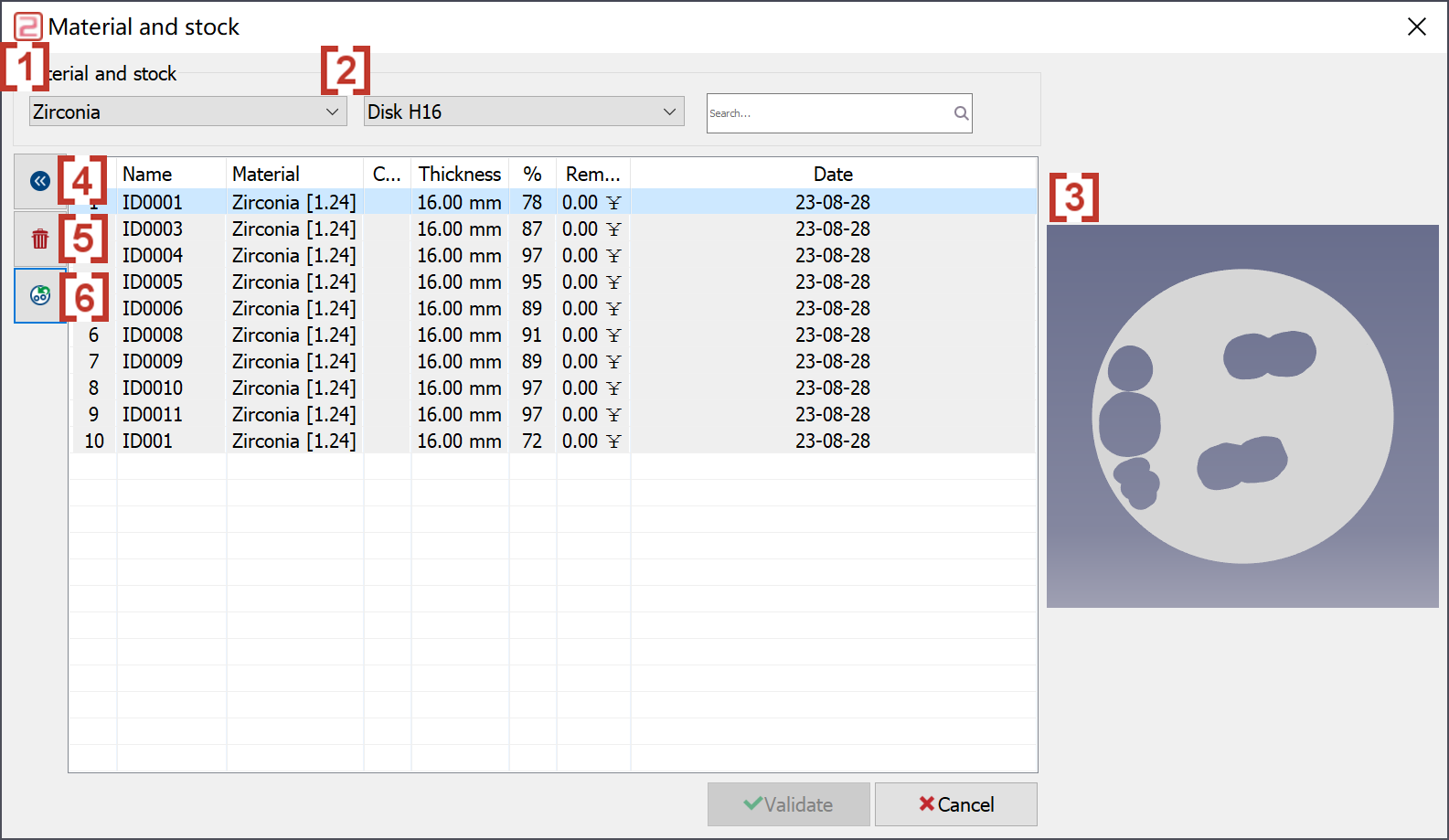
In the pop-up window, we can filter the material of blank [1]. We can also filter the height of blank [2]. When a machined blank is chosen, the preview of the blank is display on the right [3]. We can click at the trash icon [5] to delete a machined blank. Then we can click at backward icon [4] to cancel this deletion. We can turn a machined blank back to its' previous shape [6]. And we can cancel it by click at this icon again. |
|
|
|