
This function can change and save the positions for each tool.
|
Click at the icon to manage the memorized positions of tools. |
|
|
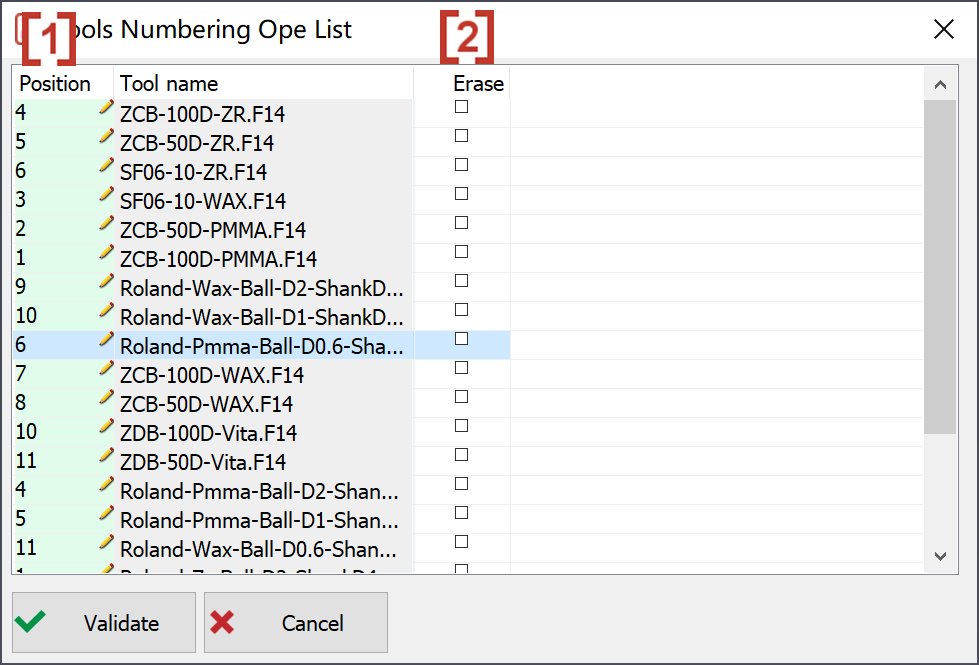
In the pop-up window, all the available tools are listed. We can change the position of each tool in the column ‘Position' [1] by double click at the value or click at the pencil icon. We can also delete a tool from the list by click in the column 'Erase’ [2]. |
|