
For each type of material and element, we can customize the numbers and 3D shape of the connectors.
|
Click at the icon to set the configuration of connectors. |

|
|
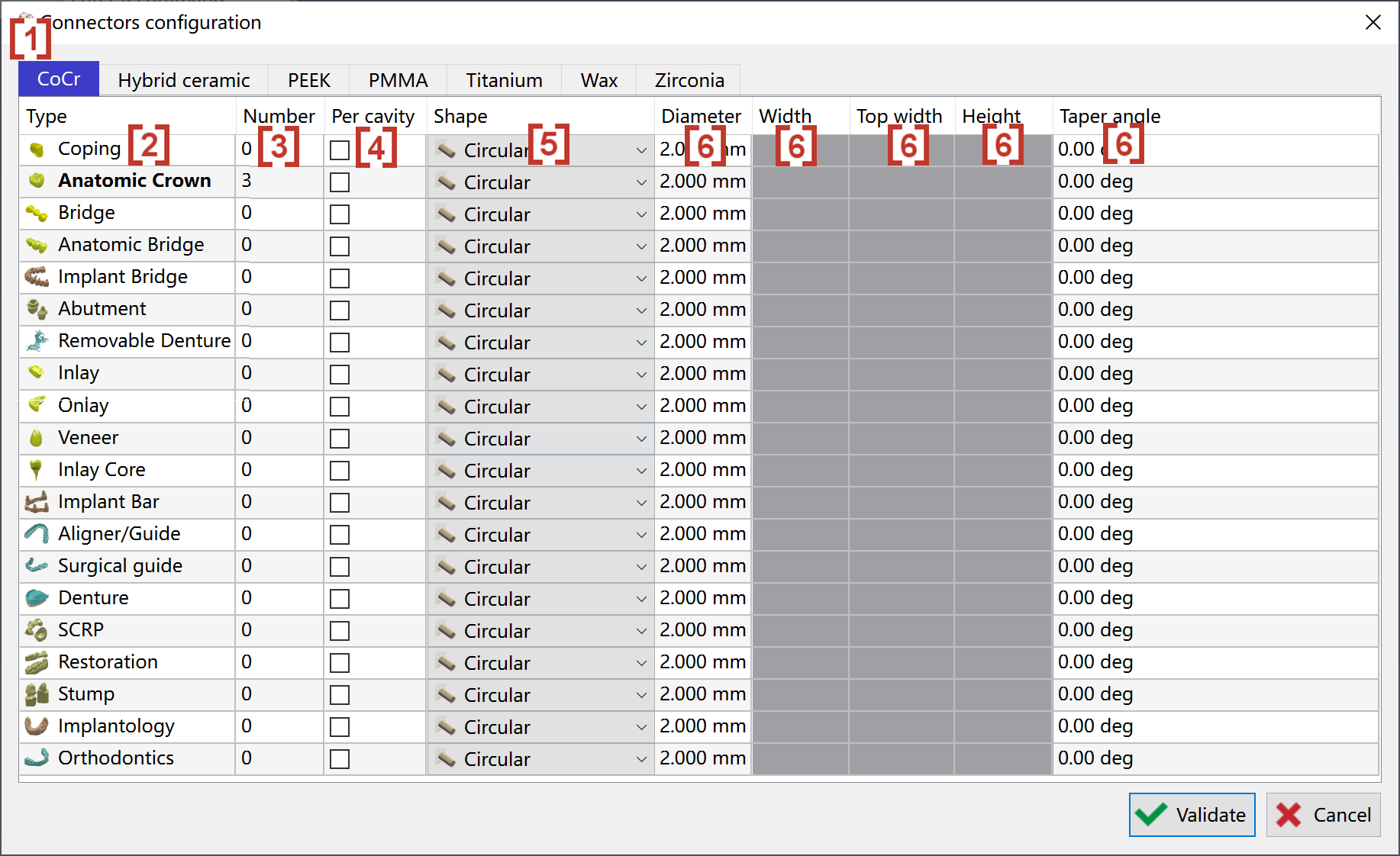
In the pop up window, we can first choose the material of connectors on the top row [1]. The first column of the window is type of element [2]. So we can set different configuration for each type of element and material. In the second column [3], we can give the value of connector number. If we click at the third column [4], the number of connectors will be for each cavity, not for the entire element. Then we can choose the shape of connector in the column 'Shape' [5]. In the rest columns [6], we can give the value to define the sizes of connector. If the size is not needed in the chosen shape, the size will be grey and no value can be given. |
|