
|
Click at the icon to define the protection area of abutment.
|

|
|
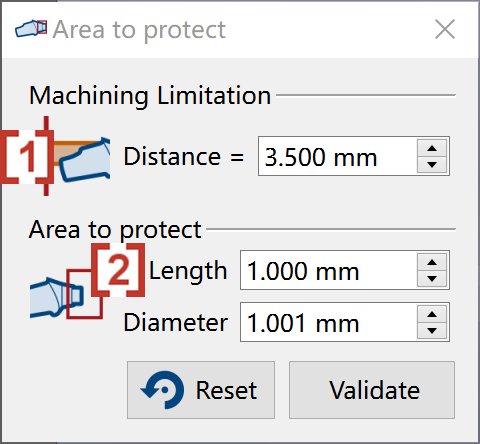
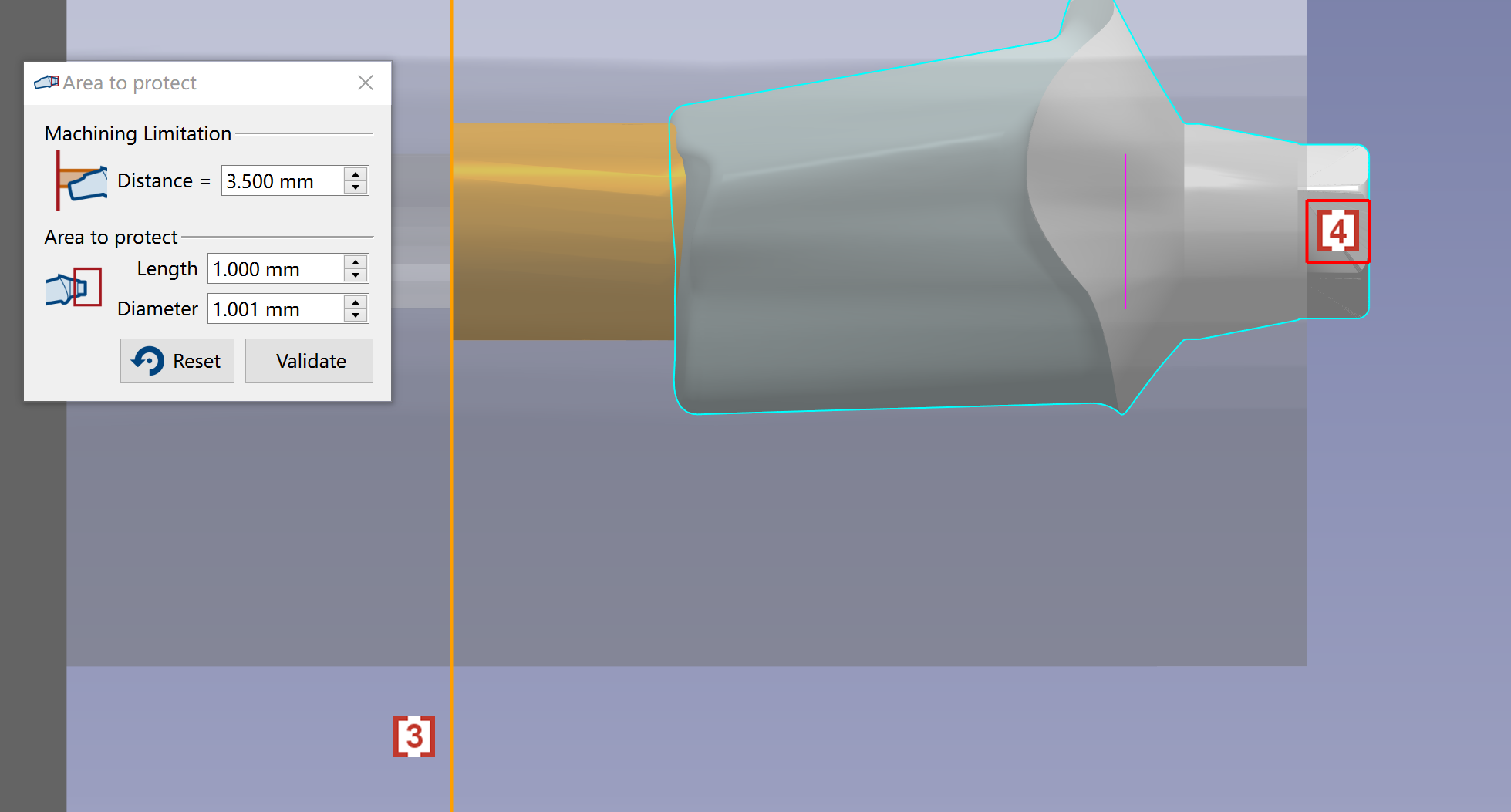
We can use ‘Area to protect’ to define the machining and protection area. We can enter value in Machining Limitation [1] to define a limitation which toolpath cannot exceed [3]. We can also enter value in Area to protect to define the Length and Diameter [2] of a cylinder to protect the interface [4]. |
|
|
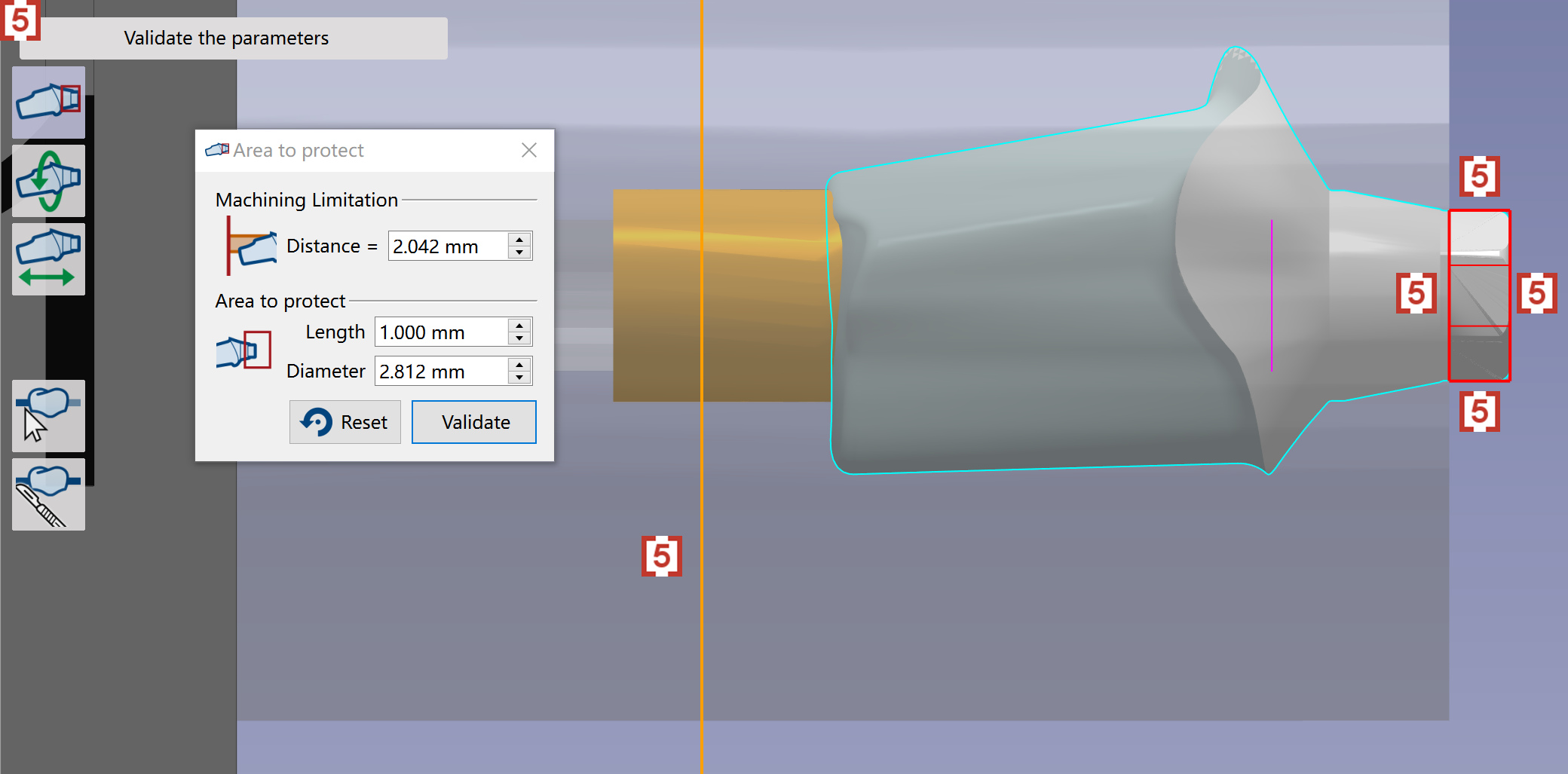
We can also move mouse at the limitation line and edges [5] of protection area, then drag to adjust. The values in the window will change after we drag the line and edges |
|