GO2cam Dental Help

Connector Cut

Click at the icon to define connector cut method.

27024.png

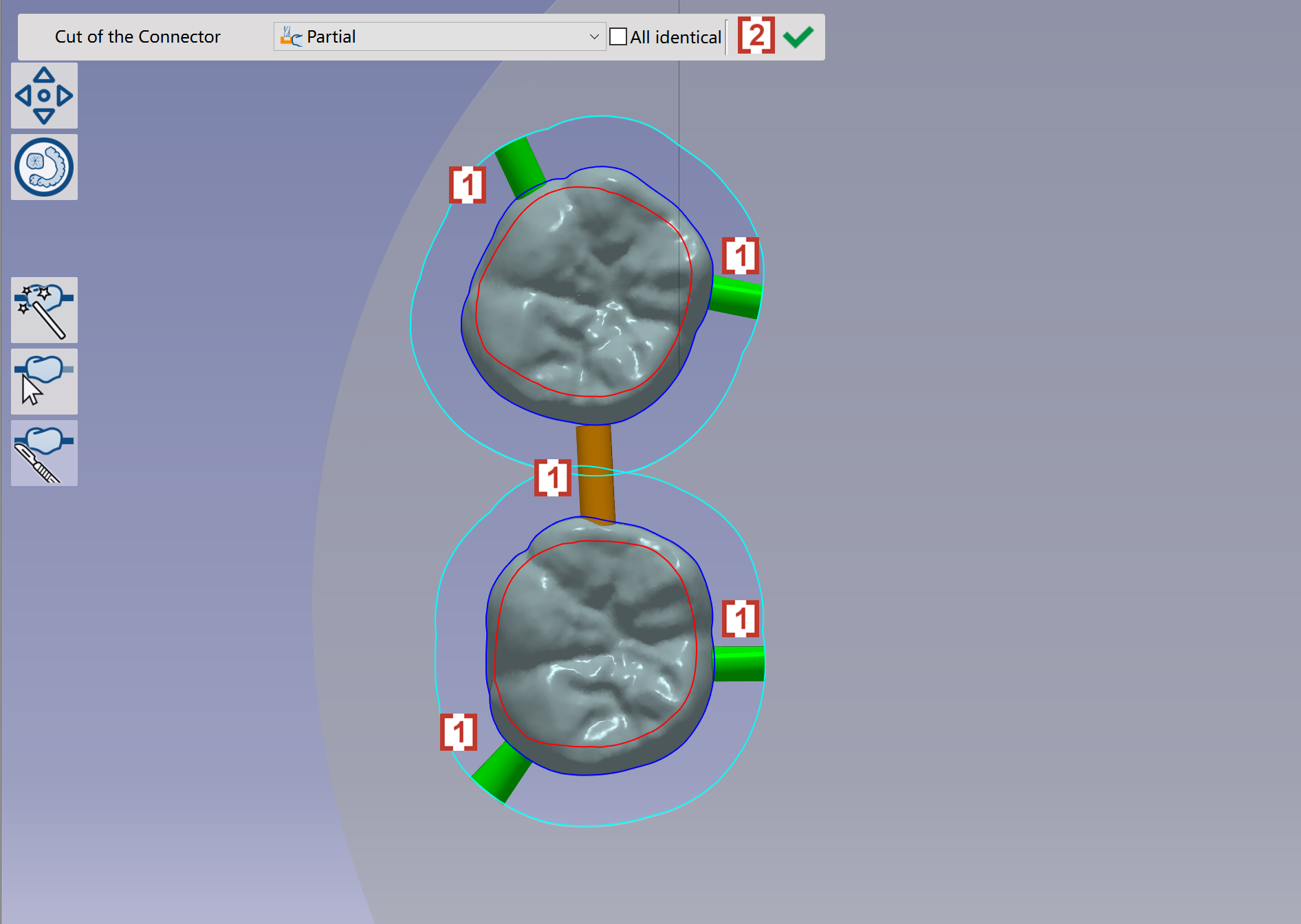
In the pop-up window, we can define the different ways to cut the connector [1]. We can click at 'All identical' so that all connectors on the element will be the same way to be cut off [2].

image-20230808-101238.png


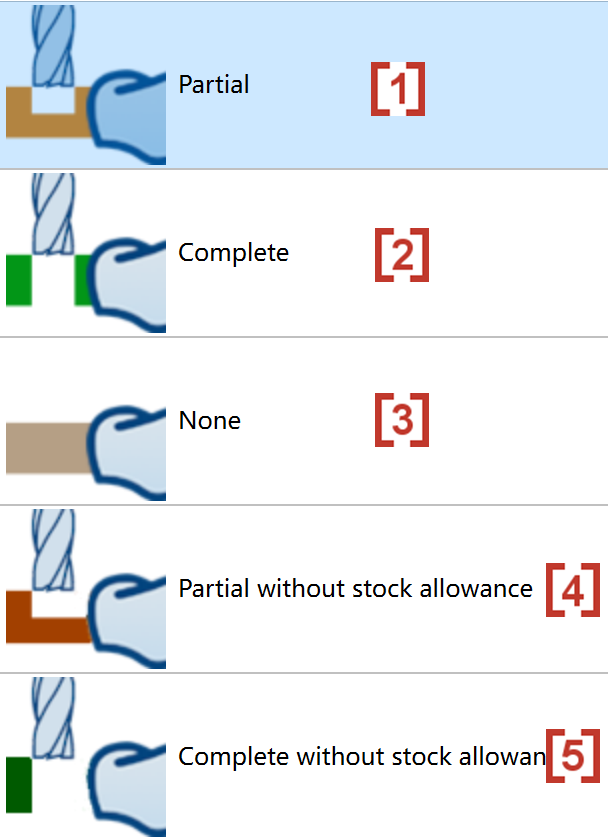
There are several different ways to cut the connector:

  • Cut the connector partially [1]

  • Cut the connector completely [2]

  • Don’t cut the connector [3]

  • Cut the connector partially, but no allowance will be left on partial of the element [4]

  • Cut the connector completely and no allowance will be left on the element [5]

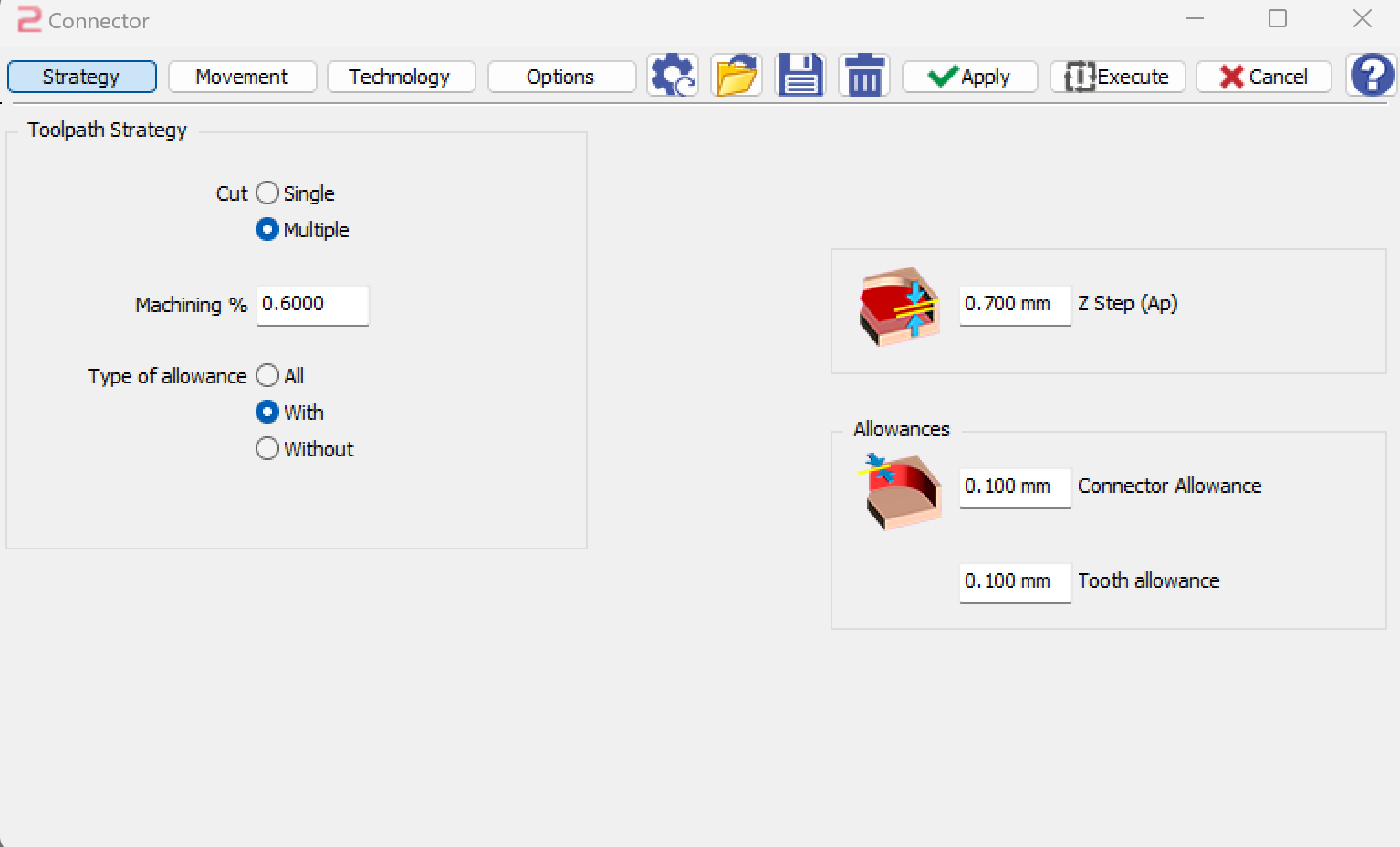
  • Go2dental will automatically select the type of allowance in the strategy according to the above ways to cut connector.

  • When cutting the connector partially[1] or partially without allowance[4], you can give a value of 'Machining %' in the strategy to control the percentage of partial cut. By default it is 60%.

image-20230808-101549.png


image-20240904-062559.png


When the method of cutting connectors is defined, we can click to choose the connector. The chosen connector will change the colors [1] according to the method.

At last, click at validate [2] to finish this function.

image-20230808-102200.png