
|
Click at the icon to create automatic connectors. |

|
|
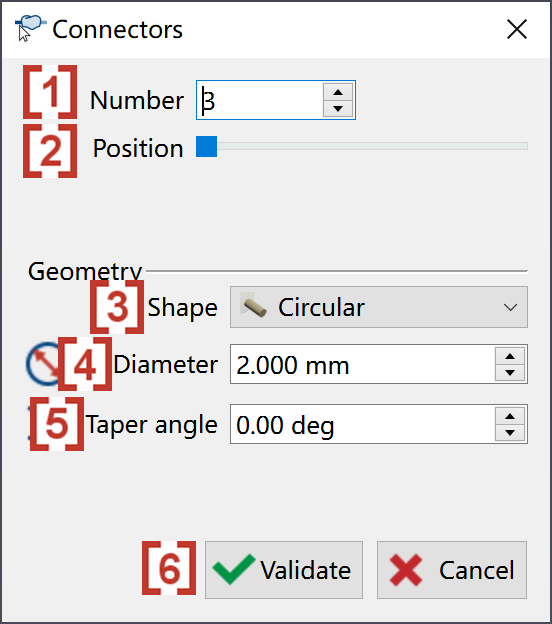
In the pop-up window, we can give the number of connectors [1]. We can also use mouse to drag [2] to change the location of connectors. We can change the Shape [3], Diameter [4] and Taper angle [5] of the connectors. After the connectors are correctly defined, click at validate [6]. |
|
|
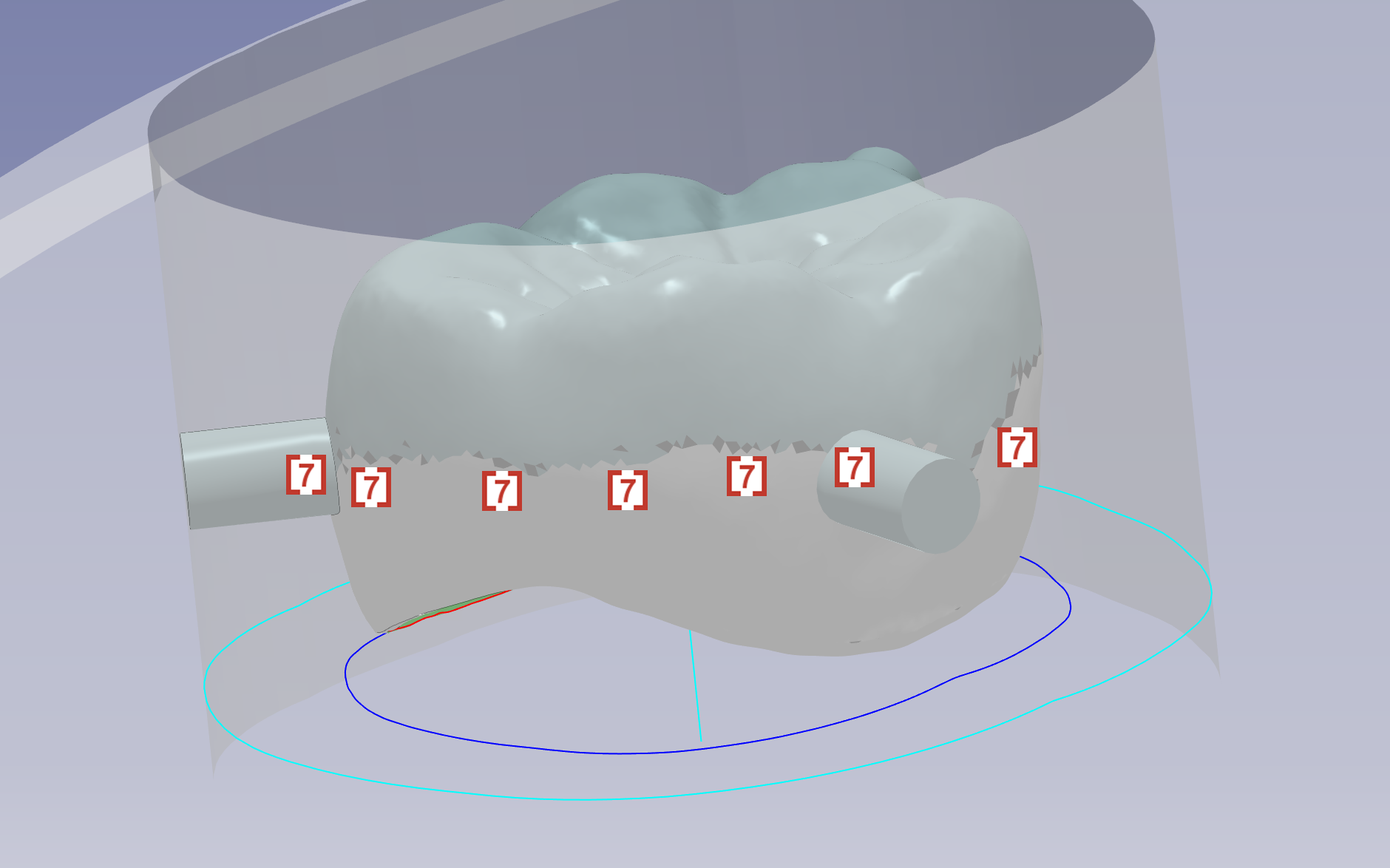
When the user validates, the connector will automatically be placed along equivalent line [7] to avoid undercut. |
|