GO2cam Production Help

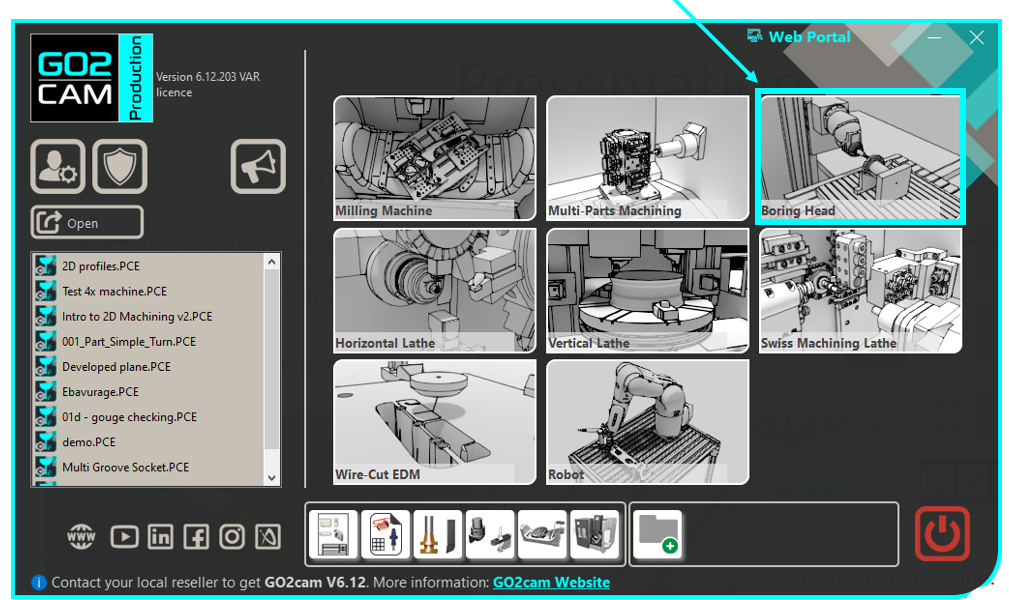
Boring Head

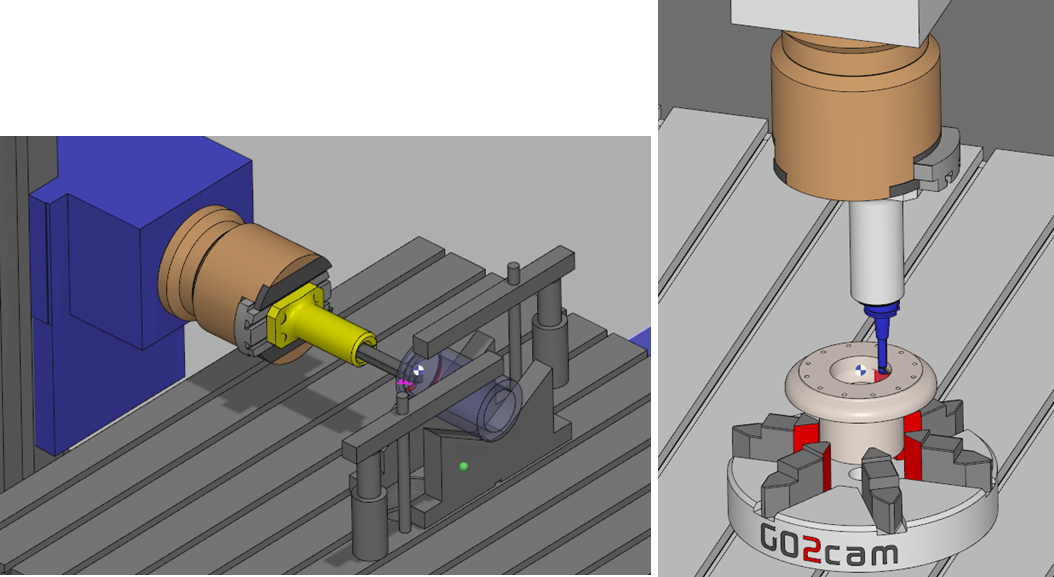
A boring head is a machining attachment that enables milling machines to perform turning operations, effectively combining milling and turning capabilities in a single setup. These specialized toolholders mount to the machine spindle and hold adjustable cutting tools to accurately enlarge, finish, or modify existing holes.

Common Uses:

  • Enlarging holes to precise diameters.

  • Improving hole roundness and surface finish.

  • Machining internal diameters with tight tolerances

  • Correcting misaligned or off-center holes.

Advantages:

  • High Precision – Allows for fine adjustments.

  • Versatility – Can bore a range of diameters with a single head.

  • Better Surface Finish – Produces smoother holes than drilling alone.

image-20250423-105952.png

Key features of the Boring Head Product include:

  • Compatibility with vertical and horizontal milling centers.

  • Integration of boring heads from leading manufacturers (e.g., d’Andrea).

Limitation

  • Single-axis control: The system currently supports only one managed rotary axis (U-axis)

image-20250423-105536.png


Machine File Configuration


To set up the machine correctly:

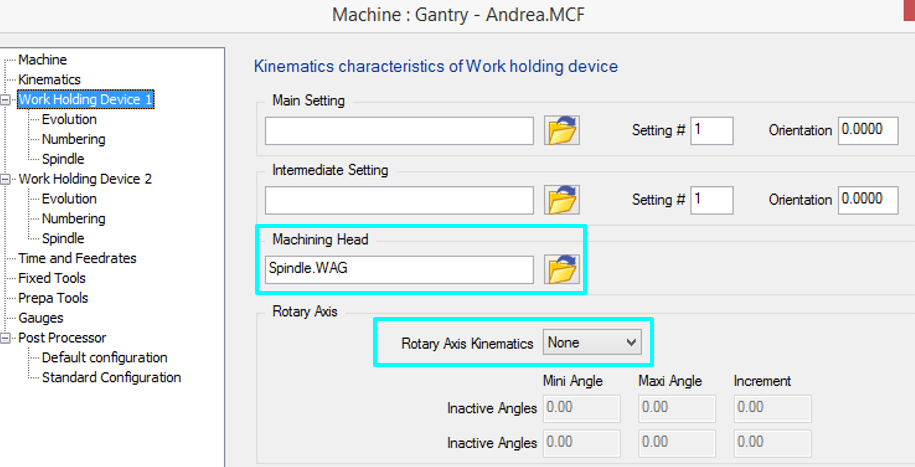
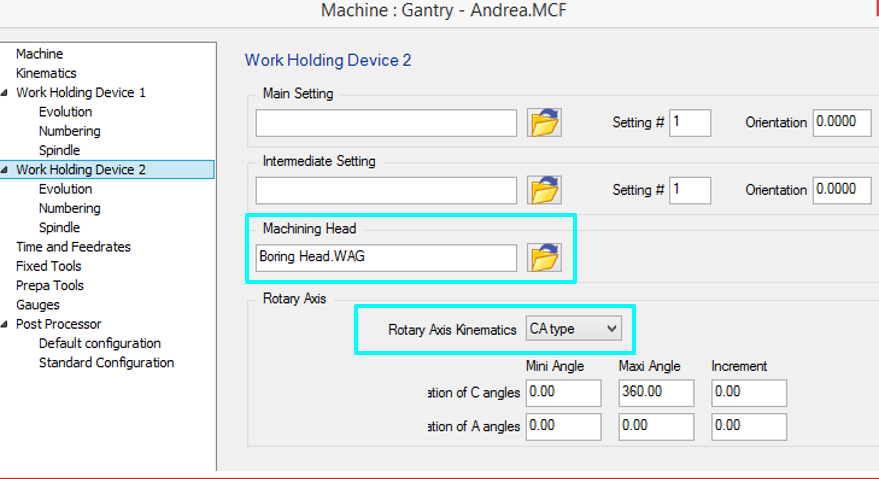
Load the spindle and Boring Head into the machine file.

  1. The 3-axis spindle is defined as Work Holding Device #1.

  2. The Boring Head is defined as Work Holding Device #2.


image-20250423-100242.png
image-20250423-100433.png


Part Setting

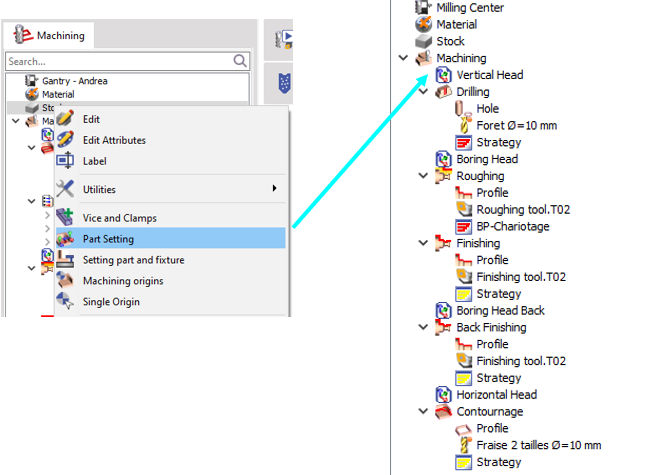
The Part Setting function allows easy switching between kinematics. Allows the user to easily toggle between different head configurations (e.g., milling spindle vs. boring head) without redefining the machine setup.

Since the boring head is defined as Work Holding Device #2, Part Setting ensures the correct toolpath and post-processing output based on the active kinematics. Helps maintain proper tool orientation when switching between milling and turning operations, especially when working with rotary tables (e.g., machining opposite sides of a part in a single setup).

Usage Example:

  1. For Milling Operations: Select the standard spindle (Work Holding Device #1).

  2. For Turning/Boring Operations: Switch to the Boring Head (Work Holding Device #2) via Part Setting.

  3. Multi-Side Machining: If a rotary table is present, Part Setting ensures correct tool positioning for machining different faces of the workpiece in a single operation.

image-20250423-105138.png