
What is MPM?
Multi-Parts Machining (MPM) is an add-on module for GO2cam that lets you program and optimize the machining of multiple parts or multiple settings of a single part on one work-holding device ,all from one environment.
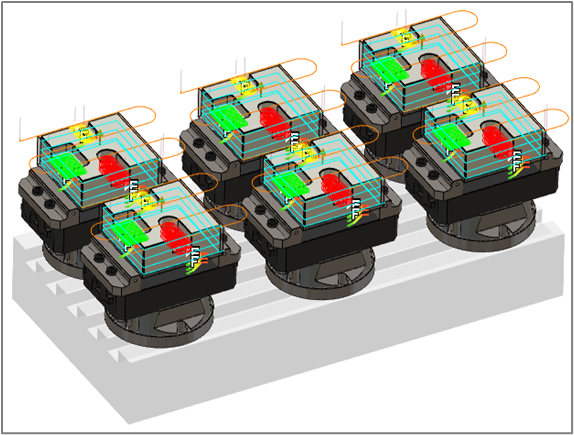
Rather than programming each part or each face individually, MPM assembles everything on a tombstone, pallet, or any fixture, automatically managing sequencing, origins, and tool-change retracts to produce a complete NC file.
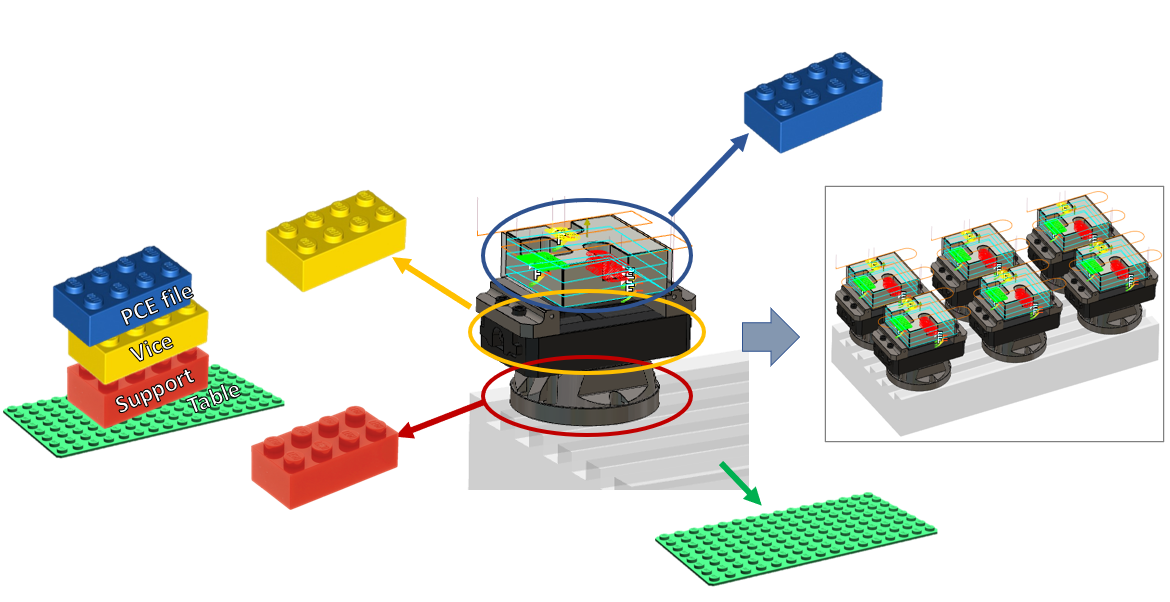
Industry Context MPM is especially valuable in high-volume production environments, where reducing set-up time and maximizing spindle utilization are critical. For a real-world introduction to the technology and its industrial use cases, watch the video below.
Available Modules
Since GO2cam v6.08, MPM is available in two separate options depending on your machine type:
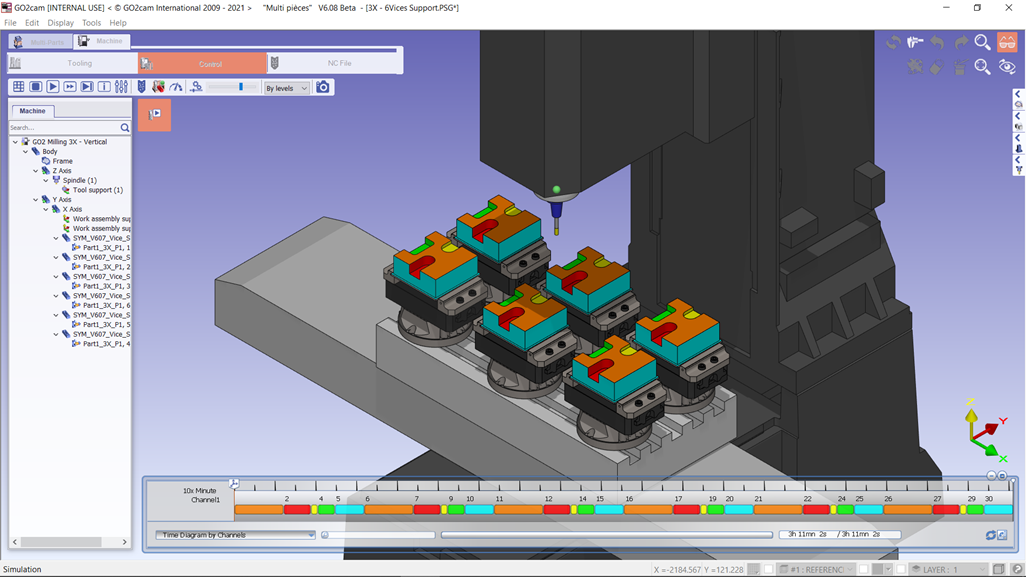
MPM 3X – 3-Axis / Standard Machines
For 3-axis milling machines and multi-stock setups.
-
Standard 3-axis machines
-
Multi-stock setups (several identical or different parts)
-
Pallet fixtures and vise arrays
-
Linear sequencing and origin management
-
MPM 5X – 5-Axis / Tombstones
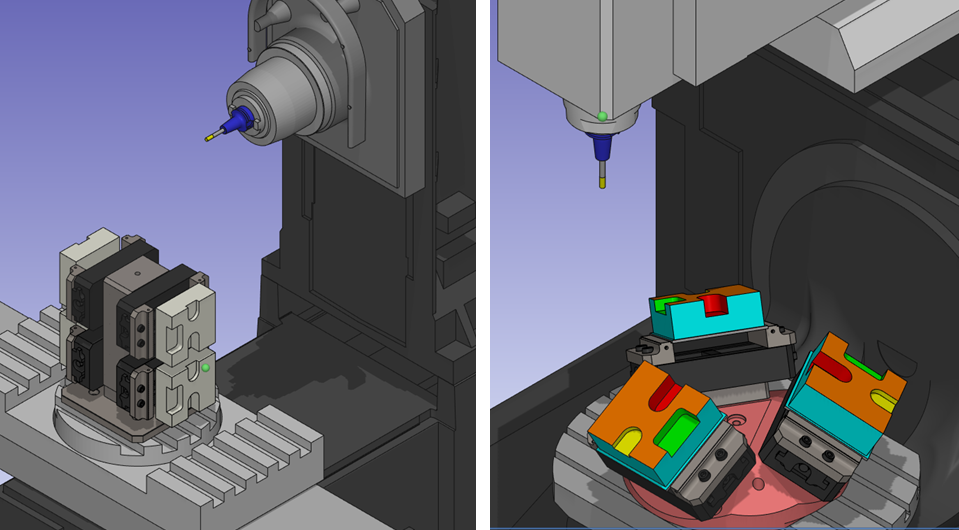
For 5-axis machines with rotary tables and tombstone fixtures.
-
5-axis kinematics (Table-Table, Head-Table, etc.)
-
Tombstone and multi-face configurations
-
Multi-settings: several faces of the same part in sequence
-
MTE simulation with full work-holding device
-
Rotation optimization to minimize table movements
Key Points and Capabilities
|
Key Point |
Description |
|
Multi-Stock Management |
Machine several identical parts simultaneously on the same fixture, or combine completely different parts on the same tombstone or pallet. GO2cam detects collisions between parts during simulation. |
|
Single or Multiple Settings |
A single part with faces machined from multiple directions is decomposed into several settings, each positioned on a different support face. Or, load several different parts — each with their own settings — on the same work-holding device. Program once, position everywhere. |
|
Configuration Templates |
Save a complete setup — machine file, work-holding device, vices, clamps, and origin names — as a reusable *.psgtpl template. Load it in seconds for the next job: no rebuilding from scratch. |
|
Multi-Origin Management |
Assign program origins in 4 modes: one reference origin per project, per clamping element, per setting (system of axis), or custom per support. Origin names propagate automatically across shared systems of axis. |
Tombstone Demo
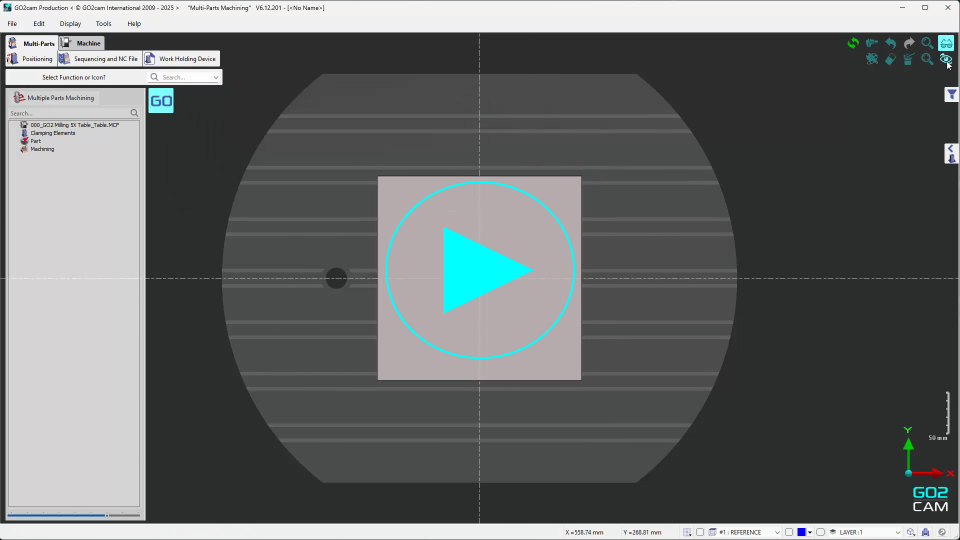
The following video walks through a complete MPM workflow on a tombstone: creating and configuring the work-holding device from scratch, positioning a part on 4 faces, and sequencing the machining to generate the NC file.
|
Additional tutorial videos |
Link |
|
MPM Demo – Level 1 |
|
|
MPM Demo – Level 2 |
Recent New Features
Main improvements made to MPM since version 6.07. For the full list of fixes and improvements, see the Revisions page.
|
Version |
Feature |
Description |
|
v6.07 |
Rotation angle choice |
Mini/maxi angles available for Machine Type kinematics to force a specific rotation when multiple choices exist (e.g., cradle CA, forced A-). |
|
v6.08 |
Module split: 3X / 5X |
MPM is now two separate options (MPM 3 Axes / MPM 5 Axes) to match machine capabilities and licensing. |
|
v6.08 |
Wizard |
Step-by-step wizard for creating an empty project or loading an existing one, with guided positioning and duplication. |
|
v6.08 |
Configuration templates |
New *.psgtpl template concept storing machine, fixture, vises/clamps, and origin names. Stored in a dedicated Templates folder. |
|
v6.08 |
Work-holding device library |
Library of vices and clamps. Parts can be opened already mounted on vices. Support for Symbol and WAG files. |
|
v6.08 |
Copy on free supports |
New copy types including 'Copy on free supports'. Enhanced dynamic graphical interaction for positioning. |
|
v6.10 |
Program origin management |
4 modes: Reference, Clamping Elements, Systems of Axis, custom per support. Origin names propagate across shared systems of axis. |
|
v6.11 |
MCF clearance parameter |
New MCF parameter controlling retract strategy between cycles: Systematic, Part Change, Collision Test, or None. |
|
v6.12 |
List by Settings |
We added a new option in List settings to choose among several angular position combinations. |
|
GO2cam 2026 |
JavaScript |
The MPM module supports JavaScript. Access this feature under the Tools menu. |
Key Vocabulary
|
Term |
Definition |
|
Setting |
A group of machining operations accessible from one direction without rotating the part. A plain cube has up to 6 settings. |
|
Setting Face |
The face of the part that rests against the support (mounting face). Must be defined before positioning. |
|
Support |
A face of the work-holding device on which parts are fixed. Each support requires a defined plane. |
|
Work-Holding Device |
The fixture assembly (tombstone, pallet, vise block...) built as a *.PCE file. Must contain a plane for each support and a rotation reference plane. |
|
*.PSG file |
The MPM project file. Stores positions, sequencing, and settings. References part files (*.PCE) by path — does not embed them. |
|
*.psgtpl file |
Configuration template. Stores machine, fixture, vises/clamps, and origin names for reuse across projects. |