
Definition
To store mounting tools and toolholders with specific characteristics (length corrector, diameter, useful length, etc.), we can create Tooling files (.FMO).
Those files allow for multiple tools and toolholder setups to be saved for later use on the machine. Also, a FMO file is independant from the machine and can be used for several machines.
Create FMO files
There are 3 Methods to save the tooling configuration into FMO files.
Without a Part:
-
Load a machine file including a 3D model file (.mcb)
-
In MTE Tooling menu, insert some tools and/or toolholders on the Tools Supports
-
Confirm → the FMO file is saved in the Kinemac folder.
Without a Part but with fixed or prepared tools in the machine file:
-
Load this machine file including a 3D model file (.mcb)
-
In MTE Tooling menu, click Auto Mounting,
-
Confirm → the FMO file is saved in the Kinemac folder.
With a Machined Part:
|
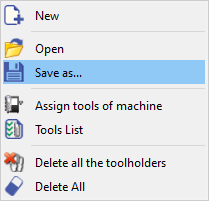
|
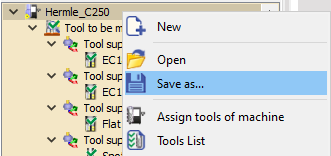
|
Use FMO Files
|
|
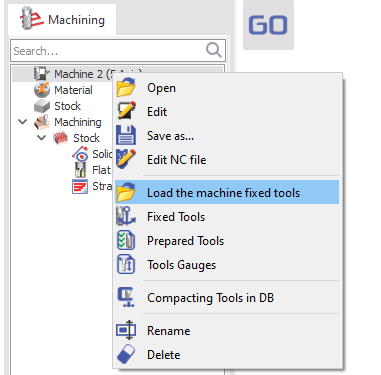
|
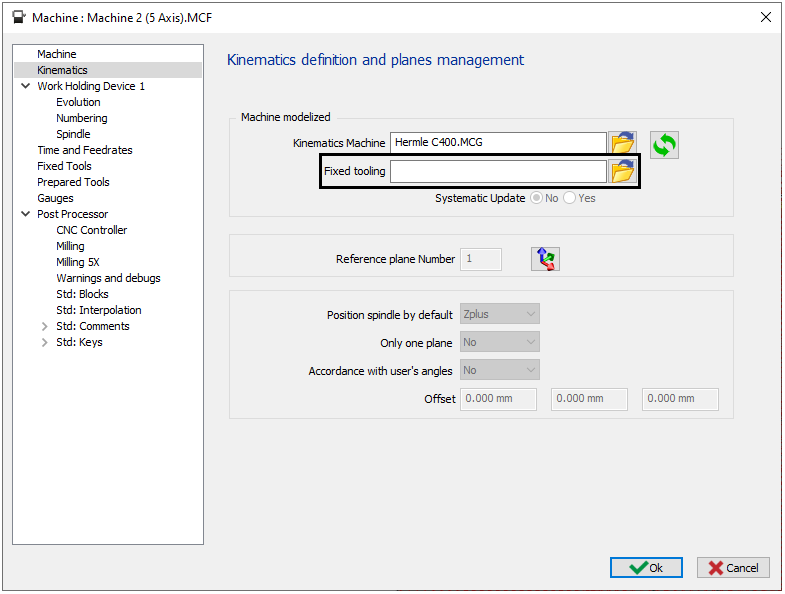
|
|
Option Systematic Update in the Machine file:
|
|
|
▶️ This video shows the creation and the definition of FMO file in the machine file. |
|