
Techno tables refer to predefined sets of machining parameters that help optimize the cutting process for different materials and conditions. These tables contain information such as:
-
Cutting speed: The rate at which the wire cuts through the material.
-
Wire feed rate: How fast the wire is fed through the machine.
-
Electrical settings: Parameters like voltage, current, and pulse duration.
-
Flushing pressure: The pressure of the dielectric fluid used to flush away material debris.
-
Surface finish requirements: Specified roughness or smoothness based on the application.
Techno tables streamline the setup by allowing operators to select appropriate settings quickly based on the material, thickness, and accuracy needed.
Techno tables are directly linked to the machine. Hence, each machine manufacturer has its own set of techno tables.
Below are the contents on how to implement techno tables in GO2cam.
Creation of techno tables
|
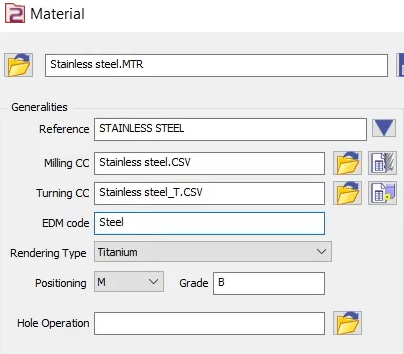
Load the machine file. The first step to be able to define a techno table is to load or create a machine. The file extension is .MCE Define the material.
|
|
|
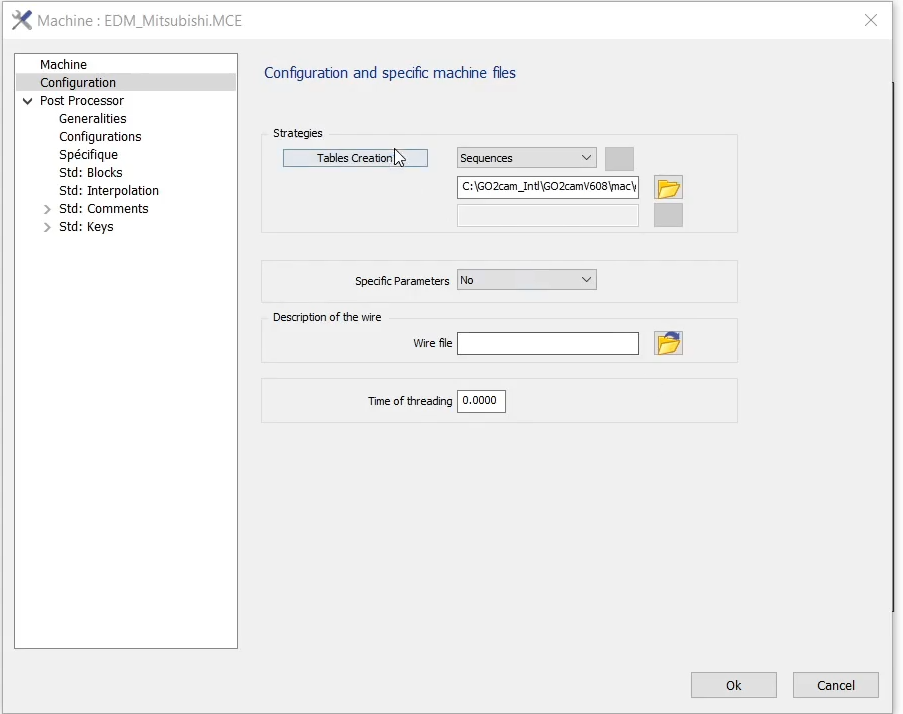
Machine configuration.
|
|
|
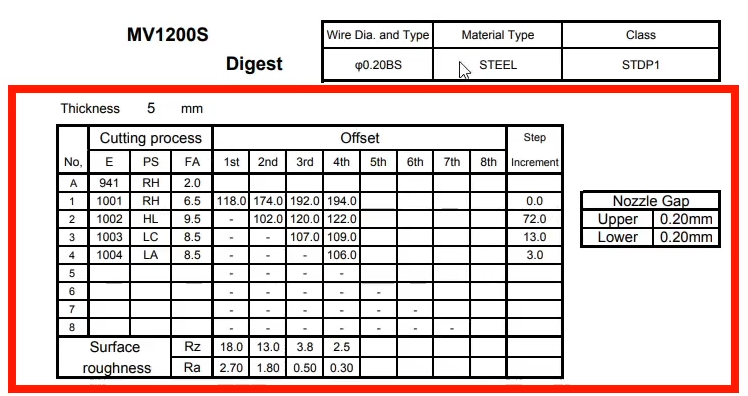
In the Selection of the technologies window:
|
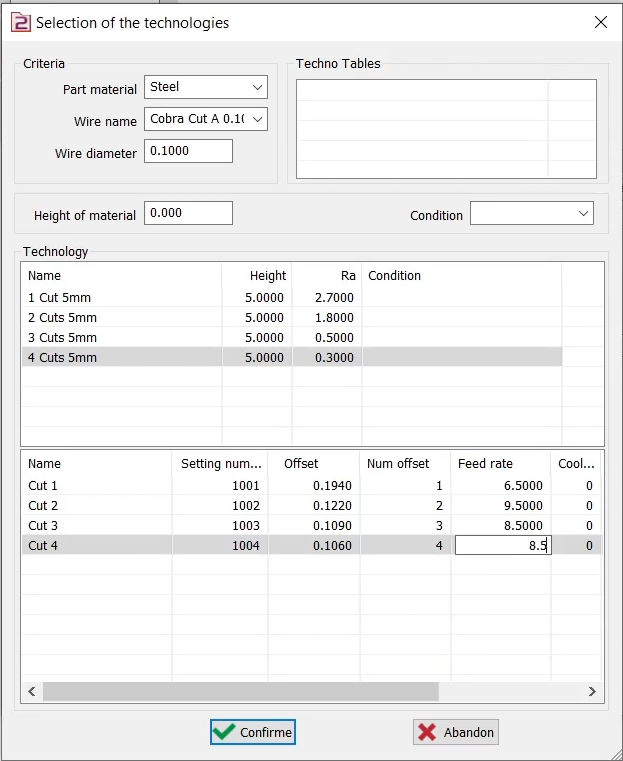
The first space under Technology is for setting the cuts. The second table downward is used to define other parameters for each cut, such as the feed rate and offset. |
|
After all the values have been inserted, confirm and give a name to the file. This file is now available in the Techno Tables field. Repeat the process to define more techno tables. |
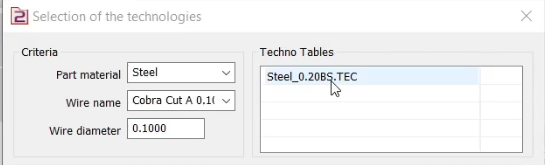
|
|
▶️ You can find a full detailed guide on the creation of Techno tables in this video. |

|
Using Techno Tables
Method 1: Application on each cycle
Access Configuration:
Select Machining Cycle:
|
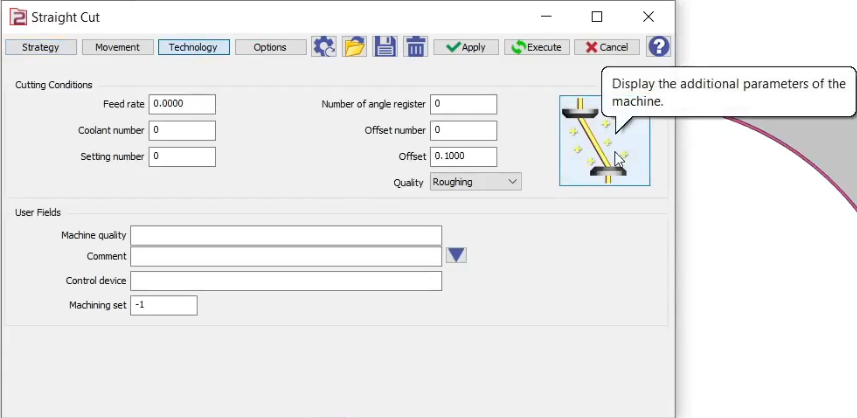
|
|
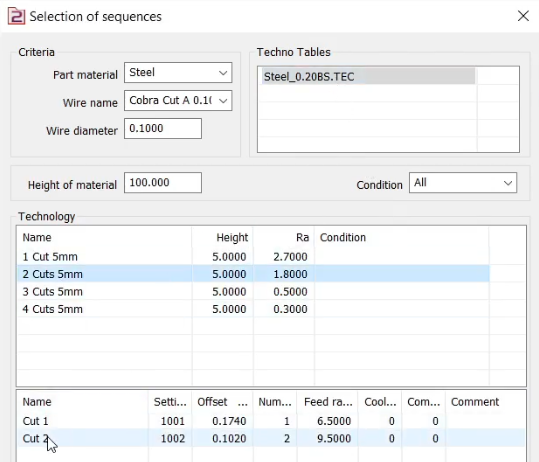
The window is similar to the ‘Selection of the technologies' window. But this is used to apply the defined technologies to a cycle and is titled 'Selection of sequences’. |
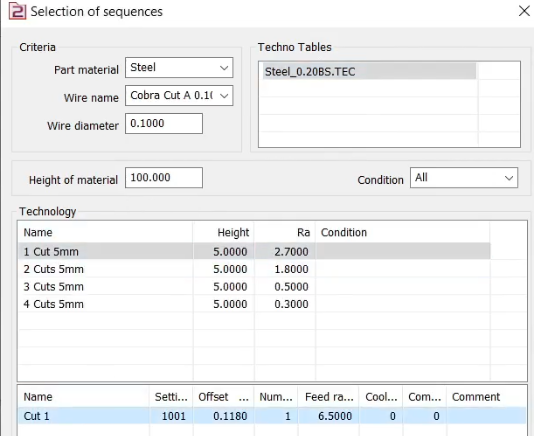
|
|
|
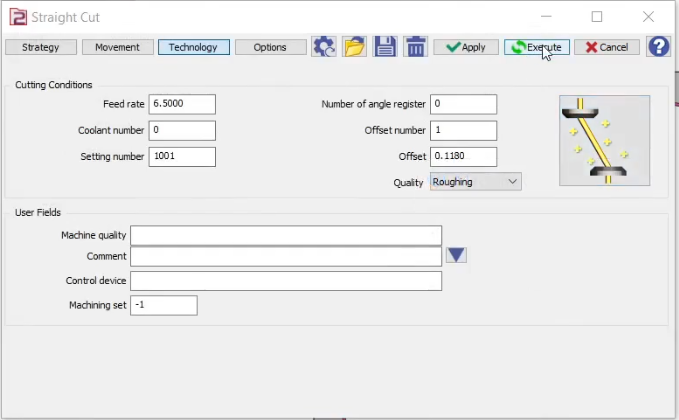
|
|
▶️ You can find details of the 1st method of how to use the techno tables in this video |
|
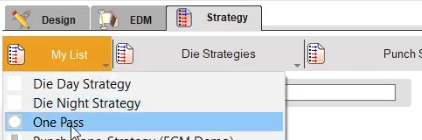
Method 2: Application by strategy
|
|
|
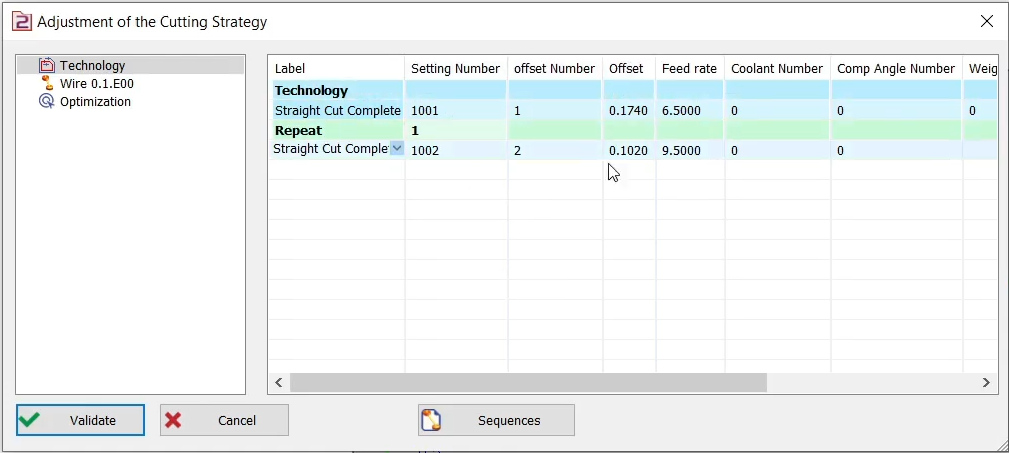
|
|
Verify Parameters:
|
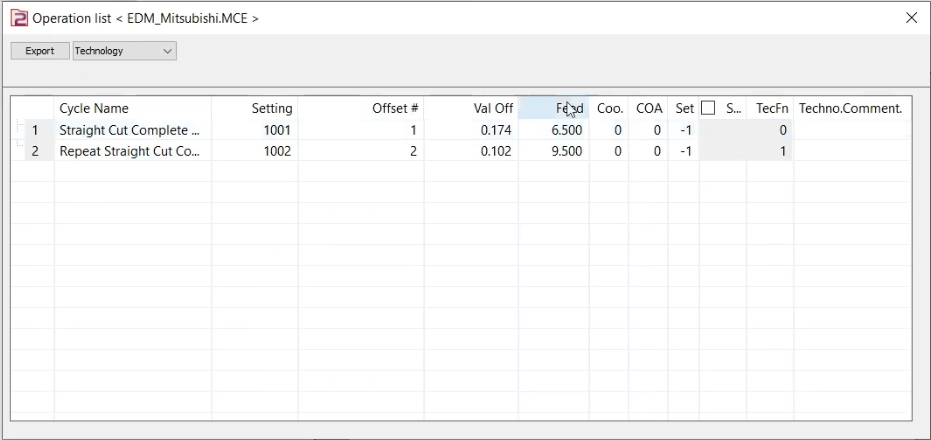
|
|
▶️ You can find details of the 2nd method of how to use the techno tables in this video |
|
Manufacturer Techno Tables
GO2cam is able to manage techno tables from many manufacturers. The process to include the parameters and define the techno tables in the software is the same for all different manufacturers. Some example of EDM machine manufactures are:
|
|
You can download some examples of techno tables on the right. |
|
You can download some examples of techno tables on the right. |
|
|
|