
Presentation

|
Transformation of points, arcs and circles into hole entities with useful information for the machining. |
There are 2 types of holes :
-
Standard : normalized holes defined by a diameter, a length and a Z direction. An automatical operation list is created.
-
User Models : Optional module. This is a library of Holes Modes Features with multiple stage and with cycles associated. These models are created by the user.
Notes :
-
it is obligatory to transform points into holes to machine them.
-
when defining the machining operations, to recover the length of the hole, go in strategy page and put the parameter Depth/ref to Entity.
How to assign holes
-
Selection of the elements : the filters available make the selection a multi-criteria selection :
a. Choose the elements by their types of lines :

Full and dotted lines |

Full lines only |

Dotted lines only |
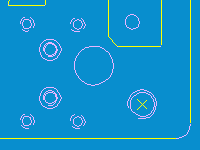
|
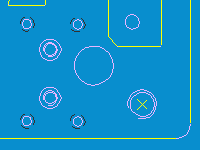
|
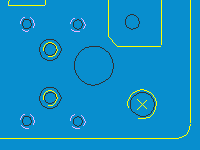
|
b. Choose the types of elements to transform :

|
Points |

|
Arcs |

|
Circles |

|
Holes |
c. In case of selection of arcs :

Only arcs with a minimum of 180° and concentric to other elements are selected |

All the arcs are selected (as included the fillet on the bottom right hand corner) |
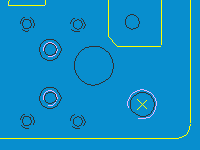
|
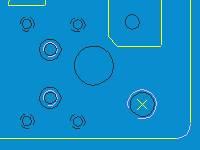
|
d. In case of concentric circles and arcs :

Selection of the external element |

Selection of the internal element |

Selection of all the concentric elements |

Choice by diameter |
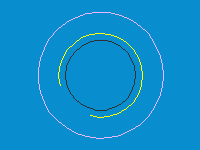
|
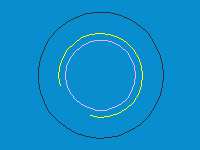
|

|
The corresponding field is activated. You can either type in a value, or click the button 'Diameter' and show an element directly on the draft. |
e. Selection by diameter: you can select a range of diameters by typing inferior and superior diameters values.
-
If the deletion icon is checked, the 2D geometry selected is not kept.
-
When all the selections you need are done, press the Enter key or do a selection box with all the elements (only the ones chosen before are selected), or click on the elements one by one.
-
Do a right click and choose Confirm selection.
-
Answer to the question : Do you want to - Create a standard hole - Choose a model ?
The creation is done : the Holes are created with the current attributes, layer and color so that they can be sorted easily afterwards.