

|
The nesting is an optional module which enables to optimize the positioning of multiple shapes in a stock. It is available in Wire EDM in the menu Design. |
Many rules are similar to the nesting option of milling: click here to get further information.

|
A new Existing Stock checkbox has been added to the Nesting command dialog.
|

|
Some rules are specific to Wire EDM:
-
The shapes nested are obligatory punch shapes,
-
The geometries are 2D profiles, (not solids as in milling),
-
Threading holes must have been defined before, they will be duplicated during the nesting,
-
Connectors do not exist in wire edm.
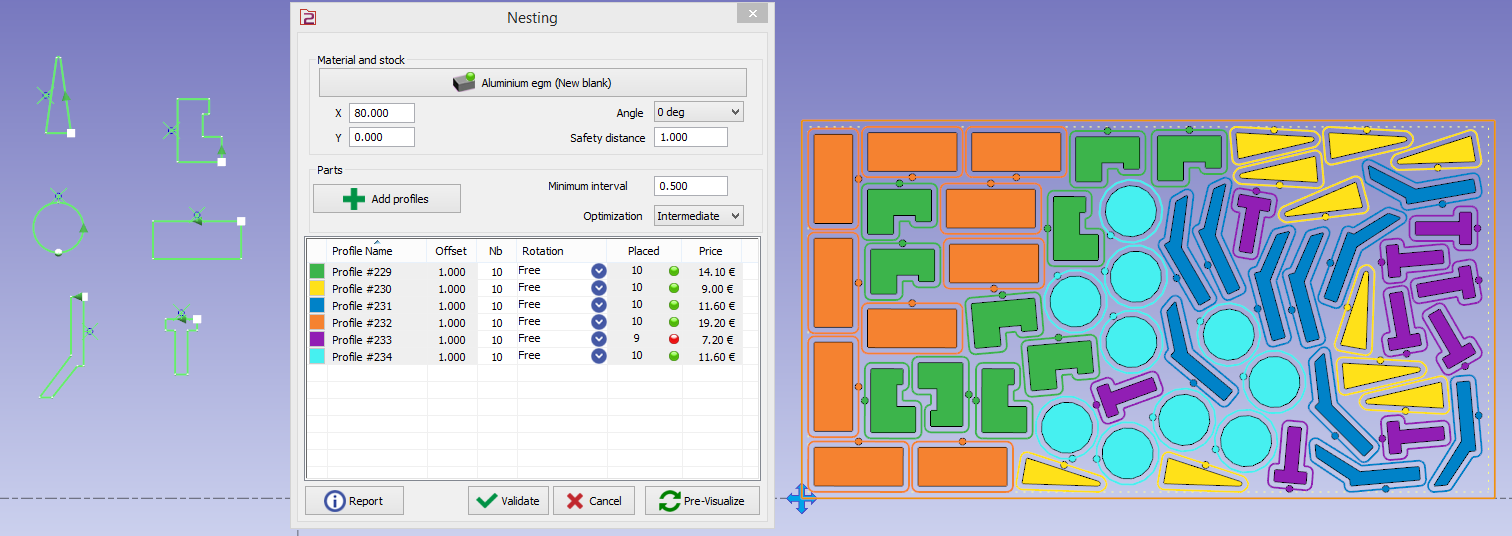
Below is an example of 6 punch shapes nested.
|
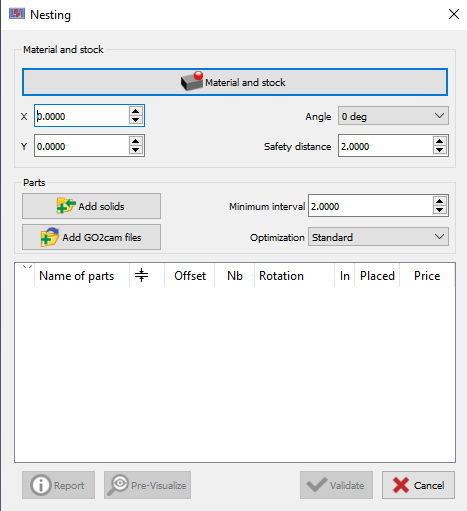
You can work on already machined *.PCE files. Clicking on ‘Add GO2cam files’ enables to open and nest *.PCE files. |
|
Other commands

|

|

|
Nesting commands: click here for additional information. |