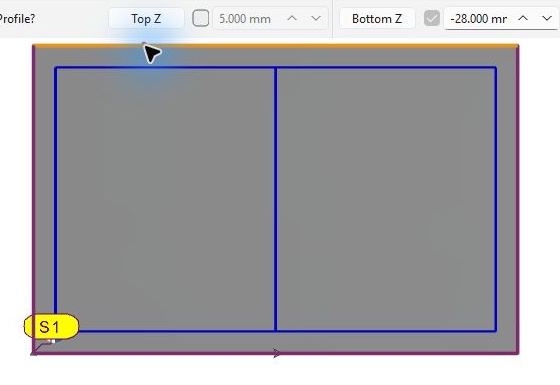
The stock boundary can be selected as the machining profile, for example for facing or roughing around an island.
Methodology
-
Choose Standard milling.
-
Move the cursor over an edge of the stock bounding box and select it.
-
Check the S1 selection bubble.
-
Define Top Z and Bottom Z.
-
Select any inner contour which must be preserved as an island, then validate the geometry.
Example: the outer stock bounding box is selected and identified by the S1 bubble. The blue wireframe contours inside it have not been selected. Check the Top Z and Bottom Z fields for the stock profile before continuing.