
Open ABUTMENT in STL format and apply automatically toolpath.
We divide the ABUTMENT into 3 working areas:
|
“Customized area” 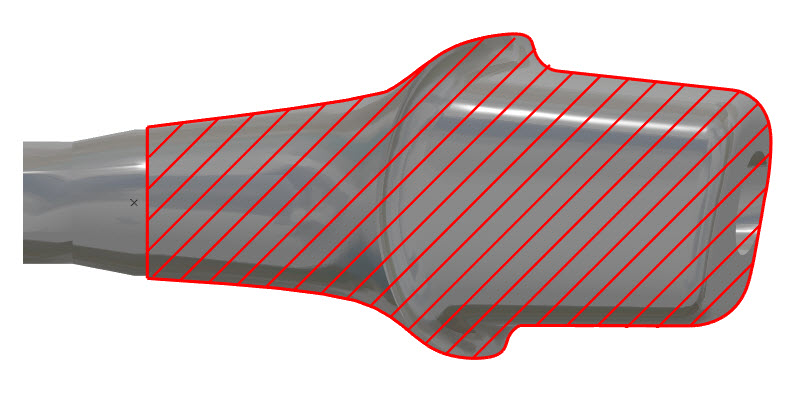
|
“Connectic area” 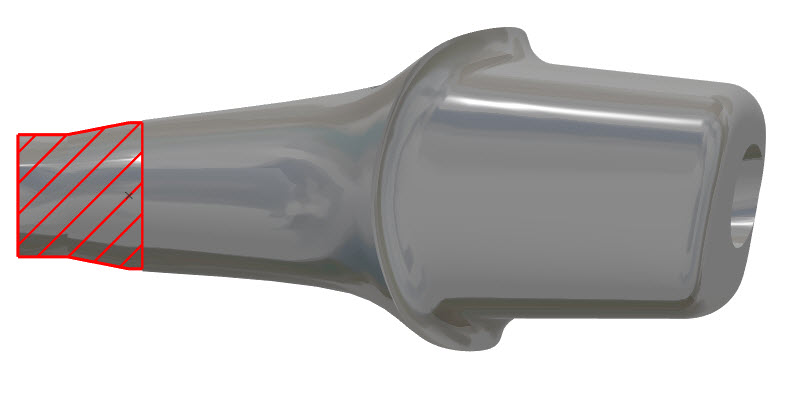
|
“Hole area” 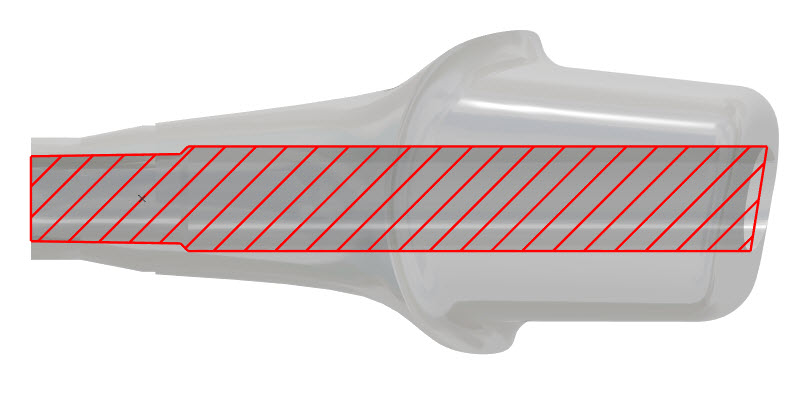
|
|
To machine Customized area on the abutment, we use below tools Turning Tool(Tool NO.2) to do the turn roughing: Ball End Mill Tool D03(Tool NO.5) in Radial direction to do mill roughing Ball End Mill Tool D01.5(Tool NO.3) in radial direction to do rest machining(Semi roughing) Ball End Mill Tool D01.5(Tool NO.3) in Radial direction to finish the surface in 4Xs Ball End Mill Tool D02(Tool NO.6) in axial direction to finish the occlusion surface
|
To machine Connectic area, we use below tools Back Turning Tool(Tool NO.3) to do the turn roughing of connectic area Flat End mill D04(Tool NO.4) to do the hexagon profile of connectic area Parting Tool(Tool NO.1) to cut off the workpiece from the end of connectic area |
To machine Hole area, we use below tools Spotting Drill D4(Tool NO.7) to do the spotting drill before drilling the hole Drilling tool (Tool NO.8 9 10) to drill the hole |
NB:
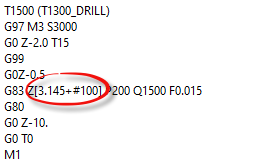
G code for Holes and Connectic is not manage by the CAM.
Holes and Connectic are managed by sub program.
ToolPath for Holes and Connectic are always the same according to each provider
Inisde the NC file we have “new REFERENCE POINT” here the variable used is #100
Current machine in production:
Star – SB-20R TypeG
Star - SR 20 JII Type B
Pending machine
Citizen L20
Chiron FZ08MT