
Presentation

|
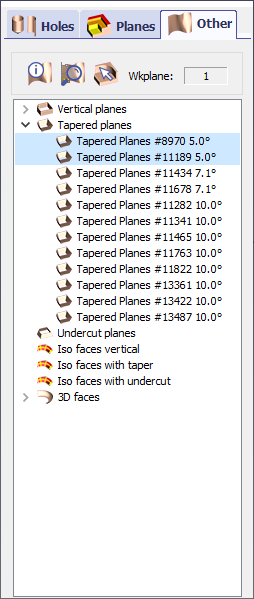
Information about all the other planes of the analysed solid, like tapered and undercut planes. |

|
Zoom selection : when an element (hole, face etc.) is selected in the list, if you can not localize it on the solid, click this button to make a zoom on it. |

|
Information : click this icon, and click any element on the solid to get information on it ; you get its coordinates and values and you can localize it in the list of elements where it is underlined. Workplane : to know in which workplane the analysis is done. |
|
The aim of this table is to give you information about all the faces that are not considered as holes, cylinders and planes. There are 5 types of faces :
When you click the lines of the table, the planes are highlighted on the solid. Using Ctrl and Shift keys (like in any tree in windows), you can select several planes at the same time. Extra Functions : accessible with a right-click on a line :
The 2 faces selected are 5° tapered ; visually, it is possible to distinguish the tapers on the model. But the taper could be 0.1°; in that case, the analysis would be necessary to get the information. 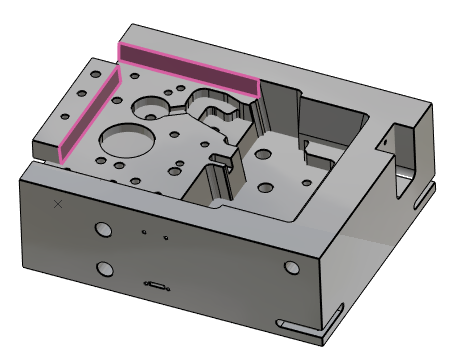
|
|