
Presentation

|
Creation of profiles for straight cut and taper cut by simple click on a solid. |
To create a Straight or Taper profile
|
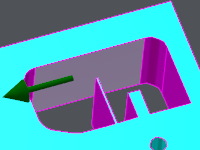
Click on the starting face. An arrow shows the direction of machining. You can click the arrow to invert the direction. |
|
|
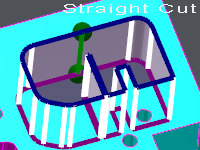
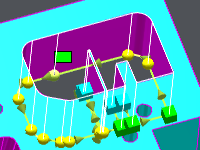
Click on the ending face; if you click the same face, the profile will be closed. A pre-visualization of the profile is displayed: the information of Straight Cut or Taper cut is written on the screen. |
|
You can change the start/end faces of the profile: 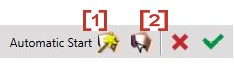
|
[1] Automatic selection: if you click this icon, GO2cam selects the best face for the starting face. [2] Manual selection: you can click any face of the solid profile. |
|
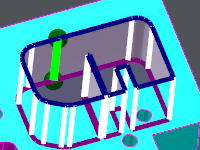
You can also move the start and/or end point: Simply click the green element and move it along the face. Drop it on the right position. |
|
|
Validate with [3] or cancel with [4] . 
When you validate, the profile is created. Notes:
|
|
|
|