
Presentation
Definition: adding of a CNC function between two machining operations.
In some cases, the post-processor has to be customized to generate the techno cycles in the ISO program. Furthermore, the machines are not systematically able to treat some specific functions, please contact us for more information.
These additional functions are different for milling, turning and EDM :
To create a techno function
|
1/ Right-click on the line Machining in the machining tree. |
|
|
2/ Click on Techno Functions.

|
|
|
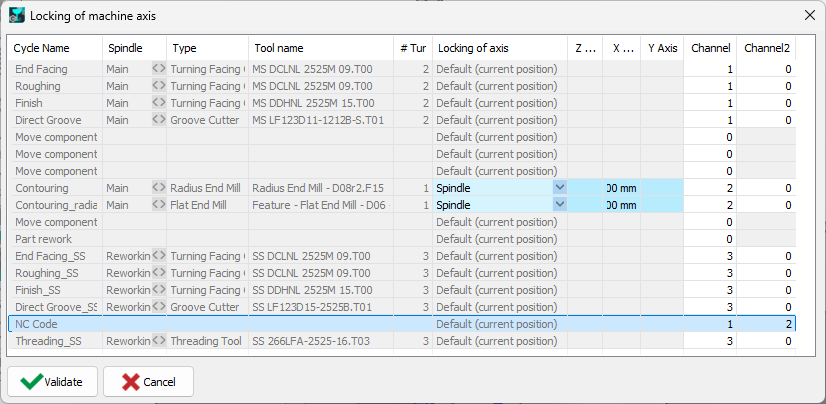
3/ Some techno functions can be completed with a NC Block Macro |
|
|
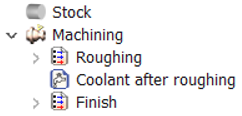
4/ In the machining tree, click on the cycle preceding the techno function you include, in this case the Roughing. The techno function reacts as a cycle and is accessible in the machining tree. |
|
|
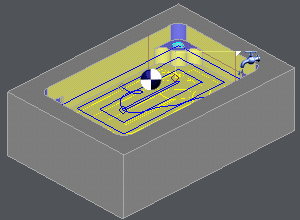
The function is represented by an icon at its location. |
|
List of Functions
1/ Milling Functions
|
Icon |
Specification |

|
Stop : Activation of a stop (Subjected to the interpretation of the post-processor) |

|
Coolant : Activation of a coolant different from the one which can be defined in the technology |

|
Palletization : Activation of the change of pallet (subjected to the interpretation of the Control Device) |

|
Absolute NO : Activation of the relative mode on the toolpaths |

|
Absolute YES : Deactivation of the relative mode |

|
Optional YES : Activation of the optional blocks (subjected to the interpretation of the Control Device) |

|
Optional NO : Deactivation of the optional blocks |

|
Dwell : Activation of a numbered dwell |

|
Comment : Adding a user comment |

|
NC block : Adding of one N block |

|
PP Word : Call of a specific treatment |
2/ Turning Functions

|
Techno Functions:

|
|
|
Icon |
Specification |

|
Feeder : Call of the bar feed |

|
Part collector : Call of the collector at the end of the part machining |

|
Toolholder orient. : Indexing the B axis |

|
Bring Tailstock C. : Z position of tailstoch center + support |

|
Tighten Tailstock C. : Exit of the tailstock center for tightening |

|
Loosen Tailstock C. : Retraction of tailstock center (loosening) |

|
Remove Tailstock C. : Return stroke of tailstoch center + support |

|
Bring Steady Rest : Z position of steady rest + support |

|
Tighten Steady Rest : Tightening the steady rest |

|
Loosen Steady Rest : Loosening the steady rest |

|
Remove Steady Rest : Return stroke of steady rest + support |

|
Stop : Activation of a stop (Subjected to the interpretation of the post-processor) |

|
Coolant : Activation of a coolant different from the one which can be defined in the technology |

|
Absolute NO : Activation of the relative mode on the toolpaths |

|
Absolute YES : Deactivation of the relative mode |

|
Optional YES : Activation of the optional blocks (subjected to the interpretation of the Control Device) |

|
Optional NO : Deactivation of the optional blocks |

|
Dwell : Activation of a numbered dwell |

|
Comment : Adding a user comment |

|
NC block : Adding of one N block |

|
PP Word : Call of a specific treatment |
3/ Wire EDM Functions
|
Icon |
Specification |

|
Stop : Activation of a stop (Subjected to the interpretation of the post-processor) |

|
Coolant : Activation of a coolant different from the one which can be defined in the technology |

|
Wire threading |

|
Wire cutting |

|
Thickness |

|
Generator On |

|
Generator Off |

|
Optional YES : Activation of the optional blocks (subjected to the interpretation of the Control Device) |

|
Optional NO : Deactivation of the optional blocks |

|
Dwell : Activation of a numbered dwell |

|
Techno Table : change of cutting conditions between 2 operations |

|
Comment : Adding a user comment |

|
NC block : Adding of one N block |

|
PP Word : Call of a specific treatment |