

|
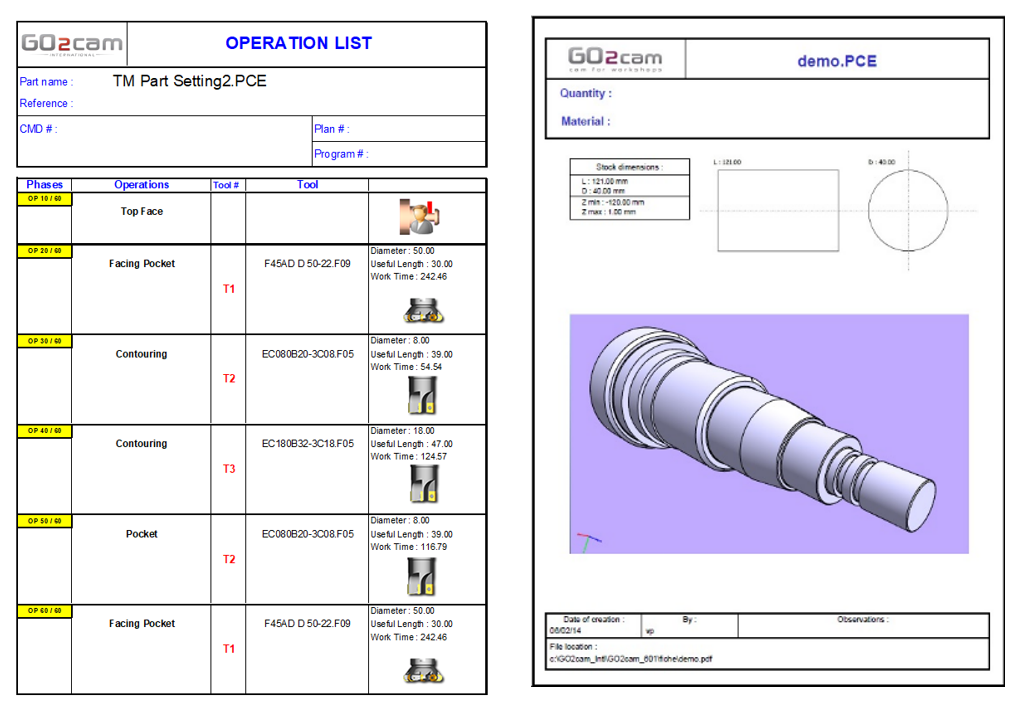
This command enables to edit one or several predefined documents:
|
|
We offer 11 standard templates: list of operations, cycle’s sheet, tools sheet, diagram of times etc. 3 of these templates are only dedicated to EDM technology. Choose the one you need to create a specific manufacturing folder for each part. You can also create your own layout documents.
|
|
Turning Origin
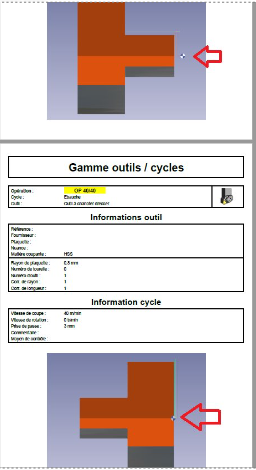
When a rework or return is programmed for a workpiece, the screenshots no longer display both origins, only the current origin. This issue also persists in milling settings. |
|
|
Templates |
Description |
Milling |
Turning |
EDM |
|
Main Page |
Main Page of the Production File |

|
|
|
|
Part Info |
All the data regarding the PCE file |
|
|
|
|
List of Operations |
List of the machining cycles applied on the part |
|
|

|
|
Cycles |
Tool and Process sheet for each cycle |
|
|
|
|
Tooling |
Tool sheet with all the useful parameters |
|
|
|
|
Tools Magazine |
Position of the tools in the machine |
|
|
|
|
Machining Diagrams |
Time and Production Diagrams |
|
|
|
|
Techno Page |
List of the passes with the offset values and the types of path (reverse, partial etc.) |
|
|
|
|
Part and Drilling Labels |
Names of labels defined in the part |
|
|
|
|
Drilling Table |
Table with threading points coordinates ready to be drilled |
|
|
|
|
List of the Holes |
Number of holes, names of the models used, positions and many other technical information |
|
|
|
User Workshop Documents: this new optional module enables to create customized sheets and templates.
Please read the dedicated page for the creation of these documents: User Workshop Documents
Excel is a registered Trade Mark of Microsoft Corporation.©Acrobat PDF is a registered Trade Mark of Adobe Systems.