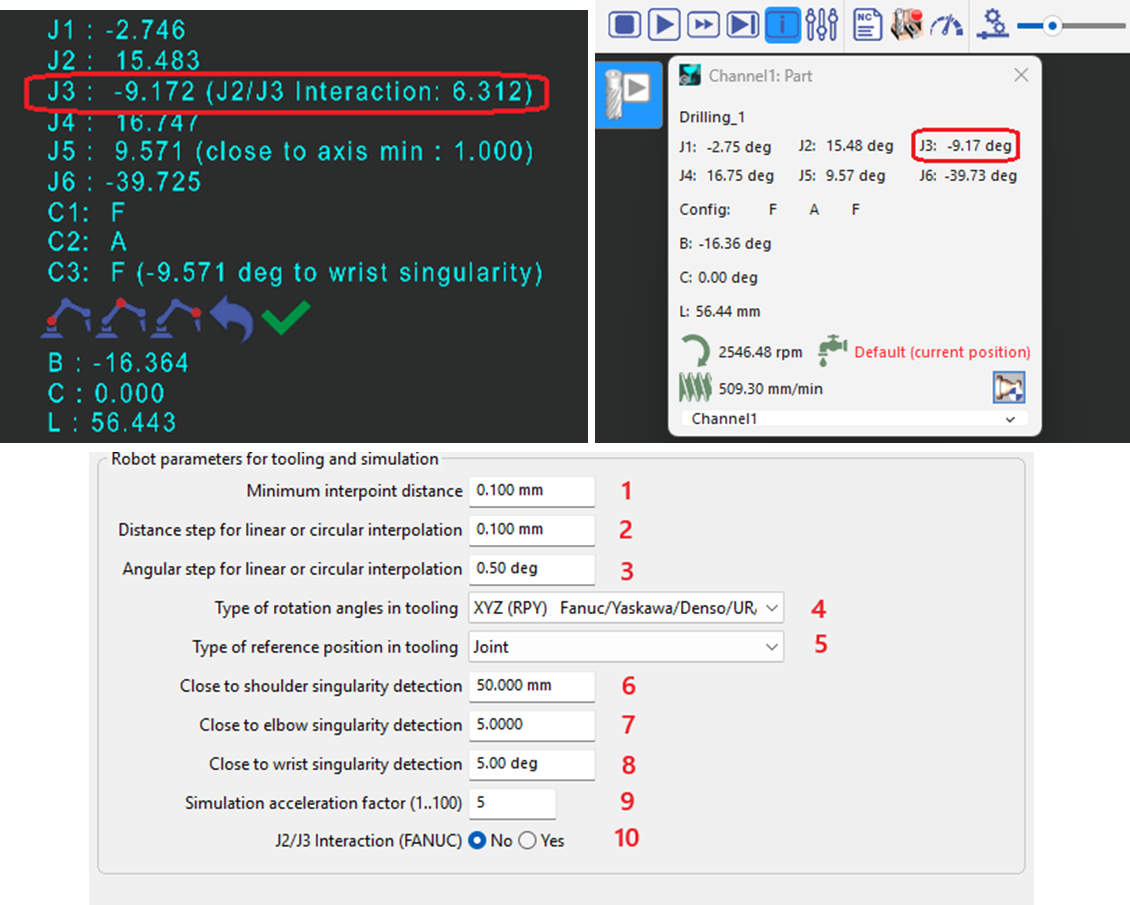
This page aims to capture the parameters used in the Tooling tab and the Simulation tab in GO2CAM for Robot. These parameters are accessible via Machine -> Kinematics.
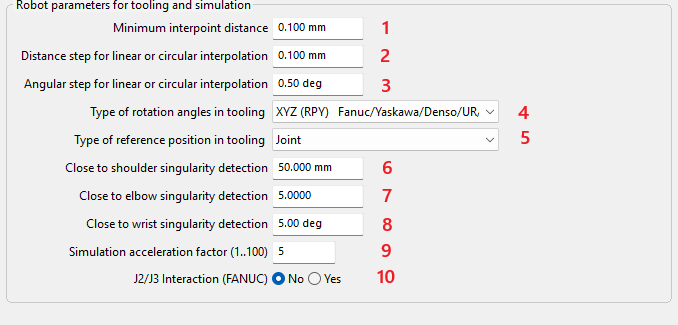
Minimum interpoint distance (1)
For both MTE simulation and CN file output, any following point closer than this distance will be ignored. The minimum is 0.001 mm.
This parameter can be used to filter robot path points that are very close together in the CN file, resulting in a smoother robot path, but path accuracy may be reduced.
Distance step for linear or circular interpolation (2)
This parameter can be used to reduce computation time for large tool paths or to discretize the path for NC file output (if linear motion path discretization is enabled in the PP). The minimum value is 0.1 mm.
Angular step for linear or circular interpolation (3)
This parameter can be used to reduce computation time for large tool paths or to discretize the path for NC file output (if linear motion path discretization is enabled in the PP). The minimum value is 1 degree.
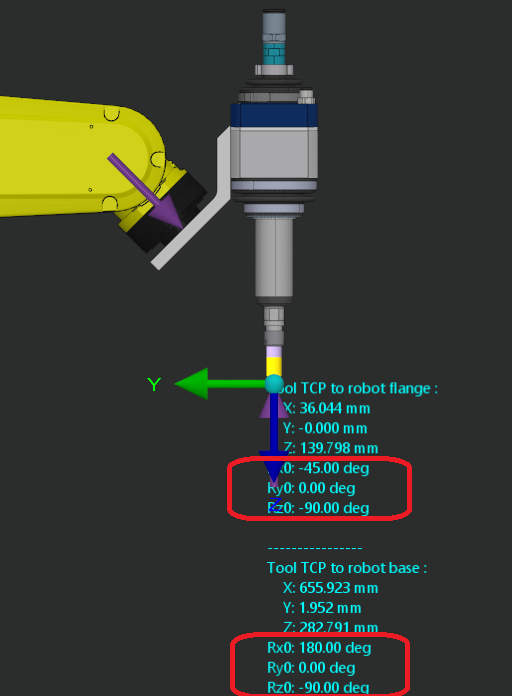
Type of rotation angles in tooling (4)
This parameter defines the rotation angle conventions used by different robot controllers. It is applied in the tooling for the TCP frame and the user frame.
Type of reference position in tooling (5)
Reference positions can be defined as joint (absolute, robot-specific) or Cartesian (relative to the part origin, transferable to other robot models). Existing reference positions can be resaved to change their type.
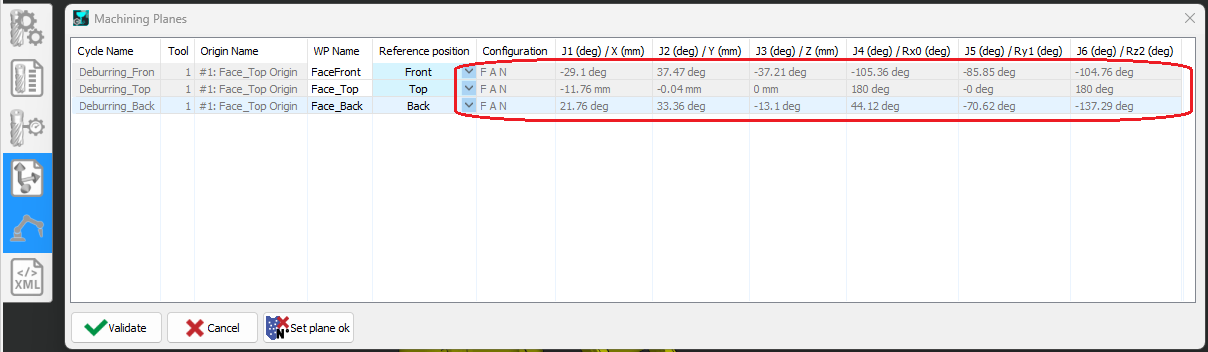
If the part may move during robot path generation (e.g., using an additional positioner), a joint-type reference position is recommended to prevent ambiguity.
Close to elbow singularity detection (6)
Shoulder singularity detection threshold. This parameter helps ensure a minimum distance from the robot singularity.
Close to elbow singularity detection (7)
Elbow singularity detection threshold. This parameter helps ensure a minimum distance from the robot singularity.
Close to wrist singularity detection (8)
Wrist singularity detection threshold. This parameter helps ensure a minimum distance from the robot singularity.
Simulation acceleration factor (9)
Resampling factor for interpolated points to speed up MTE simulation (for large tool paths). May reduce simulation and collision detection accuracy. No effect on CN output.
J2/J3 interaction (10)
This option can be enabled to match the joint angle displayed on the TP for J3 when J2 and J3 are coupled, as in the Fanuc robot family. This option applies to robot joint angle coordinate display in tooling and in MTE simulation, and joint angle limits in machine parameters.