
|
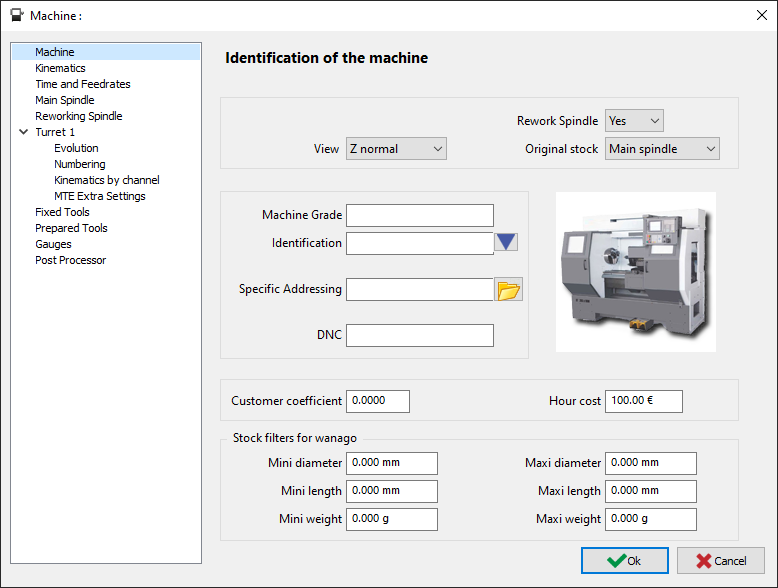
The Machine editing dialog is accessed from the machining tree, do a right-click on machine and select edit. In Horizontal Turning, the dialog is as shown below, where you are going to define the different parameters related to the machine. |
|
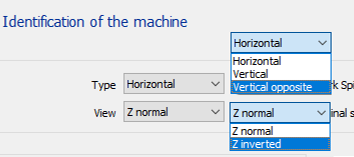
Type and View
|
Combinations |
Results |
Combinations |
Results |
|
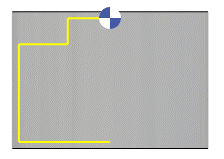
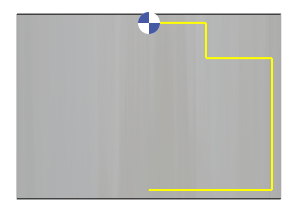
Vertical & Z normal |
|
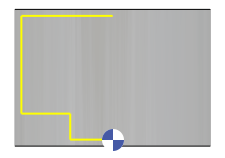
Vertical & Z inverted |
|
|
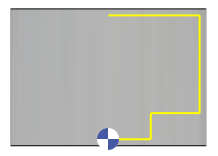
Vertical opposite & Z normal |
|
Vertical opposite & Z inverted |
|
Original Stock: Main or Rework Spindle
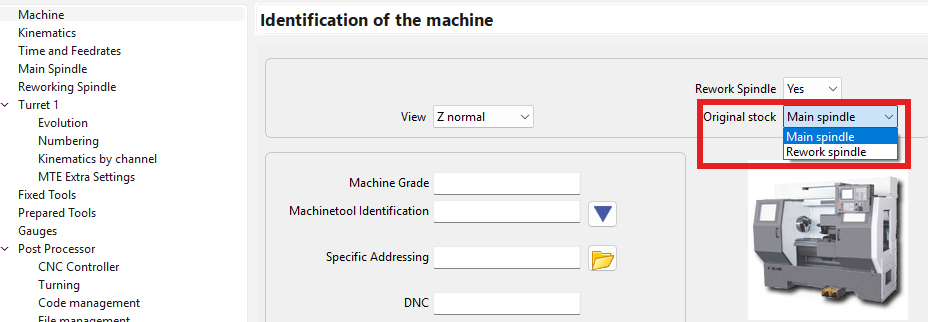
The Original stock parameter defines which spindle holds the stock at the start of machining. It is in the Machine page of the Machine file.
|
Option |
Initial stock location |
|
Main spindle |
The stock starts clamped in the main spindle. |
|
Rework spindle |
The stock starts clamped in the rework spindle (also called the sub-spindle). Use this option when the stock is loaded manually in that spindle before machining, without an initial transfer from the main spindle. |

|
|
Important: Selecting Rework spindle in the machine file and starting with Part rework are both required. Here, Part rework establishes the starting setup for stock already loaded in the rework spindle; the stock is not picked up from the main spindle at the beginning of the process.
When is this useful?
-
When the main spindle allows higher spindle speeds, the customer may prefer to perform the first operations on the sub-spindle and then finish the part on the main spindle.
-
For machining soft jaws mounted on the sub-spindle.
-
In some machine configurations, radial tool holders cannot physically reach the sub-spindle work area. In these cases, the part must be machined on the main spindle side, and the customer may need to start the programming process from a sub-spindle setup afterward. This case does not use a bar pull.
-
It is also useful for rework operations or when the part is already available in the sub-spindle holding position.
Choose the initial spindle to match the actual setup on the machine.
Machine Identification and extra Options
|
||
|
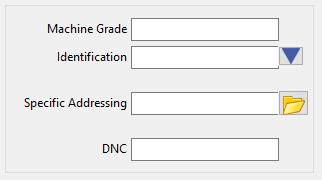
Machine Grade |
By assigning a machine grade, you enable the system to filter tools and operation lists based on their designated machine grade compatibility. Example:
|

|
|
Machine Tool Identification |
There you can define a shorter or special identification of machine. For instance, it can be used to distinguish several similar machines in your shopfloor. It can also be found in some contexts:
|
|
|
Specific Addressing |
Assign a dedicated directory path for all machine-related files, including Kinemac, materials, tools, technos, and opelists. Especially useful for Wire-edm to create some kind of environement by machine. Within this specific folder, all subfolders must have the correct names, or they will not be recognized. e.g ; Materials subfolder name is ‘mat’ |
|
|
DNC |
Configuration file name for macros handling the transfer to the controller. |
|
Cost Options

|
|
|
Customer Coefficient |
A coefficient designated for the processing of specific clients. |
|
Hour Cost |
Hourly cost of the Machine |
|
These values are used for the Estimation of Costs. |
|
Mini and Maxi Admissible Stock for the Machine
|
|
|
|
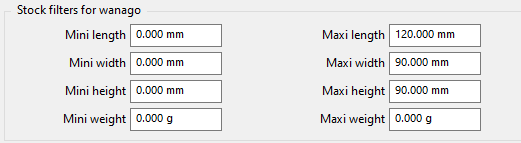
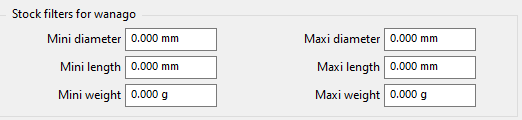
The stock filters include specific criteria for stock size and weight.
Weight is only considered if a material file with density information is loaded. When selecting a machine with WanaGO, only those capable of handling the specified part will be suggested. |
||