
In Standard milling on wireframe geometry, profiles define the areas to machine and the material to preserve. A pocket defines an area to machine. An island defines material to keep inside that area.
Check the role of each selected contour before validating: the same inner shape may need to remain an island or become a separate pocket.
Definitions
|
An area from which material must be removed. Its profile defines the boundary of that area. A pocket is identified by a whole number, such as 1 or 2. Selected pocket profiles are considered closed; open portions are defined separately. |
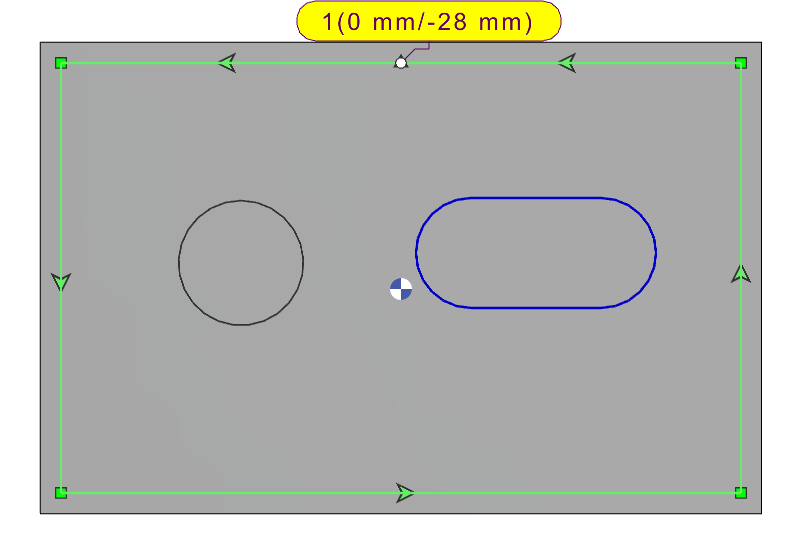
|
|
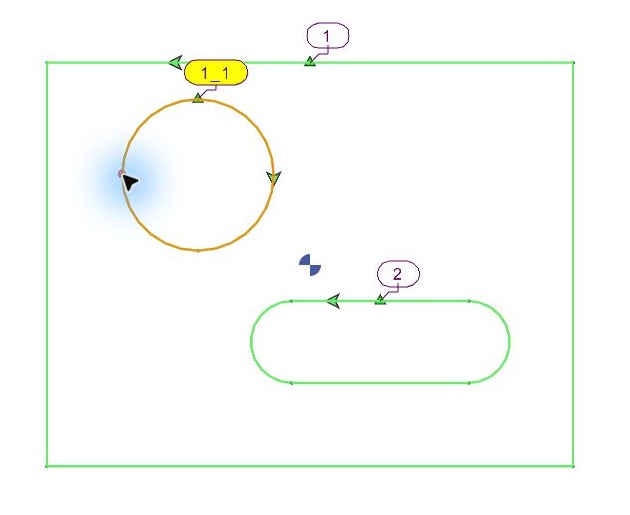
Island Material that must remain inside a pocket. An inner profile defines the boundary of this material, so the pocket machining avoids it. An island label includes the parent pocket number and an underscore: 1_1 is the first island of pocket 1. |
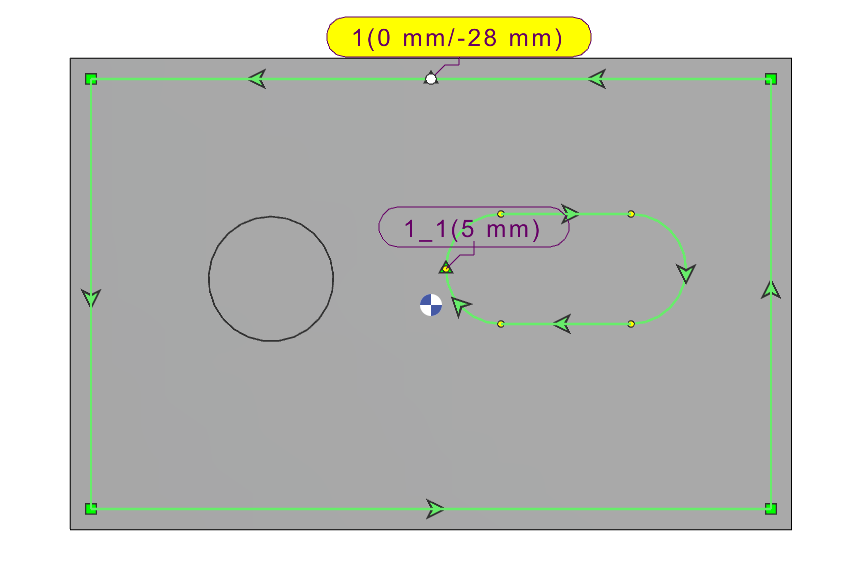
|
|
Subpocket A smaller area to machine within another pocket. It must be treated as a pocket rather than as material to avoid. An inner shape may initially be selected as an island. Convert it to a pocket when that inner area must also be machined. |
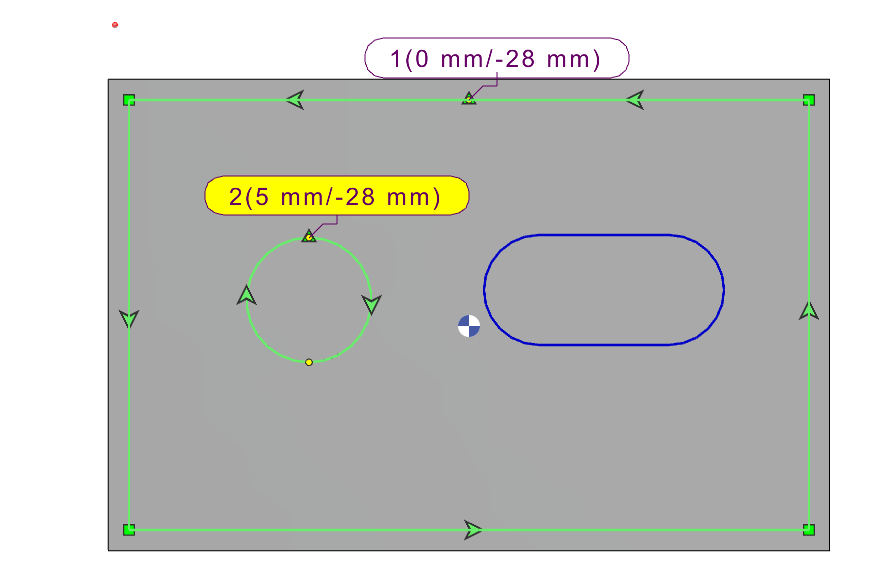
|
Identify Pockets and Islands
|
Label |
Meaning |
|
1 |
Pocket 1: the selected area to machine. |
|
1_1 |
First island associated with pocket 1: material to preserve. |
|
1_2 |
Second island associated with pocket 1. |
|
2 |
A separate pocket. After converting an island, its label no longer contains an underscore. The actual number depends on the current selection. |
Read the label together with the selected boundary. Colour alone does not explain whether the enclosed material is to be removed or preserved.
Select a Pocket
Choose Standard milling and start geometry selection.
Double-click inside the required closed area, or use a selection window to select the required contours. If the area contains branches, check that the selected boundary follows the intended route.
The required outer contour must be selected and identified as a pocket by a whole-number label. Check that neighboring areas have not been included unintentionally. |
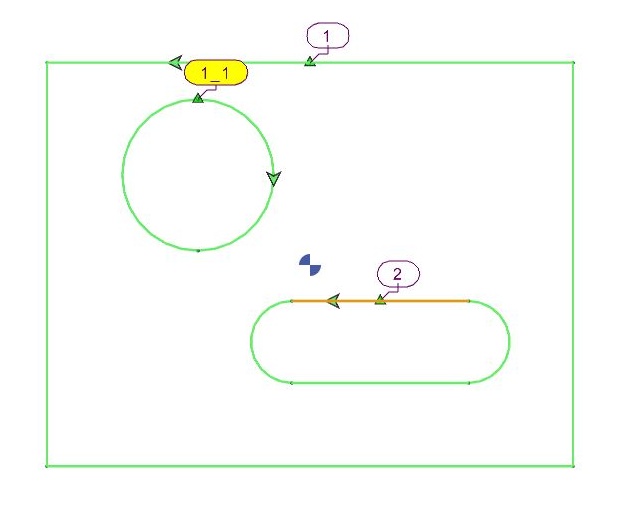
|
For detailed element-by-element selection and chaining choices, see Wireframe Profile Selection.
Select an Island
Select the outer pocket boundary first, then check the inner contours included in the selection.
Select the closed inner contour that encloses the material to keep. When nested contours are selected together by a click or selection window, the inner shape is treated as an island.
Check that the inner profile has an island label associated with the correct pocket, for example 1_1 within pocket 1.
The area inside the island contour must remain unmachined by the surrounding pocket operation. Repeat for any additional islands. Note: You can set Top Z individually for each island. Make the required island current by clicking its contour or selection bubble, then enter its Top Z value. |
|
Change an Island into a Pocket
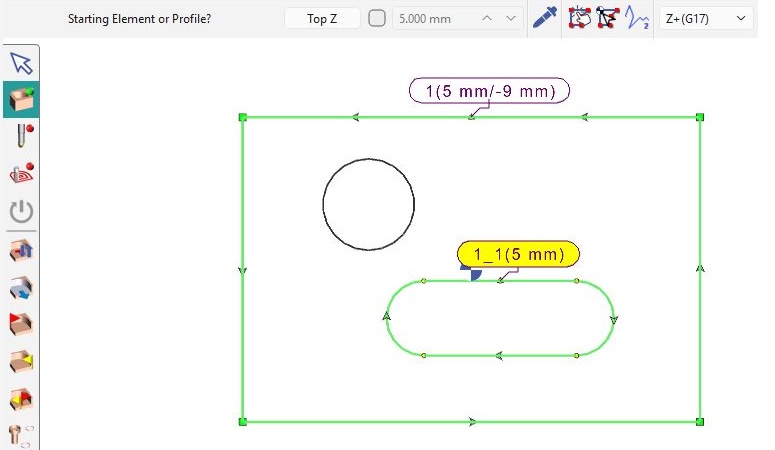
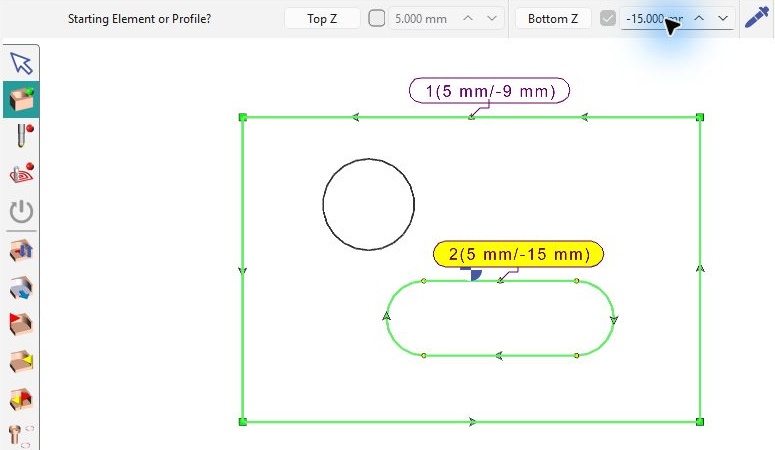
Use this when an inner contour has been treated as an island, but its enclosed area must be machined. Activate Change Island or Pocket, then click the inner profile’s selection bubble. Check the new label: in this example, the oblong changes from island 1_1 to pocket 2. It is now a subpocket to machine rather than an island to preserve. Make pocket 2 current and set its required machining levels.
See Change Island or Pocket for the command details.
Checks Before Validation
|
Outer boundary |
The pocket encloses the intended machining area. |
|
Inner contours |
Each inner contour has the required role: island to preserve, or pocket to machine. |
|
Labels |
Pockets use whole-number labels; islands use a pocket-and-island label such as 1_1. |
|
Open portions |
If a side must be open, define it separately. See Open Area on Profile. |
|
Altitudes |
Check the required top and bottom values before validating. See Z Altitudes on Wireframe for their definition. |