
Use these commands to adjust selected geometry, its direction, machining plane or processing order. Availability depends on the selected geometry and milling operation.
Information — Select an Existing Profile
After defining the profiles, click Information 
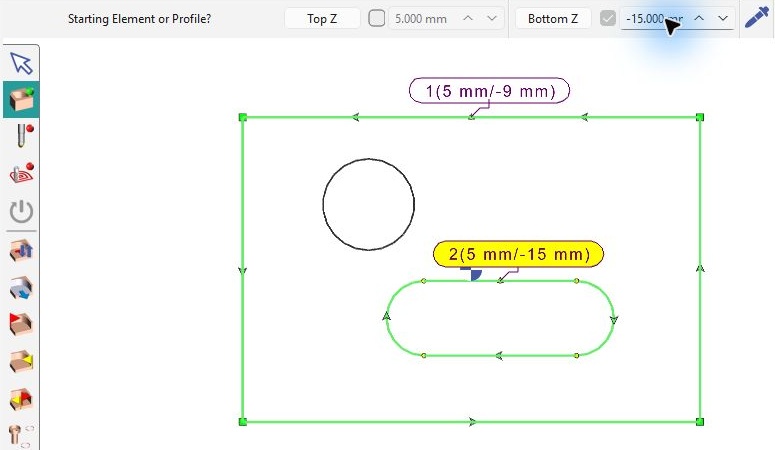
In wireframe selection, changes to Top Z and Bottom Z apply only to the current profile. Check which profile is current before editing its values. See Z Altitudes on Wireframe for the altitude workflow and Copy Altitudes to transfer shared levels to other profiles.
The Information button is also used when reversing profile direction after validation. See Inversion of Profiles – Milling for the individual-profile and Invert All methods.
Options – G17 G18 G19 Machining
Choose the machining plane and related selection options.
Change Island or Pocket
Change whether an inner contour represents material to preserve or an area to machine.
Open Area on Profile
Define open sections on wireframe profiles or close eligible openings on solid pocket features.
Inversion of Profiles – Milling
Reverse the direction of a selected profile.
Optimization of Machining Selection
Define or optimize the machining order of selected holes and profiles.
Prepierced Hole
Use the existing guide for selecting a prepierced hole.