
Definition
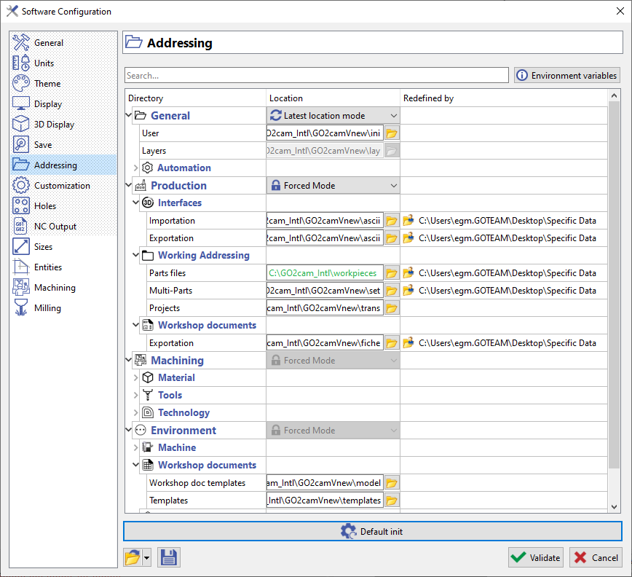
This page presents the addressing of files and shows only the addressing that the user can modify.
|
It offers 4 main categories:
|
|
|
|
▶️ You can watch a video on using the two different mode: 
|
In forced mode, when you open any file (sym, mac, tec, etc.) from a different folder than the one defined in the Options, it will be saved in the forced folder: consequently, the file is duplicated! This is a normal behaviour! We advise you to copy files in their forced directory from the start.
Exception for PCE files: if a PCE file was open from another directory than the forced one, we save it later in the directory where it comes from, to avoid duplicating it.
Specific Addressing
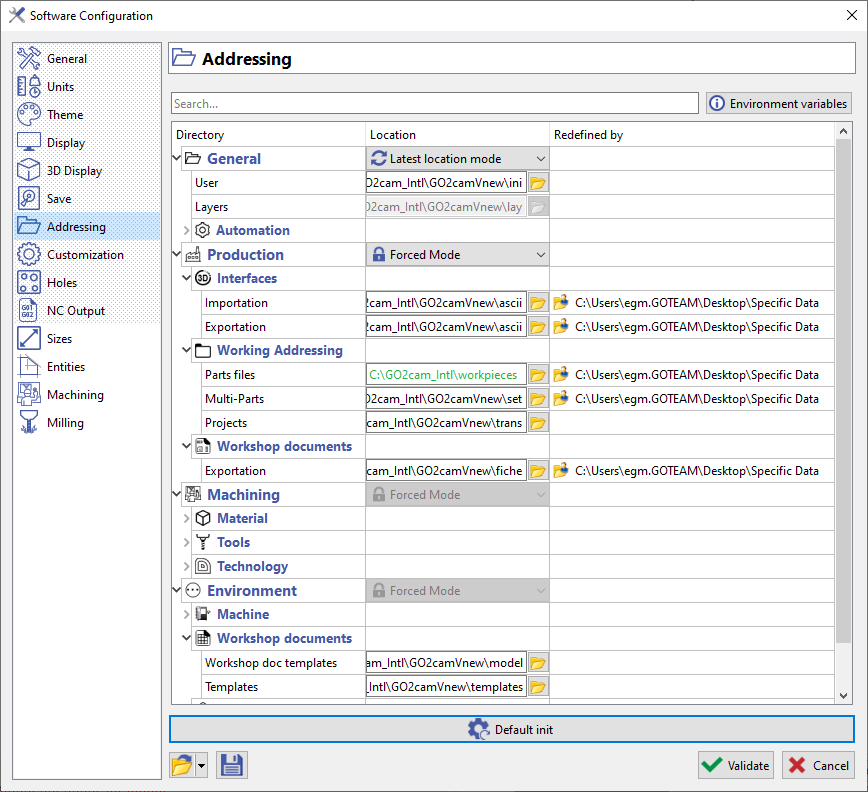
The specific addressing deals with Project Files (GMZ, GPZ), Machine Files (MCF, MCT, MCE) and Working Directory.
|
In those 3 cases, the addressing is considered as temporary, and we write it on the third column of the table, which is called 'Redefined by'. To remove the temporary addressing when working with: Project Files: Go to File > Project > Reset Working Directory: File > New |
|
|
▶️ You can watch a video about specific addressing: 
|
|
CFX File
|
The *.CFX files are also managed. If they include keys DIRECTORY, such as <DIRECTORY key="ZZTOOL" name="v:\new\bin\tool"/> the location is forced and set to green. |
▶️ You can watch a video on CFX File:

|