
Definition
|
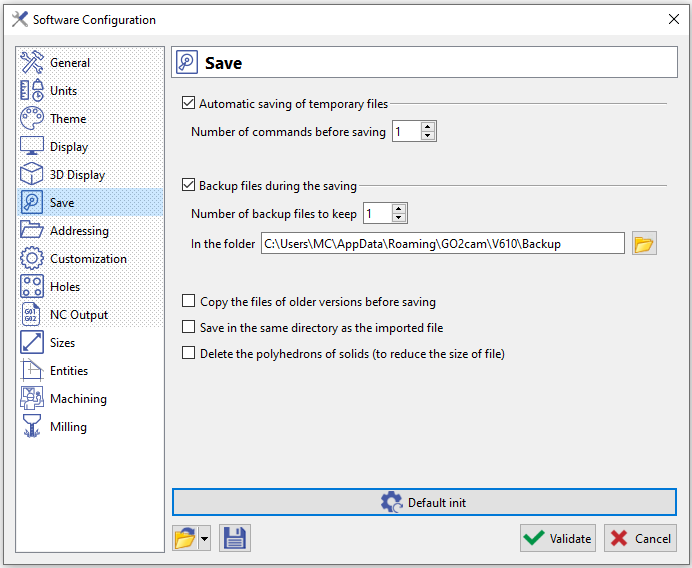
On this page, you can configure your automatic save and backup file preferences.
For more information, click Save and Backup Files |
|
Other options
3 interesting options:
-
Copy the files of older versions before saving: this option enables to archive a PCE file of older version. When you use a .PCE file created in an older version and save it in the new version, the file is duplicated with name: name(Vxxx).PCE. So in the situation of user keeping several versions of GO2cam, this option avoids to overwrite the old file.
-
Save in the same directory as the imported file: for users working by importing CAD files, this option enables to save the *.PCE file automatically into the same directory. This way, you can manage your production process by defining directories where you will keep both CAD and CAM files!
-
Delete the polyhedrons of solids (to reduce the size of file): this option is a tip to decrease the size of files. Please note that reading the file will then be a little longer since we have to re-buid the polyhedron when we load the file.