
|
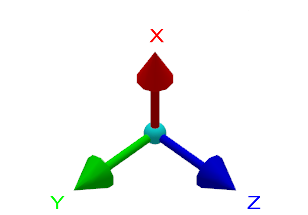
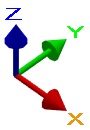
The interactive axis system in GO2cam uses standard RGB color.
The size of the interactive axis system can be modified by going to Tools > Options > Display. |
|
|
|
▶️ |
You can watch a video at the bottom of page: click here |
|
The interactive axis system serves four purposes:
-
Visualizes the XYZ axis of the current plane.
-
Provides access to various viewing commands by clicking different parts of the axis system
|
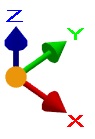
Origin |
Left click: change views Left click + Ctrl: invert view Right click: open views list |
|
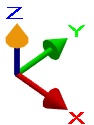
Top of arrow |
Left click: invert view |
|
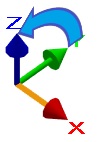
Body of arrow |
Left click: rotate around axis Left click + Ctrl: rotate in 5° steps |
|
Letter |
Left click: orient vector forward Left click + Ctrl: reverse direction |
3. Access the existing views
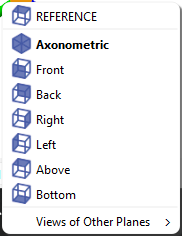
Right-click the origin of the interactive axis system to view existing views. You can also press F8.
This dialog box appears:
4. Creation of Planes
Dragging the origin of the interactive axis system onto a solid surface automatically creates a new plane, allowing you to select the origin's location.
After placing the system on a point or plane, a dialog box prompts you to position the plane:
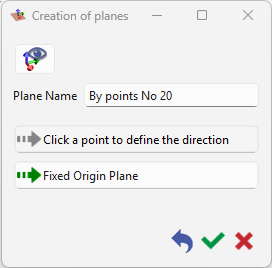
For more information about plane creation, see this page for details on how to create workplanes.
|
▶️ |
You can watch a video on the interactive system of axis:
|