Presentation

|
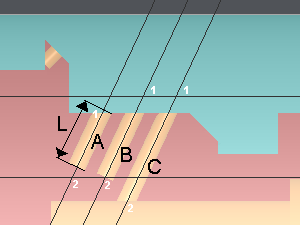
This function allows you to create holes according to B axis. The corresponding plane is automatically created. |
To create a B axis hole plane
-
Enter the depth value
-
Click on the starting point on the hole axis (1)
-
Click on a second point to give the direction of the hole axis (2)
Note: the second point only gives the axis direction, it does not need to be on the geometry.