
Presentation

|
This function allows you to create flats according to B axis. The corresponding plane is automatically created. |
To create a flat according to B axis plane
-
Enter the angle value
-
Activate the checkbox "Material to substract" to have the visualization of removal of material.
-
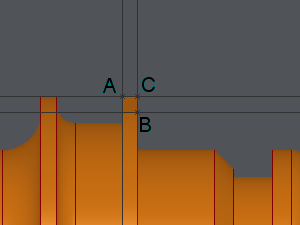
Click on the first point of the cone (A).
-
Click on the second point of the cone (B).
-
Click on the point corresponding to the maximum of material to substract (C).
|
Before any action |
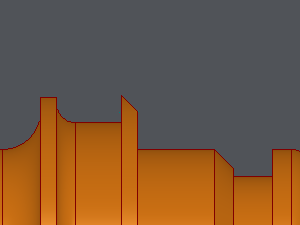
Result after Use |
|---|---|
|
|