
Introduction
A 3D mouse is a device created by the company 3DConnexion. It enables, among other possibilities, to orient the view without stopping the standard use of the software. Several models of mouse are available, GO2cam is compatible with each of them.
|
SpaceMouse Compact |
SpaceMouse Pro |
SpaceMouse Enterprise |
|
Stick and 2 buttons |
Stick, 4 customized buttons, 4 QuickView keys, 2 keyboard keys |
Stick, numerous customized keys and buttons, LCD Screen. |
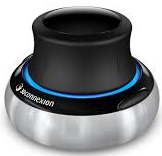
|
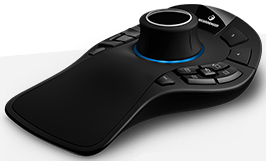
|
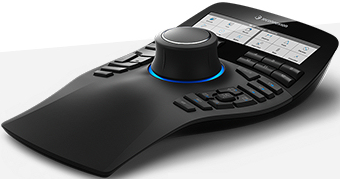
|
GO2cam is officially certified as compatible software on the 3Dconnexion website (https://3dconnexion.com/uk/)
Description of functions
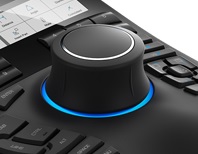
The stick
|
Command available to all the 3D mice The stick enables a full control of the camera during the translation (pan & zoom) and the rotation. GO2cam manages perfectly the camera motions with smooth and optimized motions to avoid losing the part. |
|
The default buttons
|
SpaceMouse Pro and Enterprise only
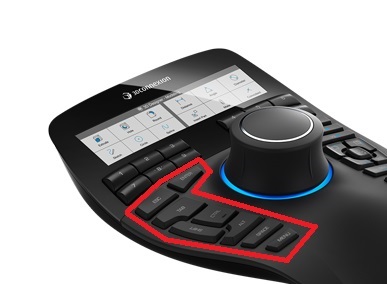
The 3D mice sometimes have macro buttons to reprioduce standard keys of the keyboard (control, alt., esc., enter…). They are integrated naturally in GO2cam.
|
|
The users buttons
|
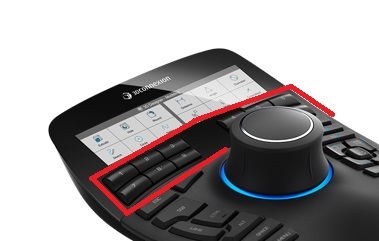
SpaceMouse Pro and Enterprise only This set of 4 to 12 buttons is fully customizable. By default, the buttons are defined as followed:
And for the mice with 12 buttons: 5. Info entity 6. Edit element 7. Solid import 8. List of operations 9. Edit attributes 10. Online Help 11. Quick zoom (in) 12. Quick zoom (out) |
|
The user can change this configuration, partly or fully, through the 3D mouse menu. The commands available for the user are the same as the user toolbar.
The integrated commands
Commands available to all the 3D mice
The integrated commands are options available in the configuration menu that are sometimes predefined.
-
Quick zoom enables to zoom on (or zoom out) immediately on the mouse cursor.
-
Save and call users views (same as the F2-F4 and ctrl+ F2-F4)
-
Change of views (top, front, left,…)
-
Lock rotation to liimtate the rotations of the stick.
The external commands
Commands available to all the 3D mice
3Dconnexion provides with the 3D mice several external executable files. The 3D mice can communicate with these files that interact with the software :
-
Integrated numeric pad
-
The radial menus (native or customizable), to accede to several options in one only click
-
The virtual LCD screen.
The LCD screen
|
SpaceMouse Enterprise only
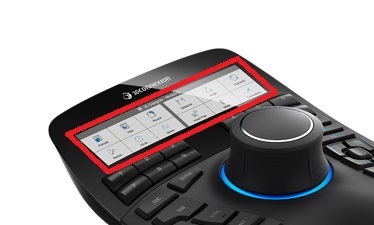
As the virtual screen, it enables to check what commands are given to the keys.
|
|