
Watch a video at the bottom of the page: Selection in GO2cam
|
Many commands in GO2cam request a selection of elements:
The elements selected are displayed in pink color, the validation of selection is done with the popup menu (right-click). Cancel the selection is available in the menu Edit > Undo Selection (Ctrl key + W). Many modes of selection are available, as shown below. |
Selection of a single element
|
To select a single element, left-click on the element. |
|
|
Action: 
|
Result: 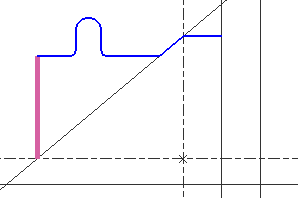
|
Selection of several elements
|
To select two or more elements, ctrl + left-click on the elements. |
|
|
Action: 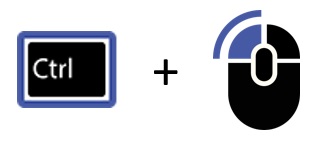
|
Result: 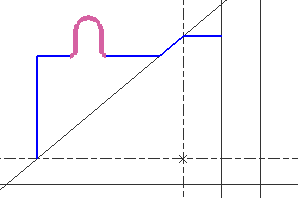
|
Window Selection Right to Left
|
To select all elements within a window |
||
|
Action: Window with the mouse from the right to the left. The window has a pink background and a dotted line boundary. |
Window: 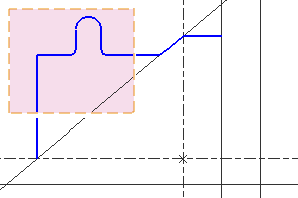
|
Result: 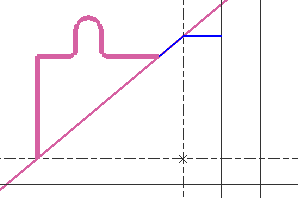
|
Window Selection Left to Right
|
To select all elements fully within a window |
||
|
Action: Window with the mouse from the left to the right. The window has a yellow background and a full line boundary. |
Window: 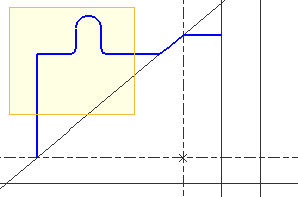
|
Result: 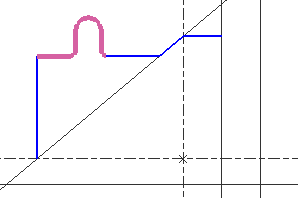
|
Select All
|
Selection of all the elements visible on the screen. The filtered and hidden elements are not selected. |
|
|
Action: Command Select All (Ctrl + A) The command is available in the menu Edit, and also in the popup menu |
Result: 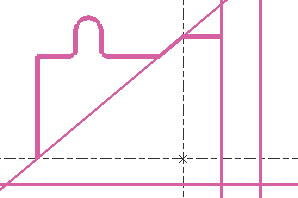
|
Selecting superimposed elements
|
When several elements are superimposed, a left-click may not select the one you need. Use Shift + right-click to display the list of all the elements under the cursor, then choose the required element in the list. |
|
|
Action: Place the cursor on the superimposed elements and press Shift + right-click. The list of elements is displayed. Select the required element in the list. |
Result: The element is selected. A popup opens with the useful commands: Edit, Delete... |
|
▶️ Watch a video on superimposed selection in GO2cam. 
|
|
|
▶️ Watch a video on selection in GO2cam. 
|