
Access the commands
2 ways to run the commands Move 

-
In the manipulations section of the ribbon.
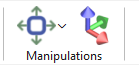
-
By right-clicking on the entity to be moved or duplicated.
|
Manipulation Section: 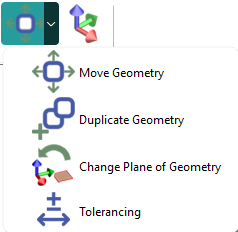
|
Right-Click popup menu: 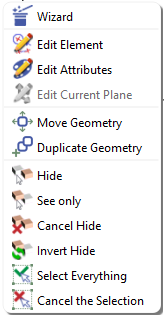
|
Dialog Boxes
|
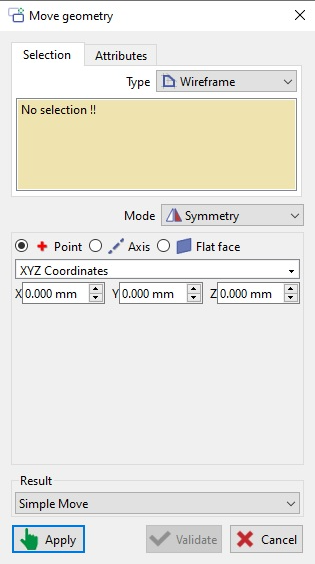
Selection Tab: Select elements by clicking; they appear in the selection box. Type: Choose elements by solid type (Wireframe, Solid, or both). Select Move or Duplicate mode; each requires different inputs. |
|
|
Move geometry Several modes are available with new features:
Result: The result can be: -Simple Move: moves the element(s) according to the chosen mode to the desired position. -Move with design history kept: links the selected element(s) to all previous constructions. |
|
|
You can watch a video on move geometry: 
|
|
|
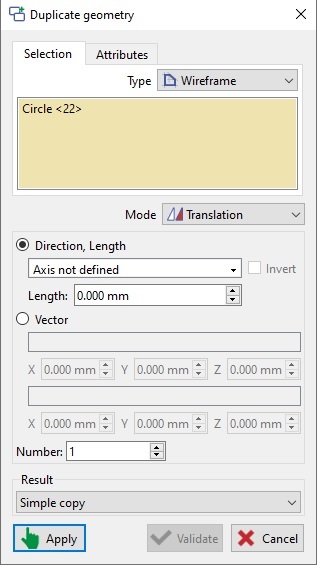
Duplicate geometry Several modes are available:
Result: The result can be: -Simple Move: this option allows the movement of the element(s) according to the mode chosen to the desired position. -Move with design history kept: this option make it possible for the selected element to have a link to all construction previously made. -Copy with link with original entity: the geometry which has been duplicated will not be editable as it dependent on the original feature. If ever any change is made to the original entity, the dependent one will be modified accordingly. |
|
|
You can watch a video where we use the Scale option to place the title block: (double-click in the video to enlarge it!)
|
|
Rotation by 2 points The rotation mode now features a new function specifically designed to measure and calculate the angle formed between any selected design segment and the X-axis. This tool provides precise angular measurements to assist in aligning or analyzing design elements relative to the horizontal axis. |
|
Behaviour
|
Behaviour of the move and duplicate commands:
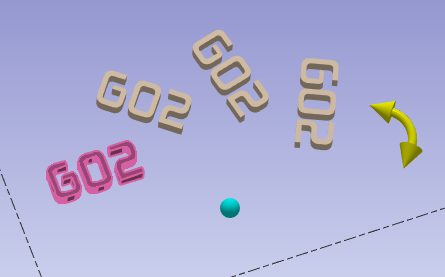
A new pre-visualization effect allows the user to see the changes. You can also easily interact with the interface element or you can click the point or the arrow to move it dynamically.
|
|
|
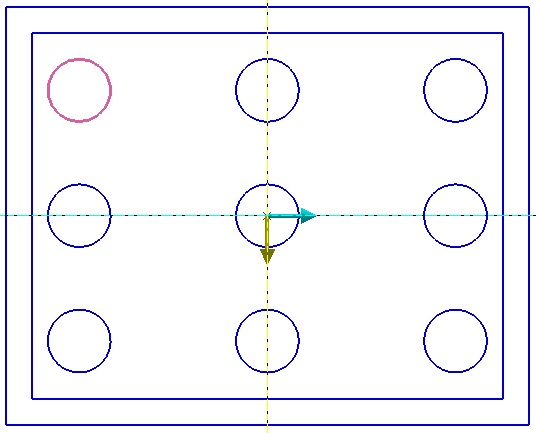
For linear pattern in Mode (Duplicate geometry), you can choose ‘X’ and ‘Y’ axis by clicking any axis or geometry. 2 colors, yellow and clear blue, are applied to visualize them on the screen.
|
|
|
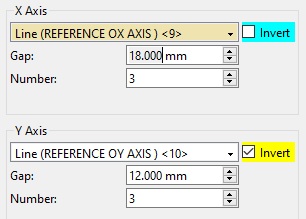
An arrow for direction is given, a click in the dialog enables to invert easily the direction.
|
|
|
Finally, when you validate, clicking on Apply allows multiple successive transformation without closing the dialog box. |
|
Moving a geometry can be much longer than duplicating the same geometry, because we complete geometry update is also applied during the move action.
From version 2026.9, we have optimized this step and reduced drastically the computing time. Also, during computing the cursor is now an hourglass to show that computing is in progress.