

|
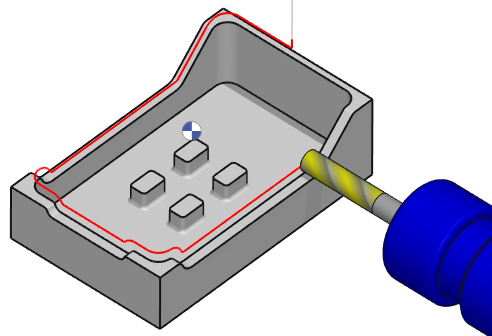
This 5 Axis Swarf operation is applied one only profile. Then in strategy page, you need to define the side of toolpath according to the solid face. Technical Reminder about SWARF cutting: Side Wall Axial Relief Feed. The goal is to produce the target surface with only one cut, using the whole flute length of the tool. The motivation is:
|
Key Points
|
|
Strategy Parameters
|
Dialog Area |
Parameters |
|
|
Toolpath Strategy |
Toolpath offset |
|
|
Allowances |
Z Stock allowance |
Normal Stock allowance |
Movement Parameters
|
Dialog Area |
Parameters |
|
|
Z Approach and Retract |
Rapid plane alt. |
Safety distance |
|
XY Approach and Retract |
Lead in length |
Lead out length |
|
Lead in Strategy |
Lead out Strategy |
|
Technology Parameters
|
Dialog Area |
Parameters |
|
|
Cutting Conditions |
Quality |
Cutting Speed |
|
Feedrate/tooth |
Spindle direction |
|
|
Spindle speed |
Feedrate |
|
|
Sp. speed range |
||
|
Tool number |
Specific Number |
|
|
Length compensation number |
Diameter compens. Nb |
|
|
Users Fields |
Comment |
Control Device |
|
Milling Set |
|
|

Options Parameters
|
Dialog Area |
Parameters |
|
|
Behaviour on the clamps and components |
Gouge Check |
Offset XY |
|
Offset Z |
||
|
Curves Computing |
Curve tolerance |
Curve segmentation |