
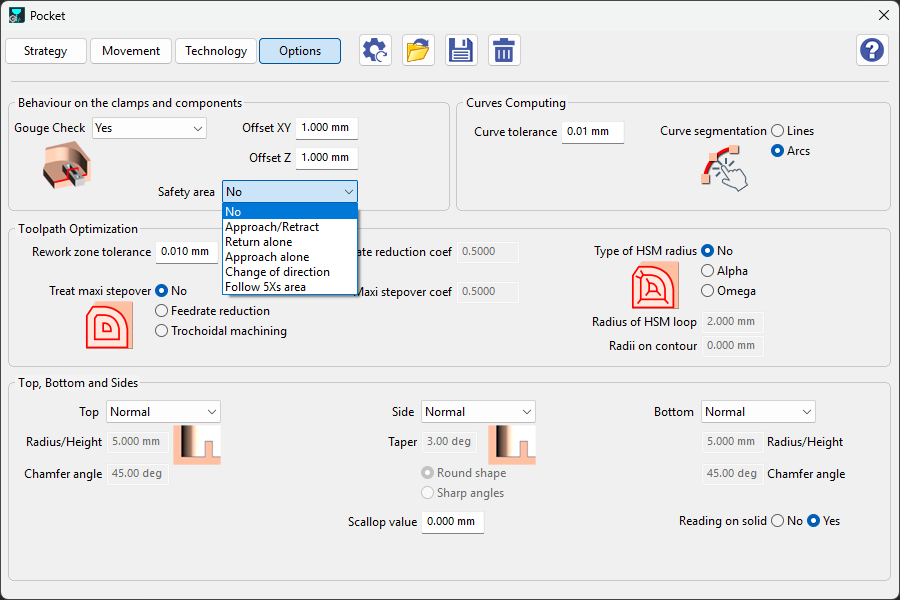
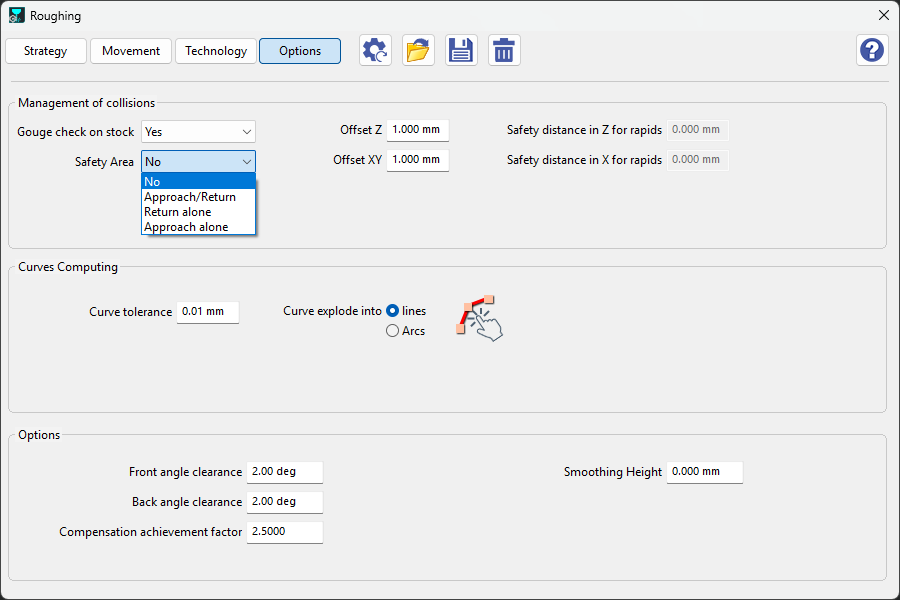
In GO2cam, safety area options are available in the Options tab within the technology functions of the machining cycle. These settings dictate how tools respond based on the safety area you have specified. Remember, a safety area must be defined before these options can be applied. For detailed instructions on creating a safety area, click here.
Milling
|
Turning
|
||
|
The milling and turning modules have some overlapping options regarding the safety area: |
|||
|
Approach/retract(milling only) |
Moves the tool safely into and out of the safety area before and after cutting. |
||
|
Return Alone |
Sends the tool back to the safety area without starting a new approach or cut. |
||
|
Approach Alone |
Brings the tool from the safety area to the start point without performing a retract at the end. |
||
|
Change of direction |
Adjusts the toolpath smoothly when the tool needs to turn while staying within the safety area. |
||
|
Follow 5Xs area(milling only) |
You can link two operations with the same tool by enabling 5‑axis simultaneous motion. To do this, first define a safety area in the Stock dialog, then select ‘Follow 5Xs Area’ in the cycle strategy. |
|
|