
Cycle: Text Marking
Plunge according to tool angle
A strategy parameter that determines whether the tool plunges vertically or follows a ramping entry path aligned with the geometry of the cutting tool.
This parameter is applied to ensure that the entry movement of the tool corresponds to its cutting shape, thereby reducing excessive stress during penetration, improving entry quality, and extending tool life. It is particularly useful for engraving operations where sharp vertical entry could damage the tool or the workpiece surface.
Plunge Angle
This strategy parameter specifies the angle at which the tool enters the material.
If set to 0.0, the plunge angle automatically corresponds to the tool’s cutting angle, ensuring that the entry matches the tool tip.
When a value is entered, it overrides this setting and forces the tool to enter with the specified ramp angle.
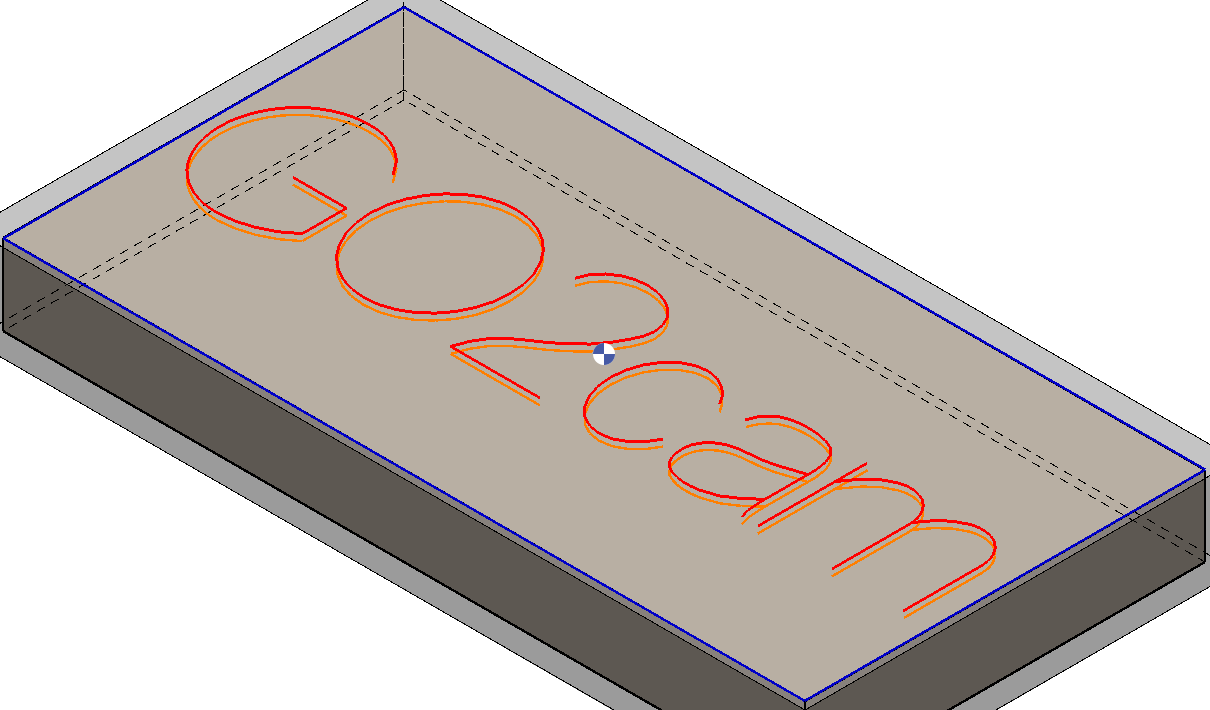
Plunge according set to tool angle set to No. |
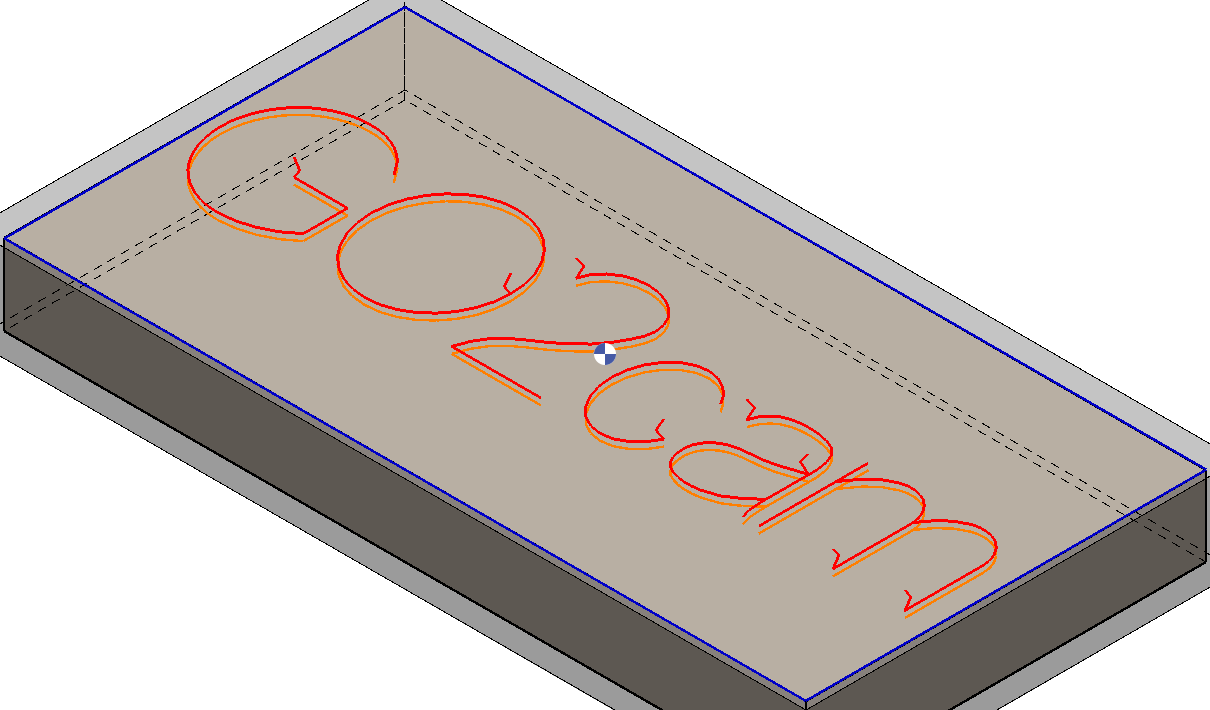
Plunge according to tool angle set to Yes. Notice the angled plunge into the workpiece. Plunge angle set to an arbitrary value. |
Cycle: Interpolation
Plunge off center

|
A plunging parameter has been introduced in Interpolation, adding an off-center plunge option similar to that used in threading. This parameter is located under Movement within the Strategy page, where values can be entered to adjust the off-center distance. |
▶️ Watch a video on Plunge off-center. 
|