
This option is used in several machining cycles, with different purposes and behaviours.
Please use the tree on the right side of the screen.
Cycle: Finish Groove / Finishing Ø / Face
Definition for Finish Groove
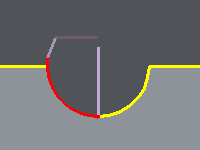
In case of Side/Side Finishing, this option enables to define a stepover between the 2 finishing passes.
Rules
-
The overlap is done only if the groove has a flat bottom.
-
If there is not enough room to respect the value, the stepover is done with a smaller value.
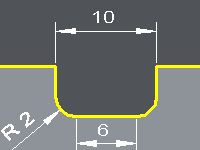
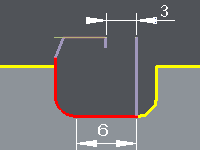
Please check the examples below: we define a stepover of 3mm.
|
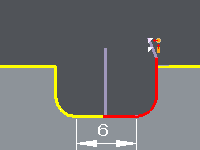
1. The groove has a flat bottom with a 6 mm width. |
First side of the finishing |
Second side of the finishing: the 3 mm stepover is respected. |
|
|
|
|
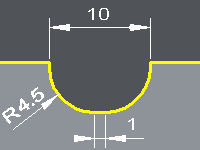
2. The groove has a flat bottom with a 1 mm width. |
First side of the finishing |
Second side of the finishing: the stepover of 3 mm can not be respected, but the stepover is done anyway (0.5 mm) |
|
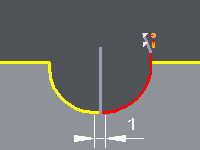
|
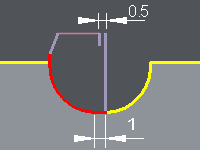
|
|
3. The groove has no flat bottom |
First side of the finishing |
Second side of the finishing: the stepover can not be done at all. |
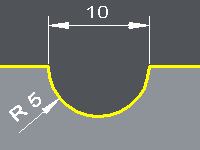
|
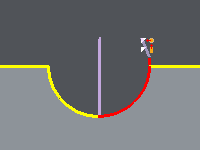
|
|
Definition for Finishing Ø / Face
The stepover is an overlength between 2 consecutive elements to machine.
This option is closely linked to the parameter Retract, which enables to shorten the primary passes, according to the mode of machining chosen.
Here are some examples with the configuration: Face then Diameter (in the Finishing Priority).
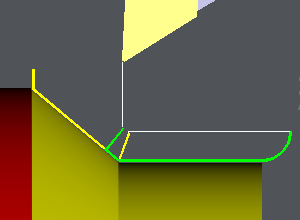
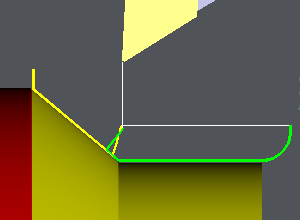
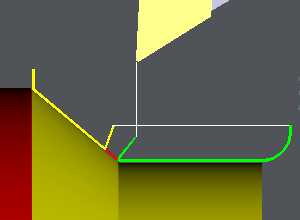
The yellow toolpath is done first, then the tool is retracted and finally the green toolpath is done.
|
Stepover = 1 mm Retract = 0 mm The 'green' path overlaps the yellow path with the stepover value defined. |
|
|
Stepover = 1 mm Retract = 0.5 mm The yellow path is 0.5 mm shorther to leave some material on the corner. The green path finishes the shape by overlapping the yellow toolpath. |
|
|
Stepover = 0 mm Retract = 1 mm In this case, the shape is not correctly finished! |
|