

|
Finishing operation is done with forming tools, especially for Back turning operation. |
Key Points
|
|
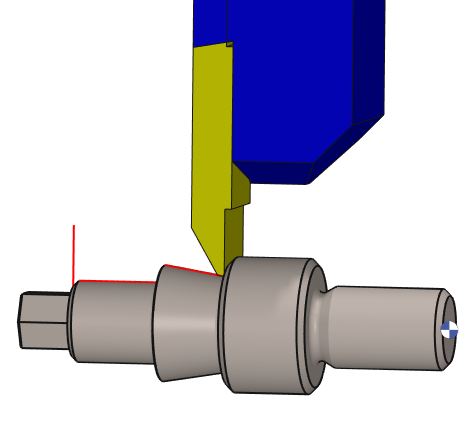
The tool can either be a turning facing cutter or a forming tool. By using the forming tool, there are low radial forces, better chip- control as well as better result. The cutting edge changes throughout the machining. Tools files formats *.sym and *.ouf can be used. Libraries of ISCAR and Kyocera tools are available in downloading. |
|

|
New Option in the Form Finishing Cycle 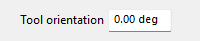
A new Tool Orientation option has been added to the Form Finishing cycle. This parameter allows the projection orientation of the form tool to be defined, resulting in a different toolpath calculation. By adjusting the tool orientation, additional areas of the profile can be machined, including undercut regions that may not be accessible with the default orientation. |
|
Strategy Parameters
|
Dialog Area |
Parameters |
|
|
Toolpath |
||
|
Tool Orientation |
|
|
|
Machining Strategy |
||
|
XY Stock allowance |
Z Stock allowance |
|
Movement Parameters
|
Dialog Area |
Parameters |
|
|
Approach and Return Characteristics |
||
|
|
||
|
Leadout overlength/Vector |
||
|
Leadin overlength/Vector |
||
|
Limitate the leadin/leadout |
||
|
Return safety distance |
Approach safety distance |
|
Technology Parameters
|
Dialog Area |
Parameters |
|
|
Cutting Conditions |
Quality |
Cutting Speed |
|
Spindle speed |
Speed range |
|
|
Feedrate in Z |
Feedrate |
|
|
Feedrate in X |
Spindle direction |
|
|
Maxi spindle speed |
|
|
|
Tool number |
Specific Number |
|
|
Radius compensation number |
Length compens. nb |
|
|
Users Fields |
Comment |
Control Device |
|
Machining Set |

|
|
Options Parameters
|
Dialog Area |
Parameters |
|
|
Management of collisions |
||
|
Curves Computing |
Curve Tolerance |
Curve explode into |
|
Options on the toolpath |
Break the outside corners |
Maxi angle |